


Give Your Optimizely Devs (and Agents) Visual Guardrails to Prevent Bugs. Save your spot for the Oct. 29th webinar

Give Your Optimizely Devs (and Agents) Visual Guardrails to Prevent Bugs. Save your spot for the Oct. 29th webinar
When we start automating an application from scratch, we have numerous frameworks to choose from. However, in most cases, we opt to build our automation framework using the Page Object Model (POM) design pattern because it helps organize and manage test code more effectively.
Page Object Model (POM) is a design pattern that encourages the creation of page classes. Each page class corresponds to a specific page or component within the application. These page classes encapsulate the details of the page, such as locators (identifiers for web elements) and methods (actions that can be performed on those elements).
Now, imagine having a tool that automatically records and generates POM page classes for us. How much easier would our work become? Applitools TestGenAI for Cypress provides us this capability. This is precisely the capability provided by Applitools TestGenAI for Cypress.
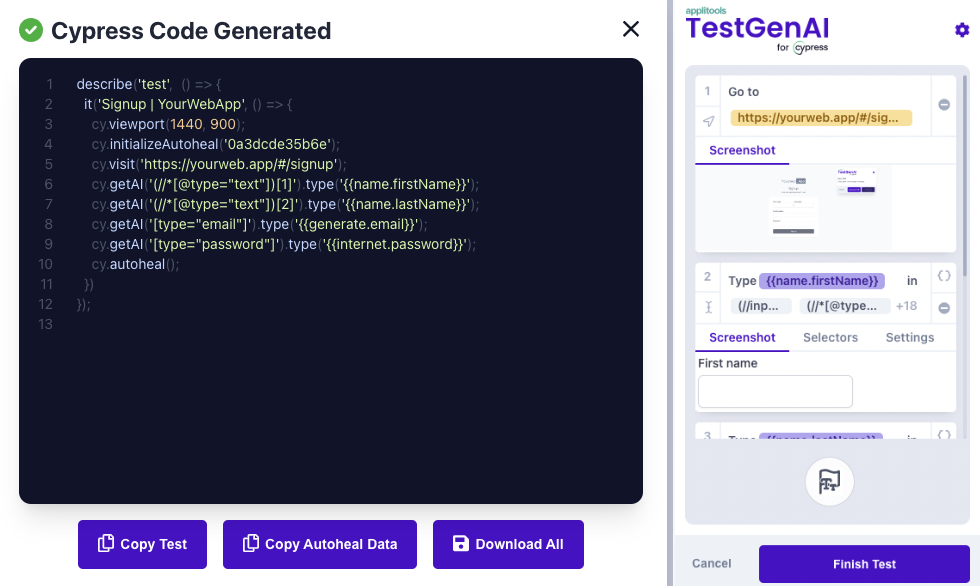
Applitools TestGenAI for Cypress empowers users to quickly create robust, auto healing automated tests that can validate even the most complex scenarios within seconds. Applitools TestGenAI for Cypress streamlines the creation of automated tests by providing tools for recording test actions, generating test code, and helping in creating Page Object Model (POM).
Before we move in detail about how we can use Applitools TestGenAI with Cypress, it’s mandatory to understand the core concept of Self-Healing automated tests using Applitools TestGenAI.
Self-Healing in automated testing refers to the ability of test scripts to automatically adjust to changes in the application under test (AUT) without human intervention. This capability reduces the maintenance overhead and ensures the robustness of the test suite.
When running tests with Applitools TestGenAI, the plugin automatically detects and heals any changed selectors in real-time. This process ensures that your test scripts continue to function correctly even when the application under test (AUT) undergoes changes.
Here’s a step-by-step explanation of how the self-healing mechanism works:
In the below screenshot you can see the temporary file is created with the updated selector for the original test case test.cy.js. We can copy and paste the contents of this temporary file into your corresponding Cypress test file. Alternatively, since TestGenAI has updated the self-healing file, no action is necessary, but users should copy and remove the temporary file for cleanliness’s sake.
In the next section you will see the key features and benefits of Applitools TestGenAI.
Applitools TestGenAI for Cypress offers several key features that enhance the test automation process, making it faster, more reliable, and easier to maintain.
Here’s a detailed look at these features:
Automating the generation of Page Object Model (POM) using Applitools TestGenAI offers several significant benefits for test automation teams.
Here’s a detailed look at why automating POM generation with TestGenAI is advantageous:
Applitools TestGenAI is composed of two key components that work together to facilitate efficient test automation and script generation.
Integrate the TestGenAI Plugin with your Cypress framework for seamless test recording and generation. Install it with:
npm install @applitools/testgenai-cypress
npx @applitools/testgenai-cypress init
This plugin captures all user actions and locators, ensuring accurate and reliable Cypress test scripts. For more detail follow the link TestGenAI Plugin
Record test actions directly from your browser using the TestGenAI Chrome Extension. Install the extension via the provided link, authenticate it with your license key, and start recording user interactions. Download the generated Cypress code, which includes self-healing data for resilient tests. For more detail follow the link TestGenAI Chrome Extension.
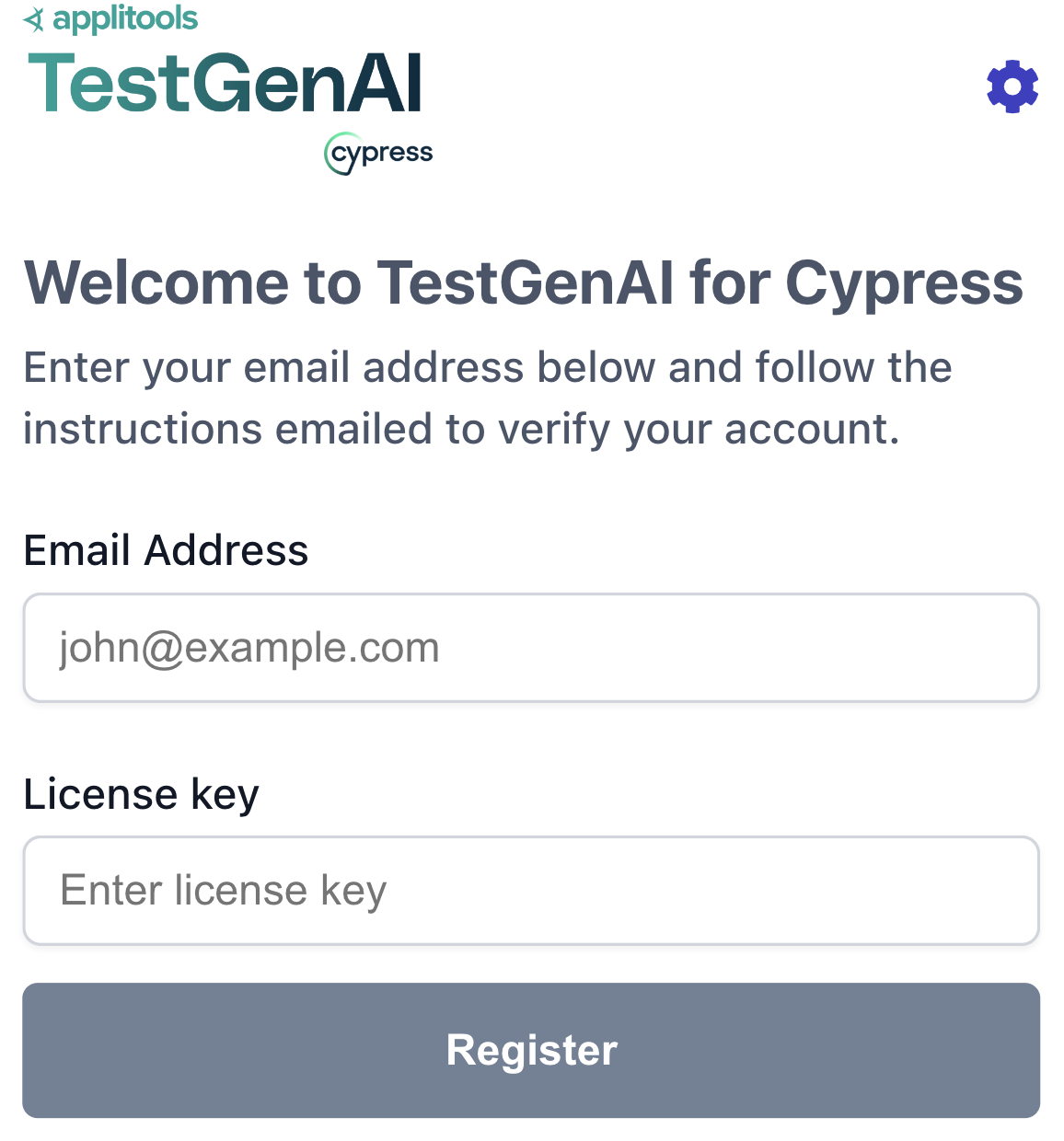
Once we install the TestGenAI Chrome Extension and open it, it will ask to enter the email address and License key.
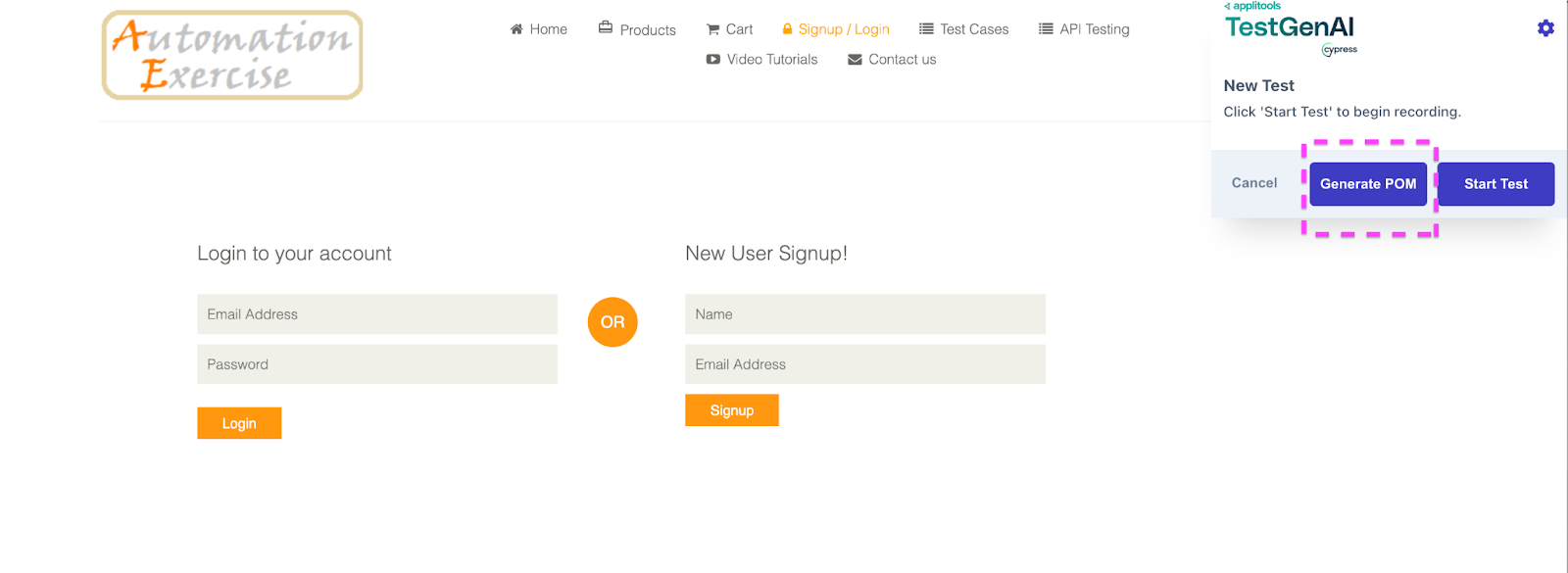
Once we enter the email address and license key below the screen is open from where you can record and generate the POM.
Before we move to Recording the Test Using Applitools TestGenAI first we need to understand what are problems in traditional record and playback tools.
Record and replay tools have been widely used in software testing for their simplicity and ease of use, but they come with a set of traditional challenges.
Here are some common issues associated with these tools:
Applitools TestGenAI addresses many of the limitations associated with traditional record and replay tools by leveraging AI and advanced testing capabilities. Here’s how Applitools TestGenAI enhances stability and reliability compared to traditional record and replay tools.
Self-Healing: TestGenAI includes self-healing capabilities that automatically adjust tests when UI elements change. This significantly reduces the need for manual updates and maintenance.
Dynamic and Robust Locators: TestGenAI uses AI to identify elements based on visual and contextual clues rather than relying solely on static attributes like IDs or XPaths. This makes the tests more resilient to changes in the UI.
Adaptive Learning: The AI learns and adapts to changes in the application over time, reducing the brittleness of tests and improving stability.
Data Generation: Generate synthetic data like names, emails, addresses, etc. and then reuse them throughout tests.
So far, we’ve explored the capabilities of Applitools TestGenAI. Now, let’s dive in and see how we can utilize this tool to enhance our daily automation tasks and make our work more efficient with recording the test.
To effectively document the process of recording tests using Applitools TestGenAI, follow these steps:
In this section, we will guide you through the process of recording tests using Applitools TestGenAI. This tool helps in automating visual tests with AI-powered capabilities.
Install the Extension:
Open the Page to Record:
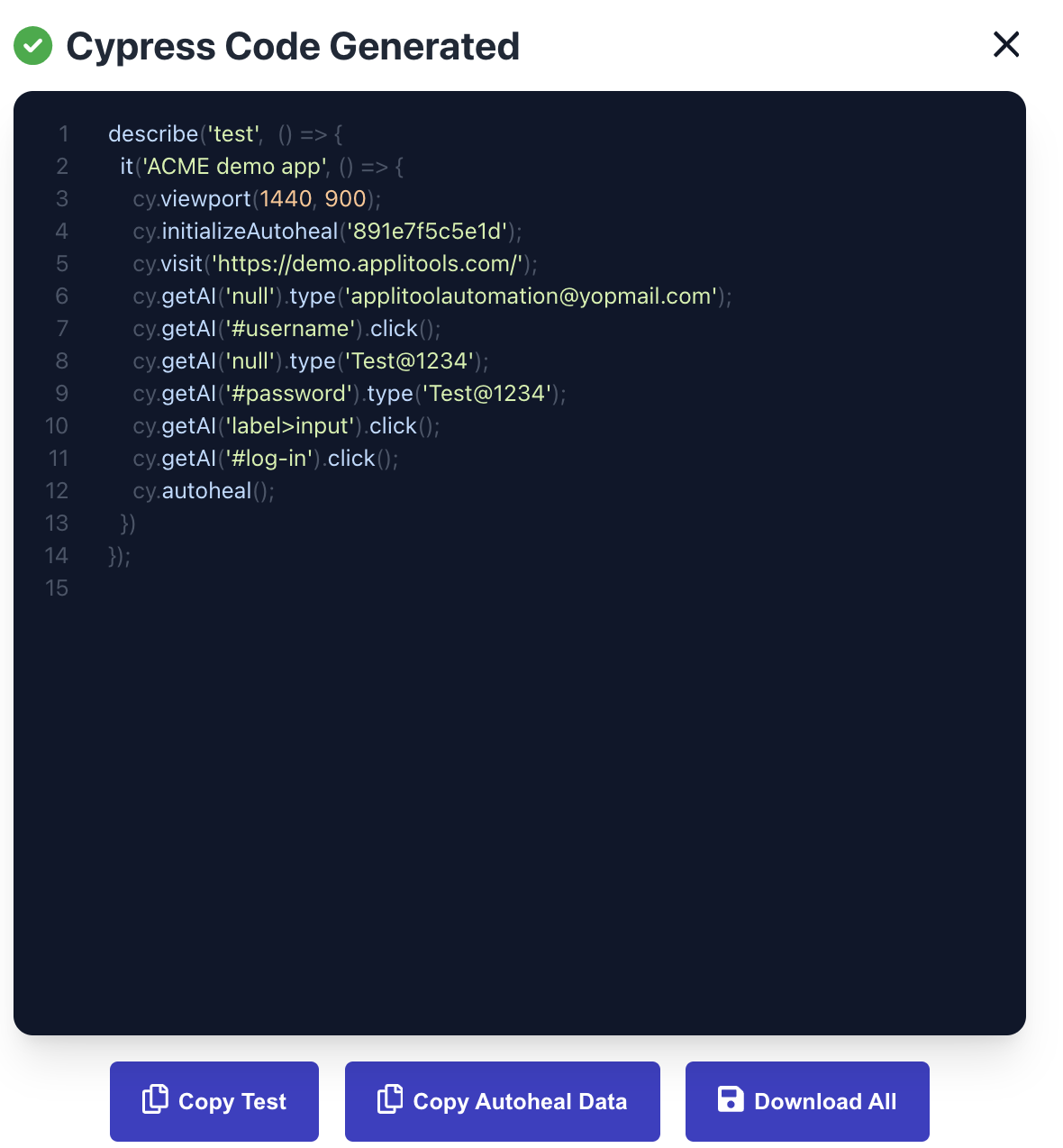
Lets take an example of the site https://demo.applitools.com/ to record the script with simple login flow.After recording the test steps, you can download the Cypress code and autohealing data.
YourTestName.cy.js test will contain an initialization step to import the corresponding self-healing JSON file. The unique testDataId value on this line should match the value in the autoheal filename. For example: a012f0a23f9e-PreflightCyTest_AutohealData.json cy.initializeAutoheal(‘a012f0a23f9e’);
Run the above test case by running command yarn cypress open and run it. In the below screenshot you can see test case are executed successfully.
Applitools TestGenAI for Cypress can help in creating page object classes containing the elements of a page.
Here’s how you can do it:
For demo purposes we have taken the example of the site https://automationexercise.com/login .
Use Case:
In next step you will see how TestGenAI generate the POM for above use case.
In the below code generation you can see the page class is created with various methods for all the buttons/ links etc for the site https://automationexercise.com/login.
Now it’s depend on you which one you want to use:
export default class AutomationExerciseSignupLoginpom {
 setAutohealData() {
   cy.setCurrentPomAutohealDataId("ae934b0a5c73");
 }

 visit() {
   cy.visit("https://automationexercise.com/login");
 }

 /**
     Navigation  > IconButton
     tag: a | purpose: navigation
   */
 clickButton2() {
   this.setAutohealData();
   return cy.getAI(".pull-left>a").click();
 }

 /**
     Navigation  > "Home" Button
     tag: a | purpose: navigation
   */
 clickHome() {
   this.setAutohealData();
   return cy.getAI('//*[text()[contains(., "Home")]]').click();
 }

 /**
     Navigation  > " Products" Button
     href: /products | tag: a | purpose: navigation
   */
 clickProducts() {
   this.setAutohealData();
   return cy.getAI('//*[text()[contains(., "Products")]]').click();
 }

 /**
     Navigation  > "Cart" Button
     href: /view_cart | tag: a | purpose: navigation
   */
 clickCart() {
   this.setAutohealData();
   return cy.getAI('//*[text()[contains(., "Cart")]]').click();
 }

 /**
     Navigation  > "Signup / Login" Button
     href: /login | tag: a | purpose: navigation
   */
 clickSignupLogin() {
   this.setAutohealData();
   return cy.getAI('//a[text()[contains(., "Signup / Login")]]').click();
 }

 /**
     Navigation  > "Test Cases" Button
     href: /test_cases | tag: a | purpose: navigation
   */
 clickTestCases() {
   this.setAutohealData();
   return cy.getAI('//*[text()[contains(., "Test Cases")]]').click();
 }

 /**
     Navigation  > "API Testing" Button
     href: /api_list | tag: a | purpose: navigation
   */
 clickAPITesting() {
   this.setAutohealData();
   return cy.getAI('//*[text()[contains(., "API Testing")]]').click();
 }

 /**
     Navigation  > "Video Tutorials" Button
     href: /c/AutomationExercise | tag: a | purpose: navigation
   */
 clickVideoTutorials() {
   this.setAutohealData();
   return cy.getAI('//*[text()[contains(., "Video Tutorials")]]').click();
 }

 /**
     Navigation  > "Contact us" Button
     href: /contact_us | tag: a | purpose: navigation
   */
 clickContactUs() {
   this.setAutohealData();
   return cy.getAI('//*[text()[contains(., "Contact us")]]').click();
 }

 /**
     "Login to your account" Box  > "logIn" Form > "Email Address" Input
     purpose: email | placeholder: Email Address | inputType: email | tag: input
   */
 typeEmail2(email2) {
   this.setAutohealData();
   return cy.getAI('.login-form>form>[type="email"]').clear().type(email2);
 }

 /**
     "Login to your account" Box  > "logIn" Form > "Password" Input
     purpose: password | placeholder: Password | inputType: password | tag: input
   */
 typePassword(password) {
   this.setAutohealData();
   return cy.getAI('[type="password"]').clear().type(password);
 }

 /**
     "Login to your account" Box  > "logIn" Form > "Login" Button
     purpose: submit | tag: button | class: btn-default, btn
   */
 clickLogin() {
   this.setAutohealData();
   return cy.getAI('//form/*[text()[contains(., "Login")]]').click();
 }

 /**
     "New User Signup!" Box  > Form > "Name" Input
     placeholder: Name | inputType: text | tag: input
   */
 typeName(name) {
   this.setAutohealData();
   return cy.getAI('[type="text"]').clear().type(name);
 }

 /**
     "New User Signup!" Box  > Form > "Email Address" Input
     purpose: email | placeholder: Email Address | inputType: email | tag: input
   */
 typeEmail1(email1) {
   this.setAutohealData();
   return cy.getAI('.signup-form>form>[type="email"]').clear().type(email1);
 }

 /**
     "New User Signup!" Box  > Form > "Signup" Button
     purpose: submit | tag: button | class: btn-default, btn
   */
 clickSignup() {
   this.setAutohealData();
   return cy.getAI('//form/*[text()[contains(., "Signup")]]').click();
 }

 /**
     "SUBSCRIPTION" Box  > "Your email address" Input
     purpose: email | placeholder: Your email address | id: susbscribe_email | inputType: email | tag: input
   */
 typeYourEmailAddress(yourEmailAddress) {
   this.setAutohealData();
   return cy.getAI("#susbscribe_email").clear().type(yourEmailAddress);
 }

 /**
     "SUBSCRIPTION" Box  > IconButton
     purpose: submit | id: subscribe | tag: button | class: btn-default, btn
   */
 clickButton1() {
   this.setAutohealData();
   return cy.getAI("#subscribe").click();
 }
}
Now let’s use the above generated methods by Applitools TestGenAI in your Test class. In the below test cases you can see we are clicking on the menus (Home, Product, Cart, Test Cases, API Testing, Contact Us and Signup / Login) and finally login into the application.
/// <reference types="cypress" />
import POM from "../Pages/automationPrac.cy"
let homePage = new POM()
describe("Login into the site with valid credential", () => {
 it("Login into the site with valid credential", () => {
   homePage.visit()
   homePage.clickHome()
   homePage.clickProducts()
   homePage.clickCart()
   homePage.clickTestCases()
   homePage.clickAPITesting()
   homePage.clickContactUs()
   homePage.clickSignupLogin()
   homePage.typeEmail2('xxxx@yopmail.com')
   homePage.typePassword(xxxx@1234')
   homePage.clickLogin()
   cy.autoheal();
   })
 });
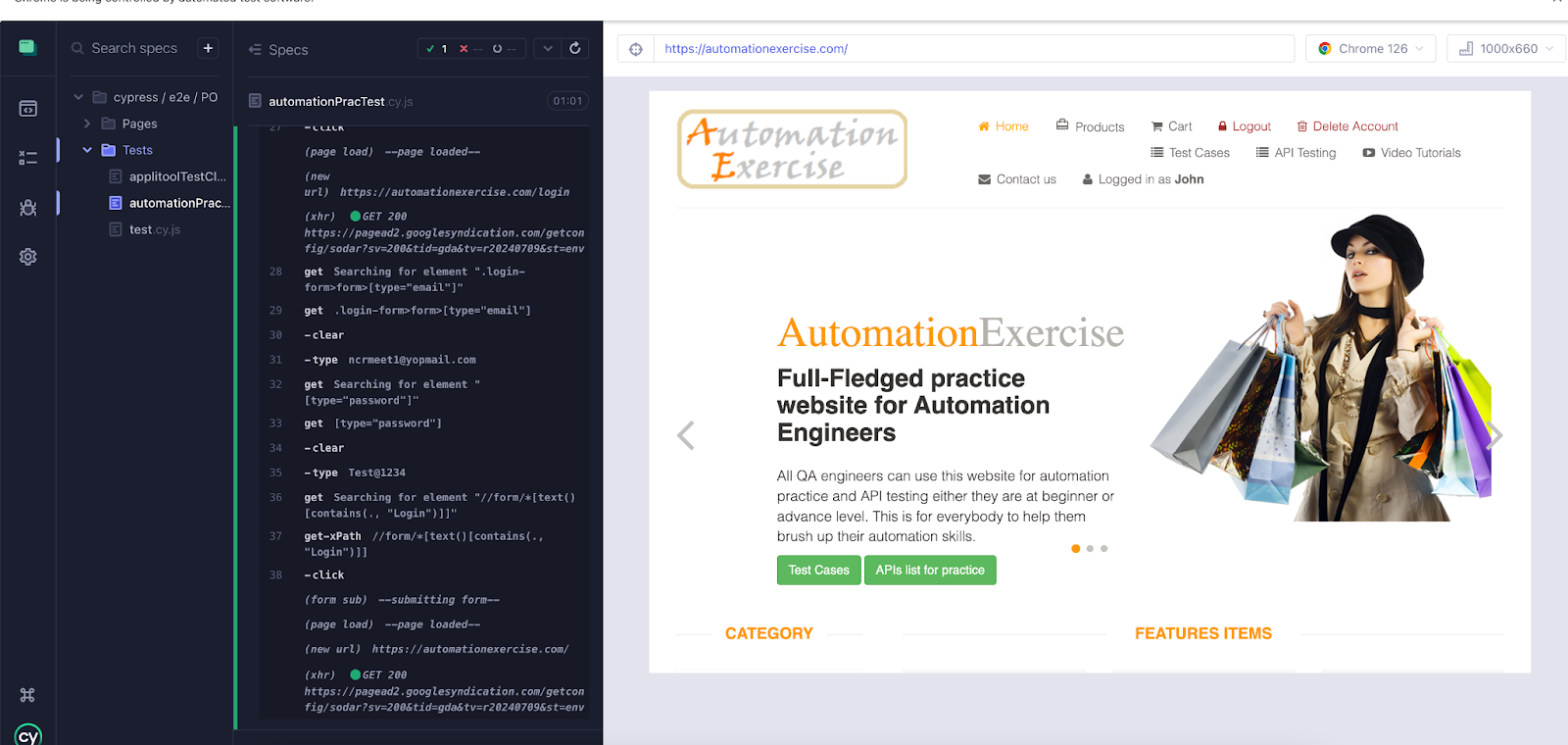
Execute the above test cases. In the below attached screenshot you can see all the generated methods using TestGenAI working fine and the test case successfully passed.
Automating tests can be a daunting task, but Applitools TestGenAI for Cypress is here to revolutionize the process. It empowers users to quickly create robust, Self-Healing automated tests, significantly reducing the effort required to maintain them.
Applitools TestGenAI streamlines the test creation process by providing tools to record actions, generate test code, and facilitate POM creation. This seamless integration not only resolves many of the traditional challenges associated with record and replay tools but also makes it incredibly easy to generate tests at scale.
Senior QA Lead Manager with over 15 years of experience in QA engineering and automation. Kailash holds certifications including PMI-ACP®, ITIL®, PRINCE2 Practitioner®, ISTQB, and AWS (CFL).
An active speaker and workshop conductor, share his expertise through blogs on platforms like Medium, Dzone, LambdaTest, Talent500, The Test Tribe, and his personal site https://qaautomationlabs.com/