Give Your Optimizely Devs (and Agents) Visual Guardrails to Prevent Bugs. Save your spot for the Oct. 29th webinar

Give Your Optimizely Devs (and Agents) Visual Guardrails to Prevent Bugs. Save your spot for the Oct. 29th webinar
Point your automated tests directly at Figma frame URLs. Visual AI automatically synchronizes viewports, translates vector canvas designs into running DOM baselines, and catches design drift before code reaches production.
A build that's close enough looks fine on its own. Next to the design, Visual AI flags the exact difference, spacing, color, or typography, before it reaches production unnoticed.
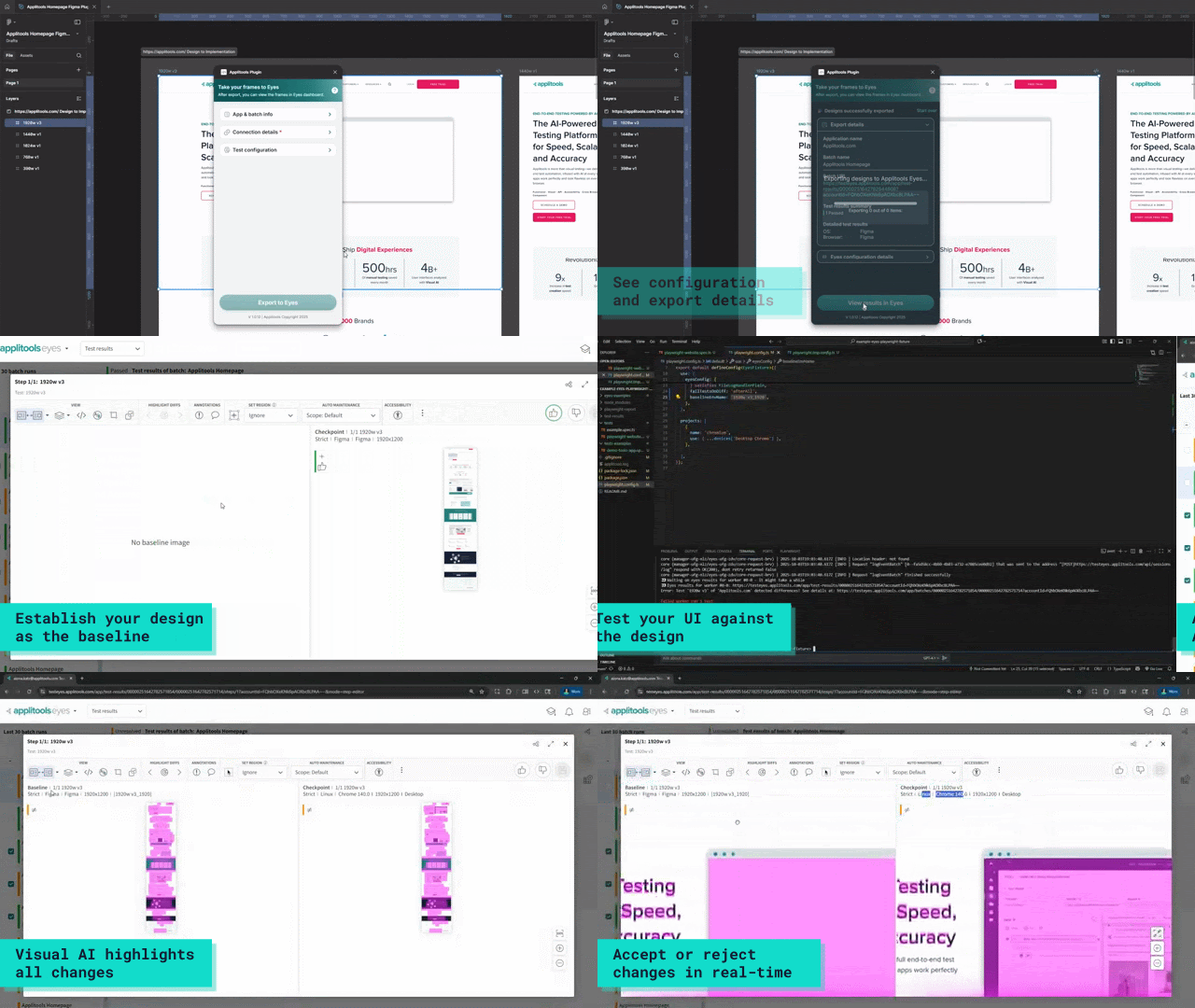
Export two iterations of the same frame and see exactly what changed, without lining up screenshots by hand.
Designers, developers, and QA see the same comparison, with comments and approvals in one place.
Native live-URL resolution
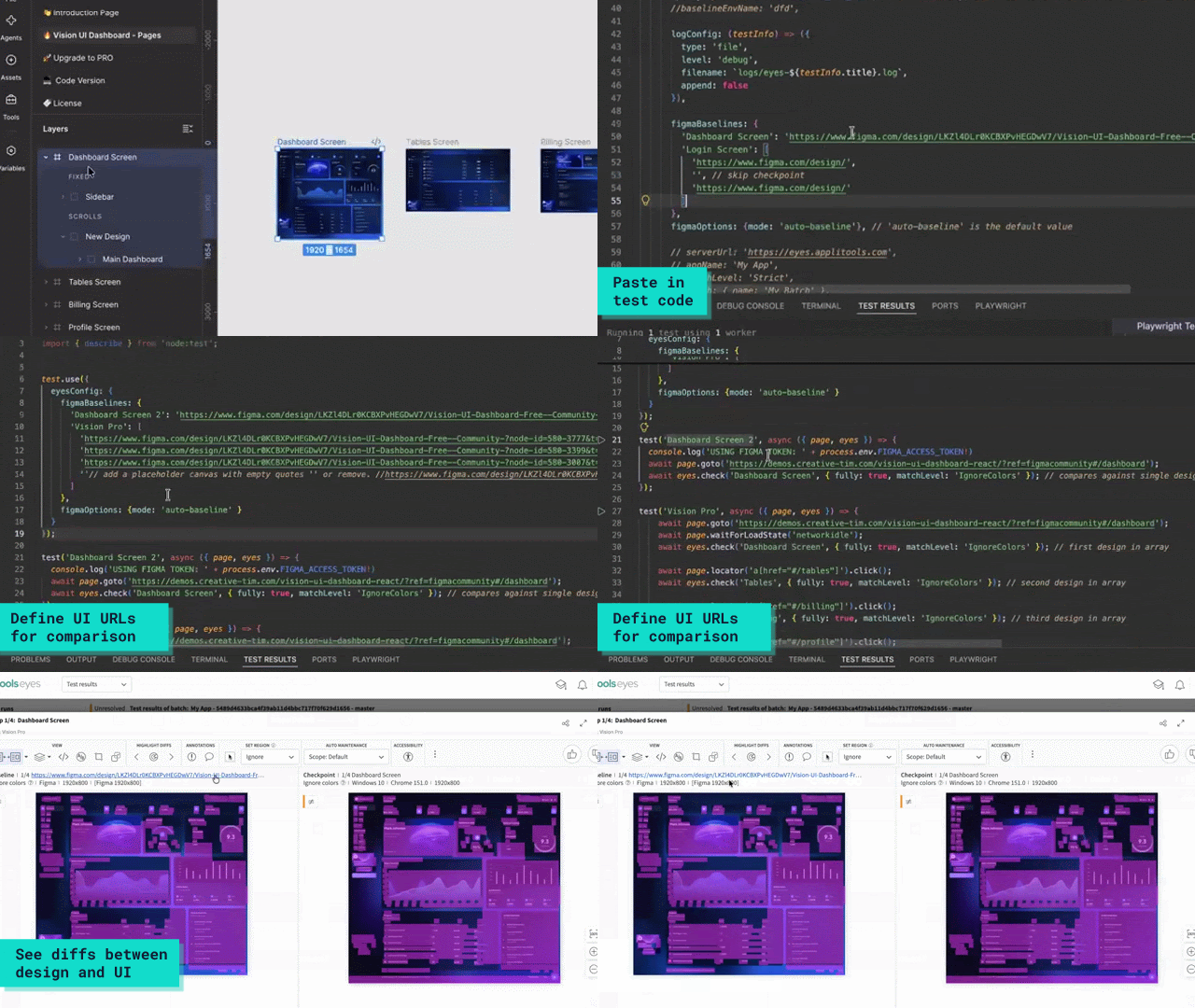
Drop a Figma frame URL directly into your test configuration using setFigmaBaselines. Applitools resolves each node via API, establishes the visual baseline, and attaches searchable design metadata including frame name, component type, and file revision.
Eliminate custom export scripts
Replace brittle scripts that export static PNGs and diff them locally. Applitools turns the Figma canvas into an enforceable, living baseline that updates alongside design iterations.
Design-to-code validation
Run your existing visual test against the same baseline environment as the exported frame, so the comparison is your build against the actual design, not a screenshot someone eyeballed.
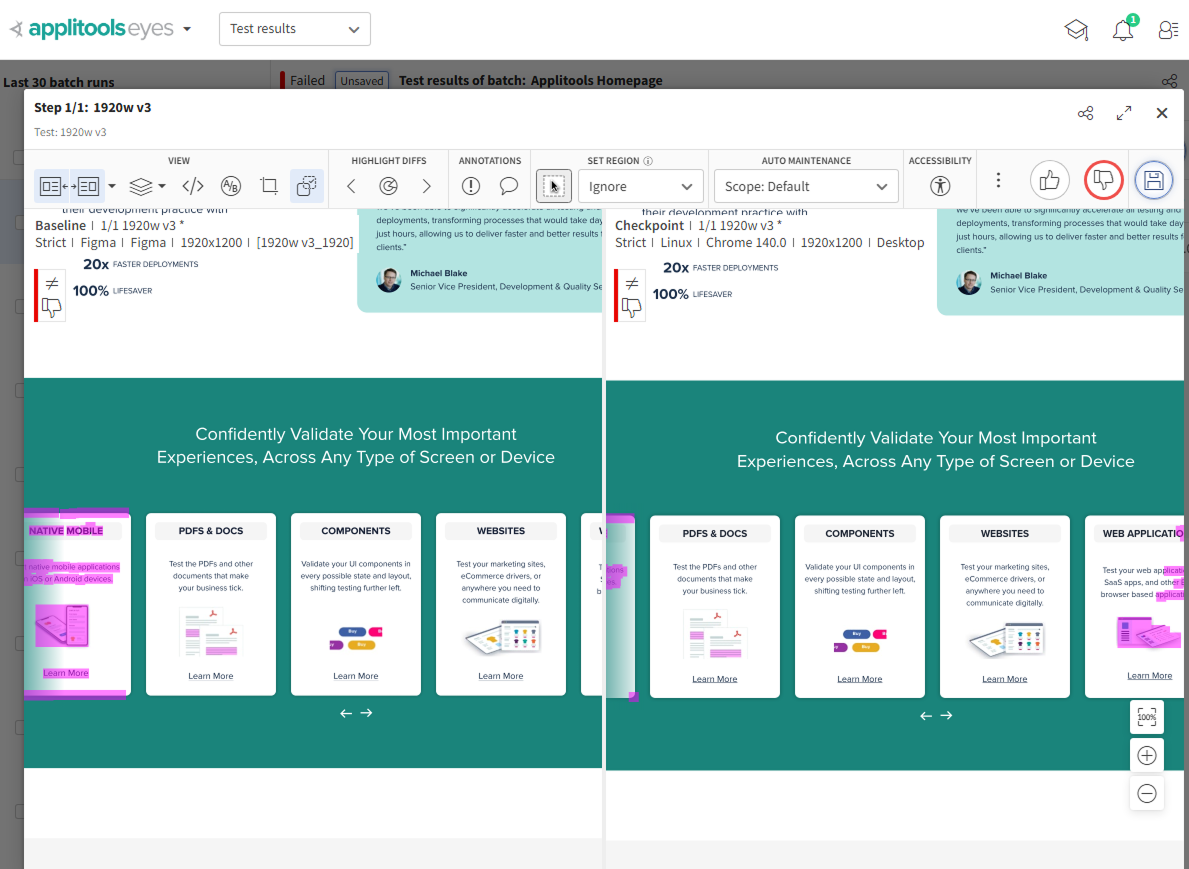
Only meaningful differences surface
Visual AI ignores rendering noise like anti-aliasing, so a real color or layout difference doesn't get lost in false positives.
Design-to-design comparison
Export a new iteration of the same frame and see exactly what moved, typography, spacing, or color, without opening two tabs and comparing by eye.
Accept the new baseline in one click
Once a version is approved, set it as the new baseline so the next comparison measures against the current design, not the old one.
Shared dashboard
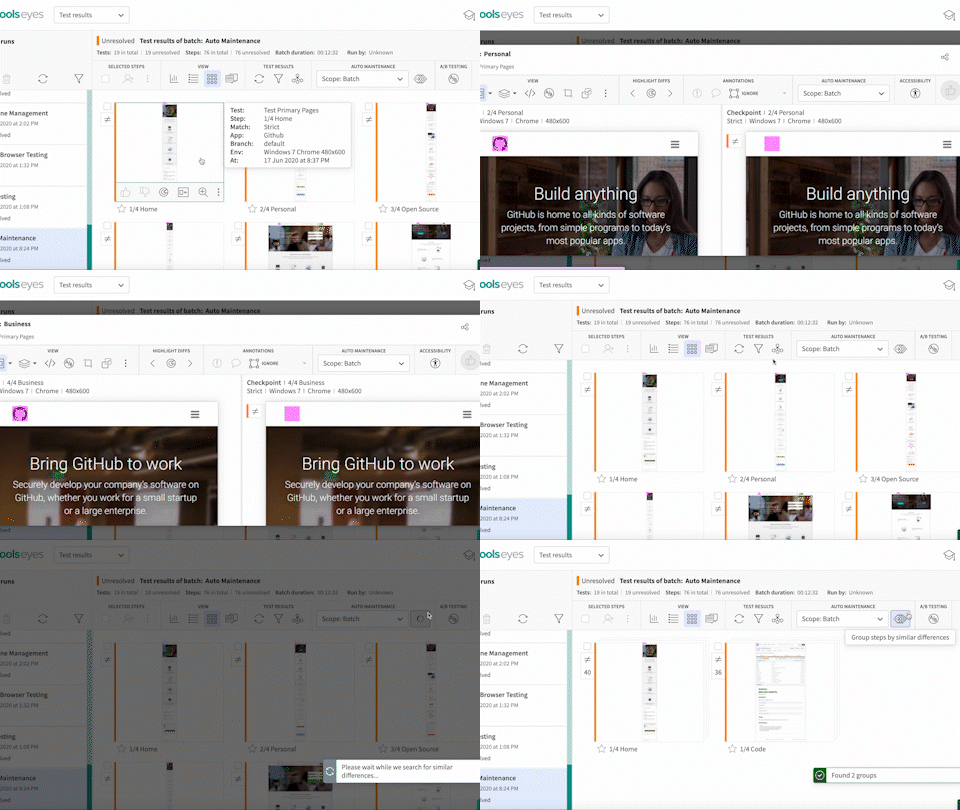
Designers, developers, and QA see the same result, with side-by-side comparisons, comments, and approvals in one place instead of four separate tools.
Accessibility contrast checks
Verify contrast ratios directly from the exported Figma frame, so an accessibility issue gets caught in the design, not after launch.
Applitools works with 50+ major testing frameworks and languages, source code tools, CI/CD tools, and collaboration tools.

Compare Figma frames against builds across web, mobile, and component libraries, so a design gets validated in every format it ships to.
Point directly to Figma frame URLs across modern web test frameworks. Zero custom plugins or design-side export scripts required.
Visual comparisons run locally within your environment. Component snapshots are never sent to an external model or used for training.
The same frame and match level always produce the same comparison result, so a pass or fail is something you can trust, not a rendering fluke.
Visual AI ignores rendering noise like anti-aliasing and sub-pixel shifts, and flags only the differences a real reviewer would notice.
Every export carries labels and metadata, generated from Figma parameters like {figma_filename} or {figma_page}, so a result in the dashboard traces back to the exact frame it came from.
