Give Your Optimizely Devs (and Agents) Visual Guardrails to Prevent Bugs. Save your spot for the Oct. 29th webinar

Give Your Optimizely Devs (and Agents) Visual Guardrails to Prevent Bugs. Save your spot for the Oct. 29th webinar
Applitools compares every locale against your baseline with Visual AI, so text overflow, truncation, and broken layouts show up before your customers see them.
The built UI gets checked against your Figma frame automatically, so you're not the one who has to notice a button shrank.
See exactly what changed between versions, spacing, color, type, or layout, in one comparison instead of toggling between files.
Designers, developers, and QA see the same diff in a shared dashboard, so a "looks off" comment doesn't turn into a week of back and forth.
Native live-URL baseline resolution
Drop standard Figma frame or selection URLs directly into test configurations. Applitools resolves each node via API, establishes the visual baseline, and attaches searchable design metadata including frame name, component type, and file revision.
The design becomes the source of truth
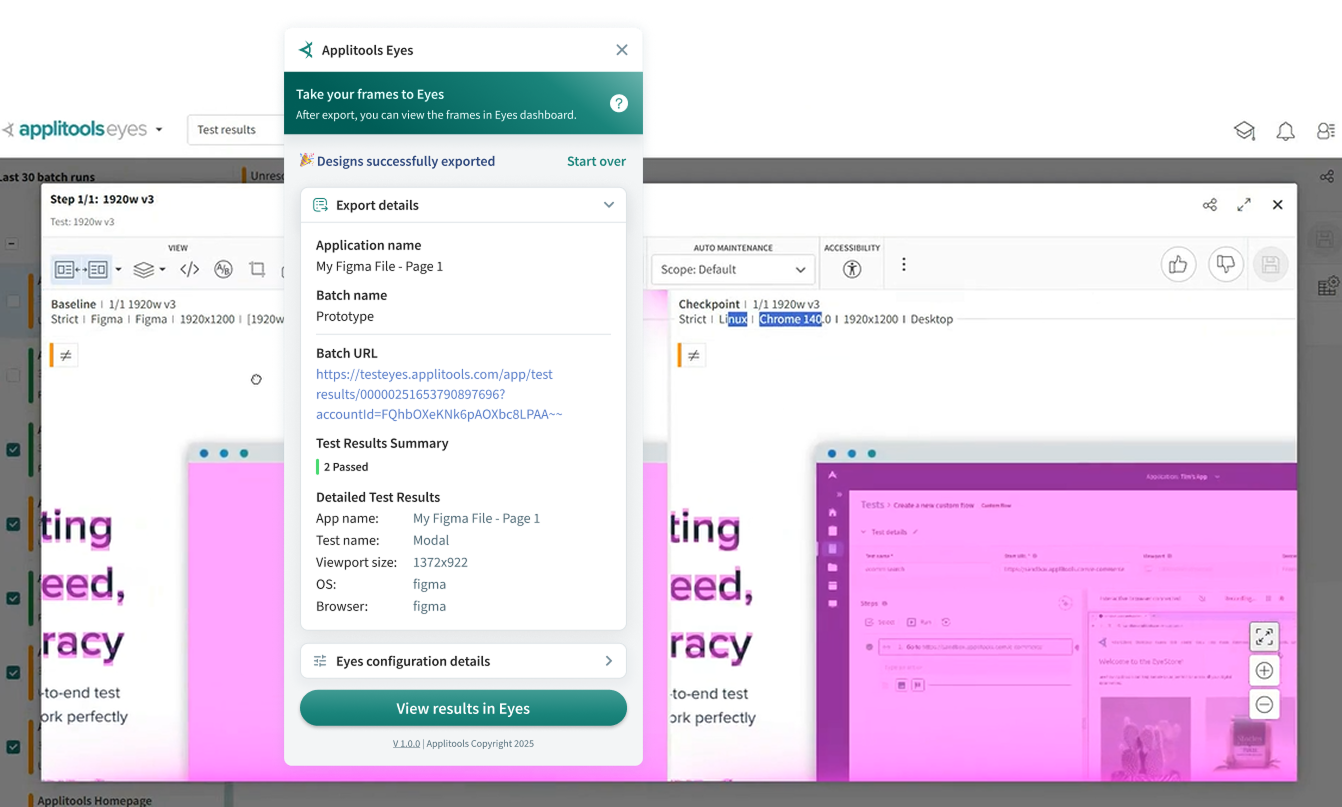
That exported frame is the exact baseline the built UI gets checked against, not someone's memory of what the mock looked like.
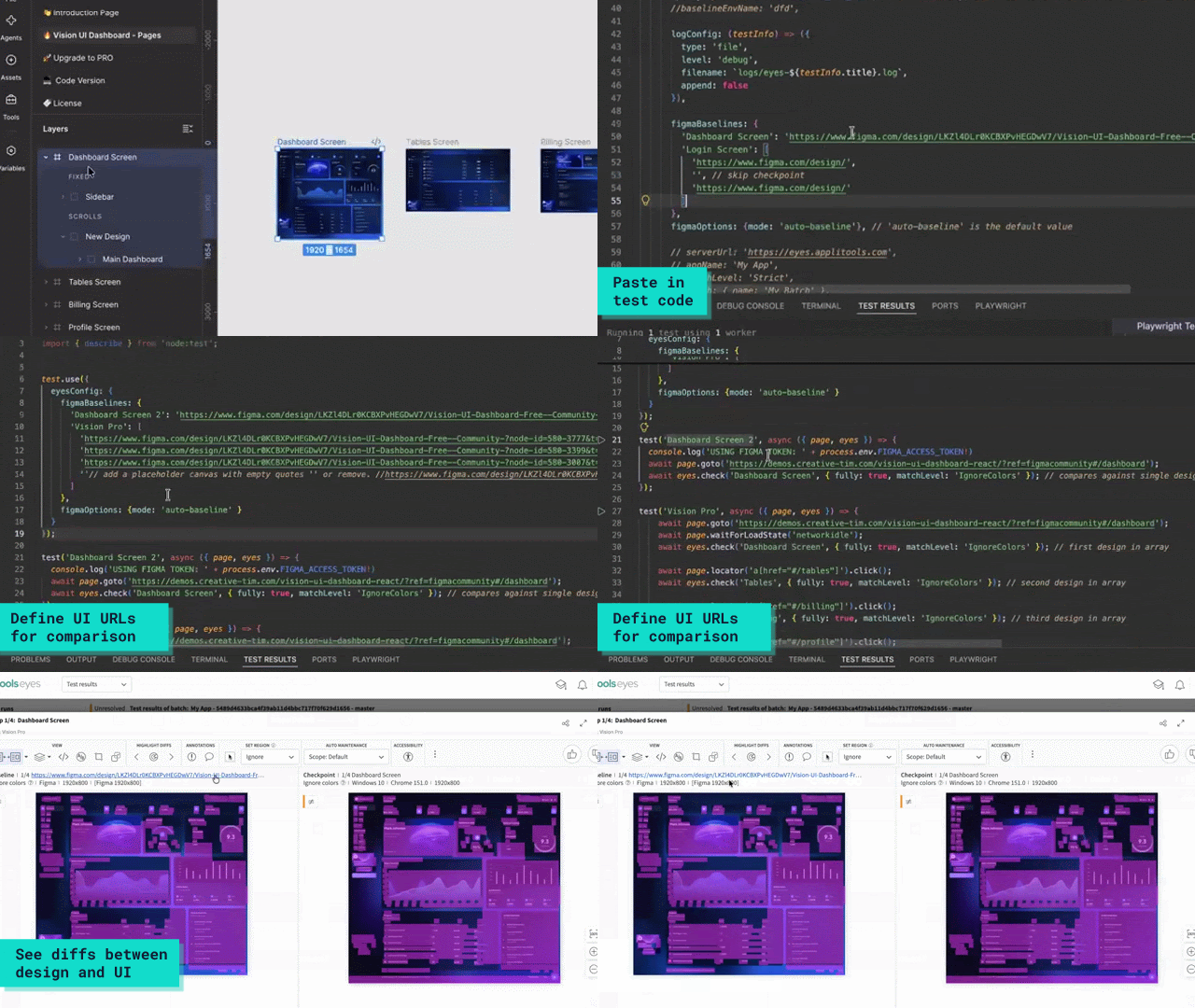
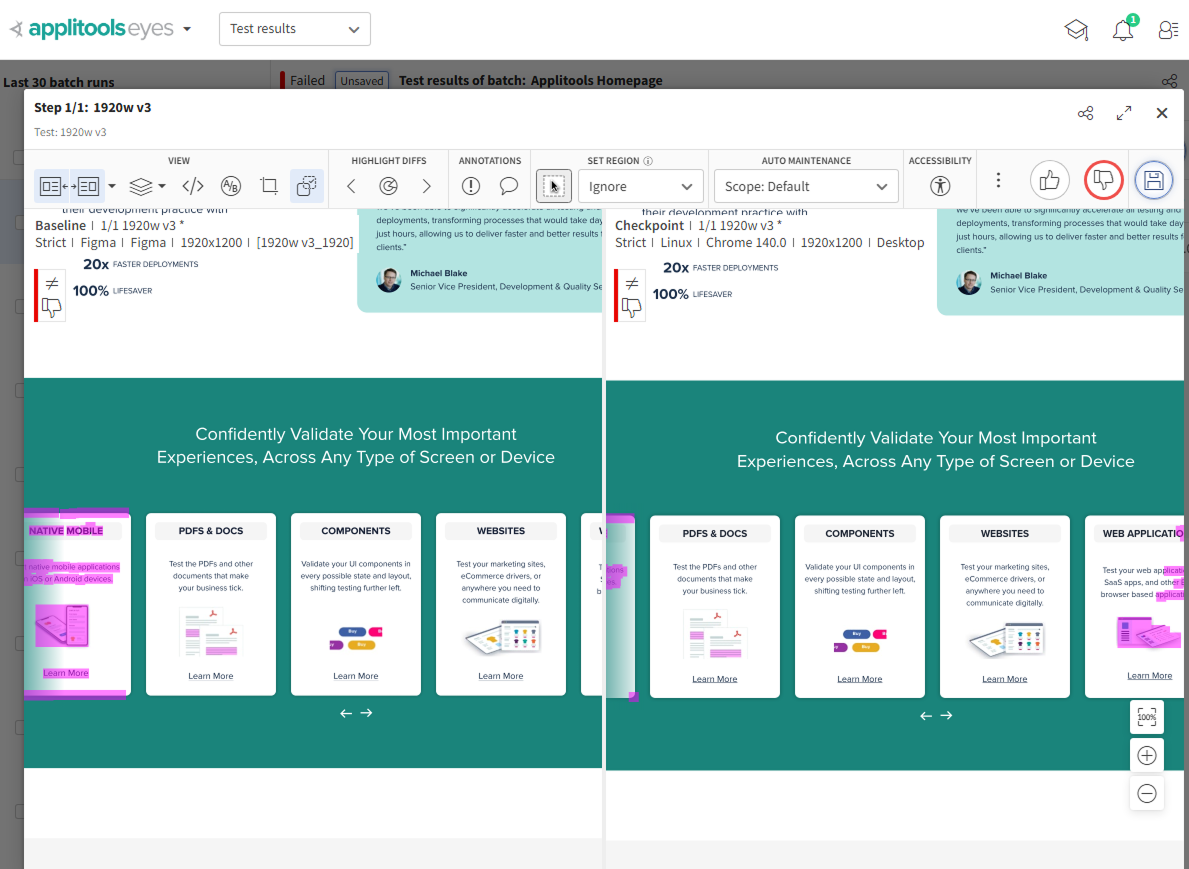
Design-to-code comparison
Visual AI checks the live implementation against your Figma baseline and flags anything that doesn't match: spacing, color, type, or layout.
Ignore what's supposed to change
Mark placeholder content or dynamic areas to exclude, so a real layout break doesn't get lost in noise from content that was never meant to be pixel-perfect.
Design-to-design comparison
Export a new version of a design and see exactly what moved, no manual side-by-side required.
A record of every decision
Every comparison is saved, so you can point to exactly when and why a design changed instead of relying on memory.
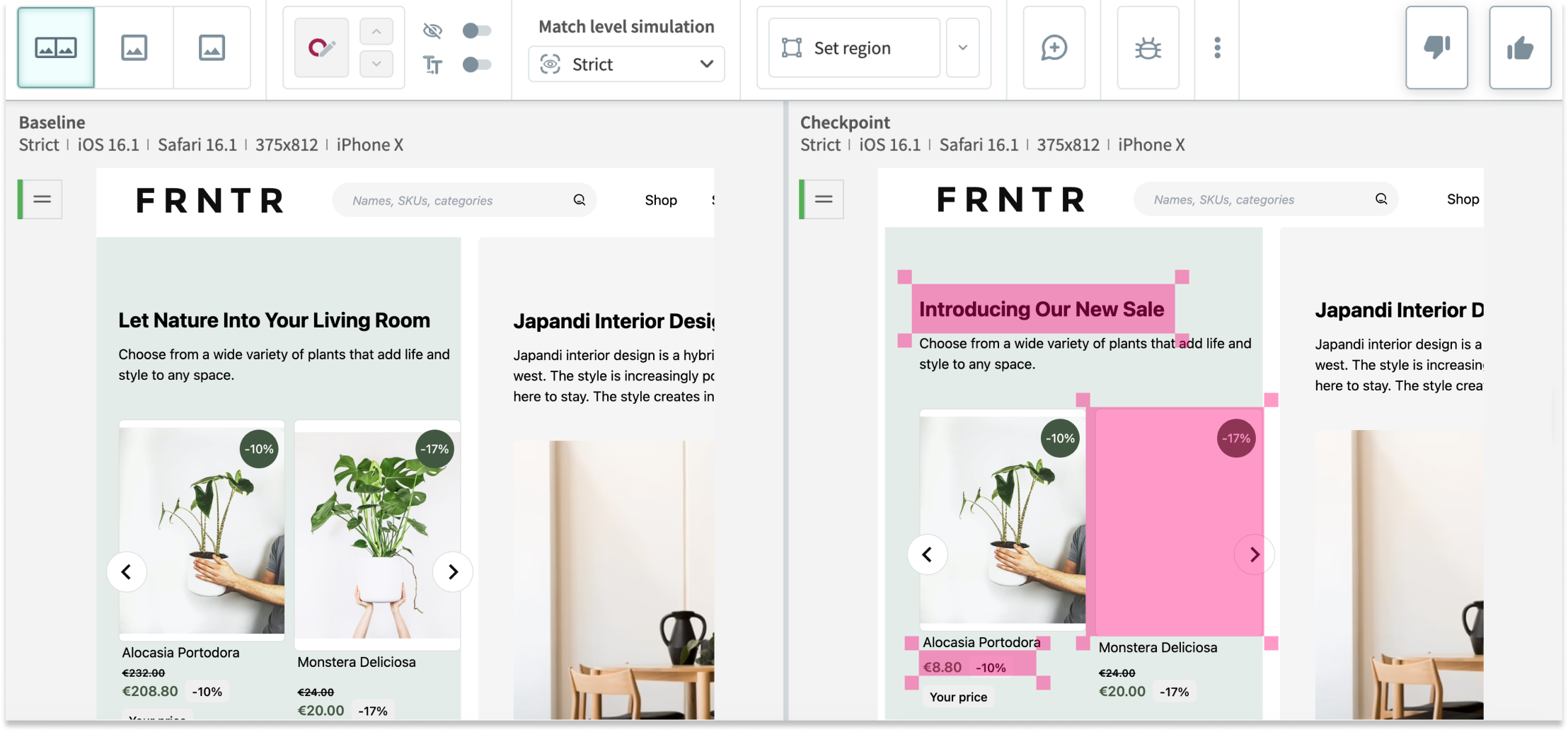
Real content breaks differently than placeholder text
Test a layout against real copy, translated text, or user-generated content, and catch overflow or truncation before it ships, not after.
Check every breakpoint, not just the one you designed at
See how the same layout holds up across screen sizes and devices, instead of assuming it looks right everywhere because it looked right in Figma.
Confirm that live web pages and application screens match production Figma specs, catching layout drift, missing elements, and styling discrepancies automatically in CI.
Audit shared UI components in Storybook and frontend frameworks against Figma design library frames, ensuring primitive tokens and styles match design specs before components are published.
Map responsive test checkpoints to dedicated mobile, tablet, and desktop Figma frames, eliminating screen-size bundling and verifying responsive CSS rules at exact design dimensions.
Review iterations between Figma file revisions to inspect visual differences, spacing shifts, and component updates across design sprints without toggling between tabs.
Applitools supports all of your workflows with integrations and a wide range of test frameworks, SCMs, CI/CD tools, bug tracking tools, chat tools, and more.

Extend the same localization checks across web, native mobile, and PDF documents, so a translation update doesn't slip through in a format you didn't think to check.
Check the built UI against your Figma baseline and catch drift in spacing, color, type, or layout.
Visual comparisons run locally within your environment. Page snapshots, including localized content, are never sent to an external model or used for training.
The same input always produces the same output in every locale, every run, so a result is something you can explain and trust.
Compare two versions of the same design and see exactly what changed between iterations.
Visual AI ignores rendering noise and font anti-aliasing, and only flags a difference a person would actually notice.
