Give Your Optimizely Devs (and Agents) Visual Guardrails to Prevent Bugs. Save your spot for the Oct. 29th webinar

Give Your Optimizely Devs (and Agents) Visual Guardrails to Prevent Bugs. Save your spot for the Oct. 29th webinar
Software development has undergone a massive shift over the past two years. Developers no longer write code strictly line-by-line; instead, AI agents generate vast portions of both application logic and test code. The developer’s role has evolved into that of a mini team leader directing AI agents and reviewing their output.
However, this rapid generation introduces a critical challenge: the trust bottleneck.
Because AI agents write changes faster than humans can thoroughly review and verify them, human code reviews have become an expensive, exhausting process filled with constant context switching and cognitive burnout. Industry data from the recent Faros AI Engineering Report (March 2026) which studied 22,000 developers, underscores the magnitude of this problem: teams practicing agentic development experience a 5x increase in pull request review time, a 242% spike in incidents per pull request, and a 54% increase in production bugs per developer. When code review quality degrades under high volume, test suites blow up with duplicates and flakiness, and quality gates inevitably get bypassed.
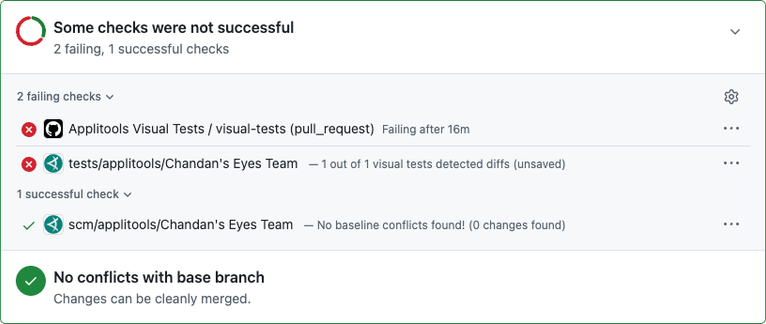
To solve this, Applitools introduced three capabilities that act as deterministic guardrails across the agentic Software Development Life Cycle (SDLC).
Most AI coding agents are completely blind to the application UI. While an LLM can generate code modifications, it cannot natively answer whether those changes broke page layouts, altered mobile viewports, or triggered unexpected regressions across other sections of the site.
Attempting to pass full-page screenshots back to a standard LLM is unreliable, expensive, and slow. LLMs are probabilistic: they can overlook real changes or dismiss them as rendering noise, and they’re wrong more often at scale. LLMs process images in coarse tokenized tiles that lose exact visual details like fonts, colors, and element positions. Moreover, sending complete UI screenshots to third-party models introduces serious compliance and security risks for enterprise teams.
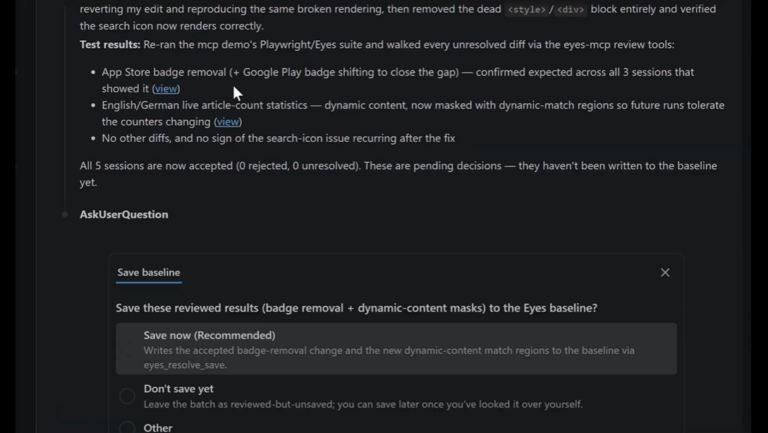
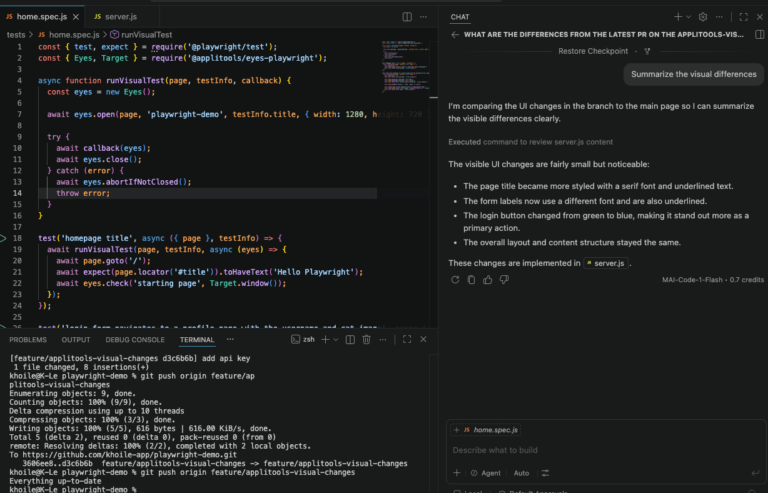
Applitools MCP tools address this by granting AI agents direct access to Visual AI tools:
Demo: AI agent self-correction and maintenance using Applitools MCP
Watch the entire session, New Deterministic Agentic Workflow with Applitools MCP Server, presented by Adam Carmi, Co-Founder and CTO of Applitools.
The handoff between design and engineering often leads to tedious manual UI comparisons and endless back-and-forth about whether an implementation accurately reflects the original spec.
Applitools bridges this gap by enabling teams to use native Figma design frames directly as baselines for automated visual tests.
Demo: Direct Figma frame comparison and design drift detection
Watch the entire session, New Deterministic Agentic Workflow with Applitools MCP Server
Functional end-to-end tests are heavy, brittle, and packed with complex DOM locators that break whenever UI markup shifts. Writing and maintaining these locators creates an immense review burden for developers.
Applitools allows teams to specify test steps in plain English directly inside open-source frameworks like Playwright—removing the need for fragile element locators.
Demo: Writing Playwright tests using plain English test steps
Watch the entire session, New Deterministic Agentic Workflow with Applitools MCP Server
By combining the Applitools MCP tools (part of Applitools Eyes), native Figma baselines, and English-based test steps, engineering teams can break the trust bottleneck. AI agents gain the sensory feedback required to catch their own visual mistakes early, while human developers receive drastically smaller, more reliable pull requests to review.
Ready to make your agentic workflow more deterministic and reliable? Start with Applitools MCP documentation or watch Adam Carmi’s full webinar.
No. Plain English test steps execute using Applitools’ proprietary Deterministic Language Model (DLM). The execution is 100% deterministic, LLM-free, consumes zero tokens during test runs, and will never hallucinate actions or selectors.
Traditional scripts with pre-written, hardcoded locators execute slightly faster at raw runtime because the browser directly queries existing selector IDs. However, Plain English steps perform dynamic element location, page stabilization, and retry logic on every step. While step execution takes slightly longer than code, it is orders of magnitude faster than querying a live LLM step-by-step. More importantly, because Plain English steps eliminate locator-based flakiness and constant test maintenance, total engineering cycle times are dramatically reduced.
Applitools serves hundreds of strict enterprise organizations across financial, pharmaceutical, legal, and government sectors. Customer data and screenshots are strictly private and are never used to train AI models or algorithms. In addition, when interacting with AI coding agents via the Applitools MCP Server, the agent works with small, focused diff images and DOM changes rather than full-page screenshots, which keeps the data it handles to a minimum.
When an implementation is first approved, the test automatically transitions into standard visual regression mode, comparing subsequent test runs against the approved baseline rather than Figma. However, if a designer later modifies the Figma frame, the Applitools SDK automatically detects that the design has changed, reverts the test back into design-comparison mode, and flags the design drift on the next test run—ensuring post-approval design changes are never missed.
Yes. Applitools Visual AI can validate anything that produces a screenshot. Customers actively use Applitools to test desktop thick clients, PDF documents, Excel spreadsheets, canvas/gaming applications, medical equipment interfaces, point-of-sale systems. For non-web apps, you capture the screenshot and the SDK takes it from there.