Give Your Optimizely Devs (and Agents) Visual Guardrails to Prevent Bugs. Save your spot for the Oct. 29th webinar

Give Your Optimizely Devs (and Agents) Visual Guardrails to Prevent Bugs. Save your spot for the Oct. 29th webinar
On the Test Maintenance Road to Nowhere? Your Visual AI Exit Is Just Ahead.
Congrats! You just spent hours authoring new tests. They all passed 100% of the time. Now you can now start the real work of managing quality. That is, until the application under test starts to change. Now, the potential for instability in code-based assertions surfaces, and your maintenance nightmare ensues.
When a test fails, quality engineers spend a ton of time trying to understand the cause of the failure. Did we surface an actual regression? An unexpected new feature? An environmental issue such as a new browser or system update? A false-positive due to subtle movements in our locators? After hours of troubleshooting and frustration, we finally get the tests to pass again.
Just in time for the next candidate to come along. More tests break. We do it all over again.

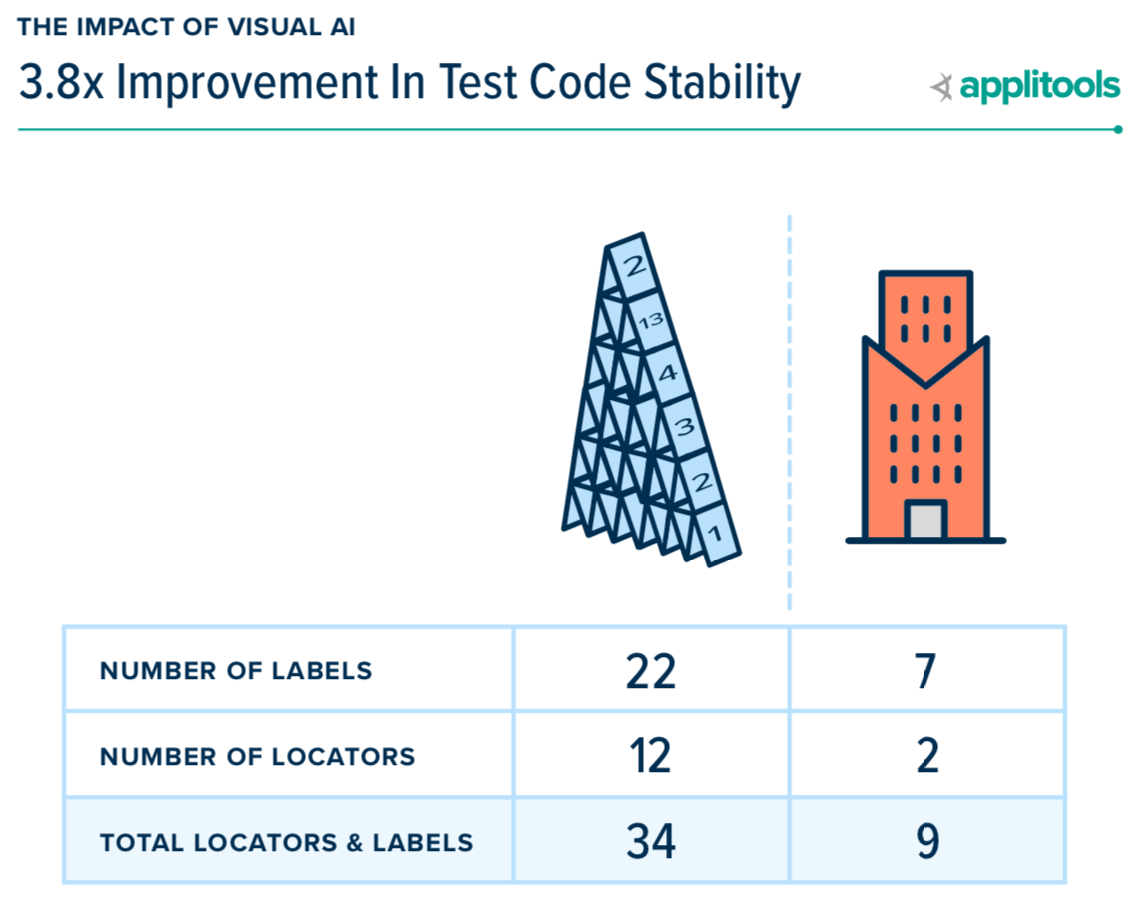
If you have been following this blog series about the seminal report on the Impact of Visual AI Test Automation, what follows next is logical — a test suite that relies on code-based locators requires you apply resources and team discipline to ensure locator consistency. Otherwise, assume your assertions likely will change between releases – making your test code unstable. Test instability is the root cause of your test maintenance woes. An example using this simple one-page application illustrates the point:
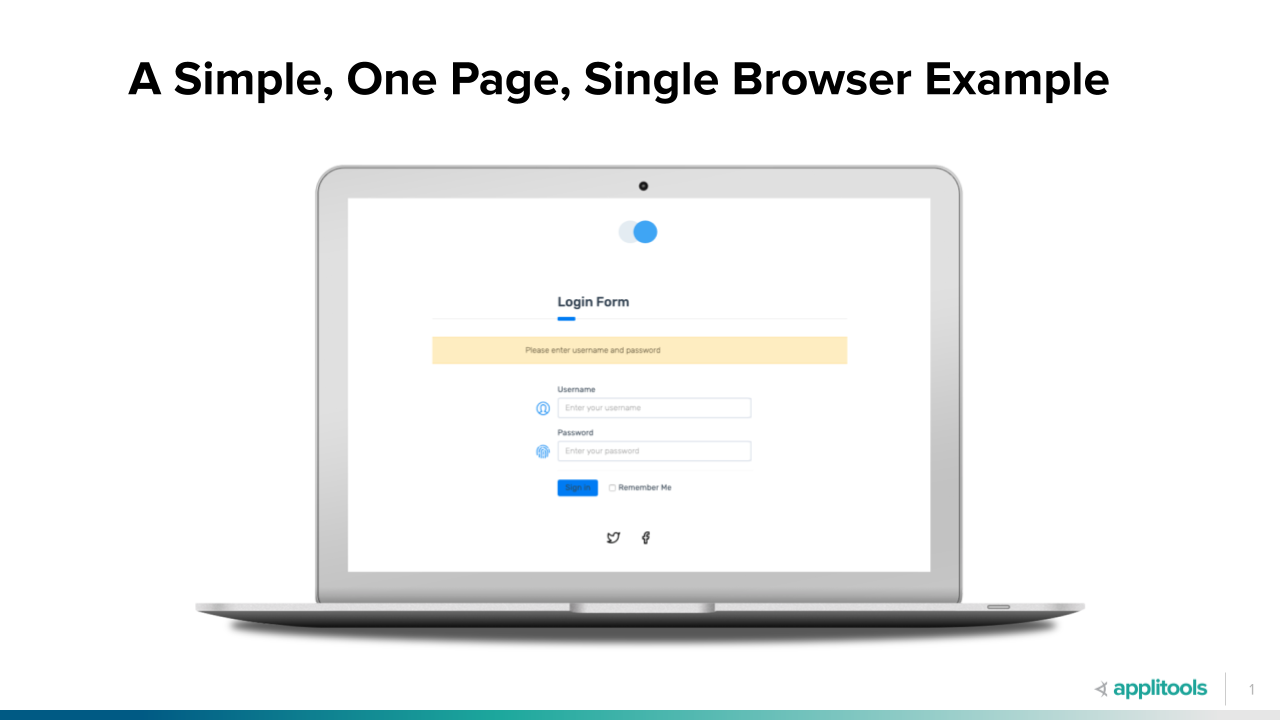
Here is a simple login page. Our job – write the code to navigate to this page and click the Login button (our test condition) and validate the response. Since we didn’t enter a username and password combination, we expect an error response requesting that we fill both fields.
Now, let’s go ahead and author our functional tests using Selenium.
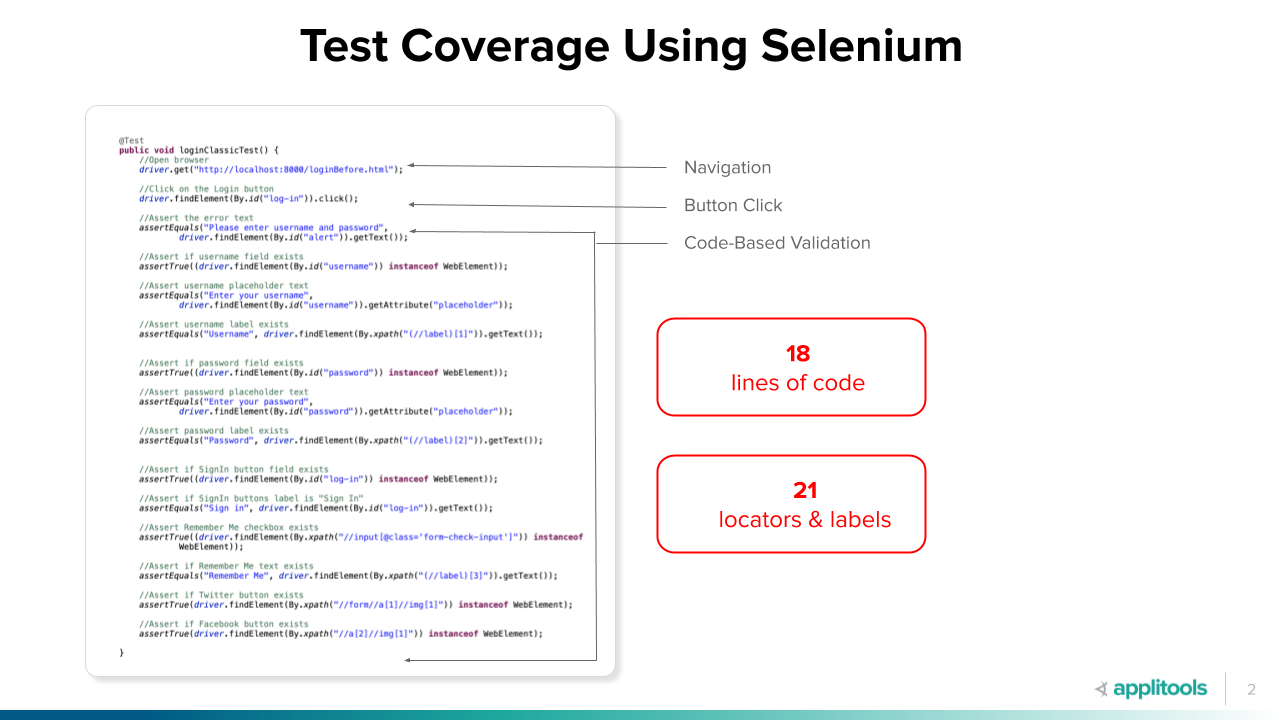
We authored our test in about about 45 minutes. Ran it successfully. All good, right? Once – yes. But, what about over its lifetime?
Ultimately, there’s one line for navigation, one line to click a button, and 12 lines of assertion code.
Now, let’s go ahead and author this same test using Selenium with a single visual assertion using Visual AI.
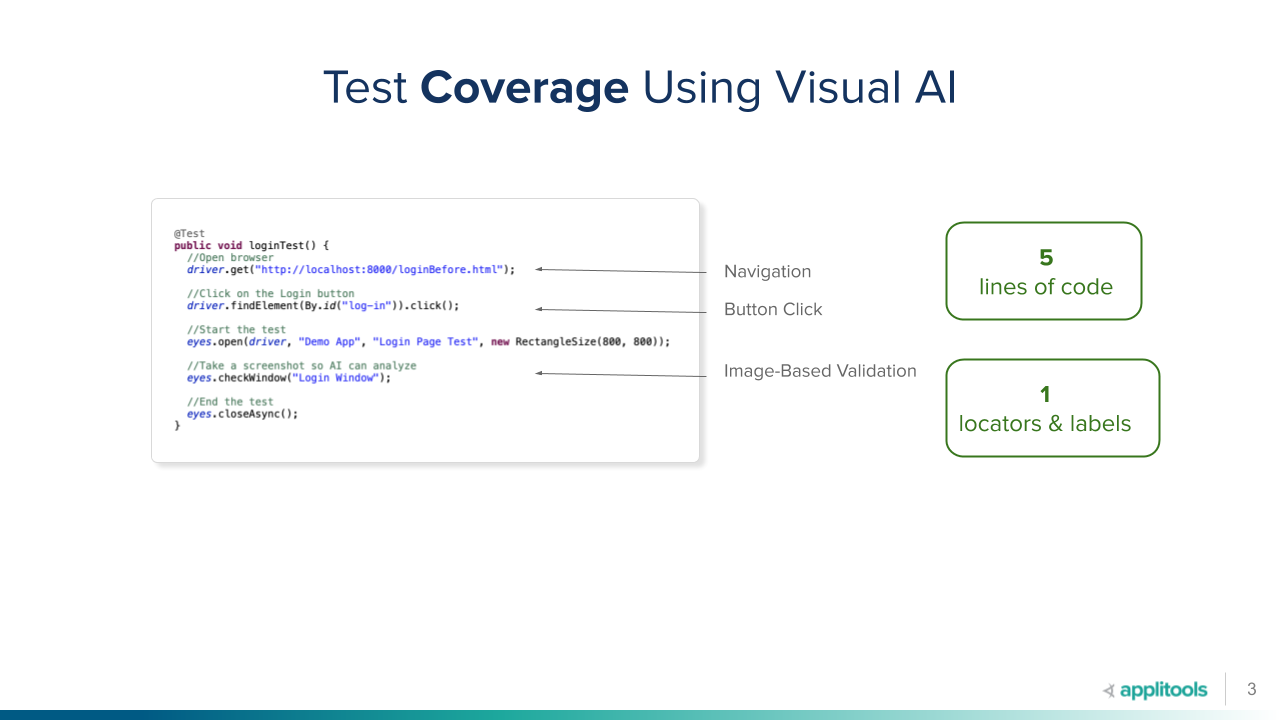
This is so much better. Five lines of code that depend on a single locator to click the login, versus 14 lines of test setup and assertion code and their respective locators. One navigation line, one button click, and then:
Visual AI can compare this snapshot with subsequent snapshots and indicate changes visually. You have the ability to link visual differences to the underlying DOM differences. From an end-to-end UI test perspective, Visual AI code maintenance costs are much lower.
This difference explains why we see such vast improvements in test authoring times and test code efficiency when using Visual AI with Selenium, Cypress, or WebDriverIo test frameworks compared with coded assertions. It’s also clear that the stability of your test framework will be much better using Visual AI — which is exactly what we learned from 288 of your quality engineers. Don’t take our word for it – take theirs!
How Does Visual AI Modernize Your Selenium, Cypress, or WebdriverIO Test Suites?
A casual glance at the code above makes a few points obvious, but there are some other more subtle benefits worth mentioning too.
Before going on, a brief explanation to help you understand Visual AI’s impact on test automation in more depth. In creating the report, we looked at three groups of quality engineers including:
By comparing and contrasting these different groups in the report, we learn more about the impact of Visual AI on test code stability.
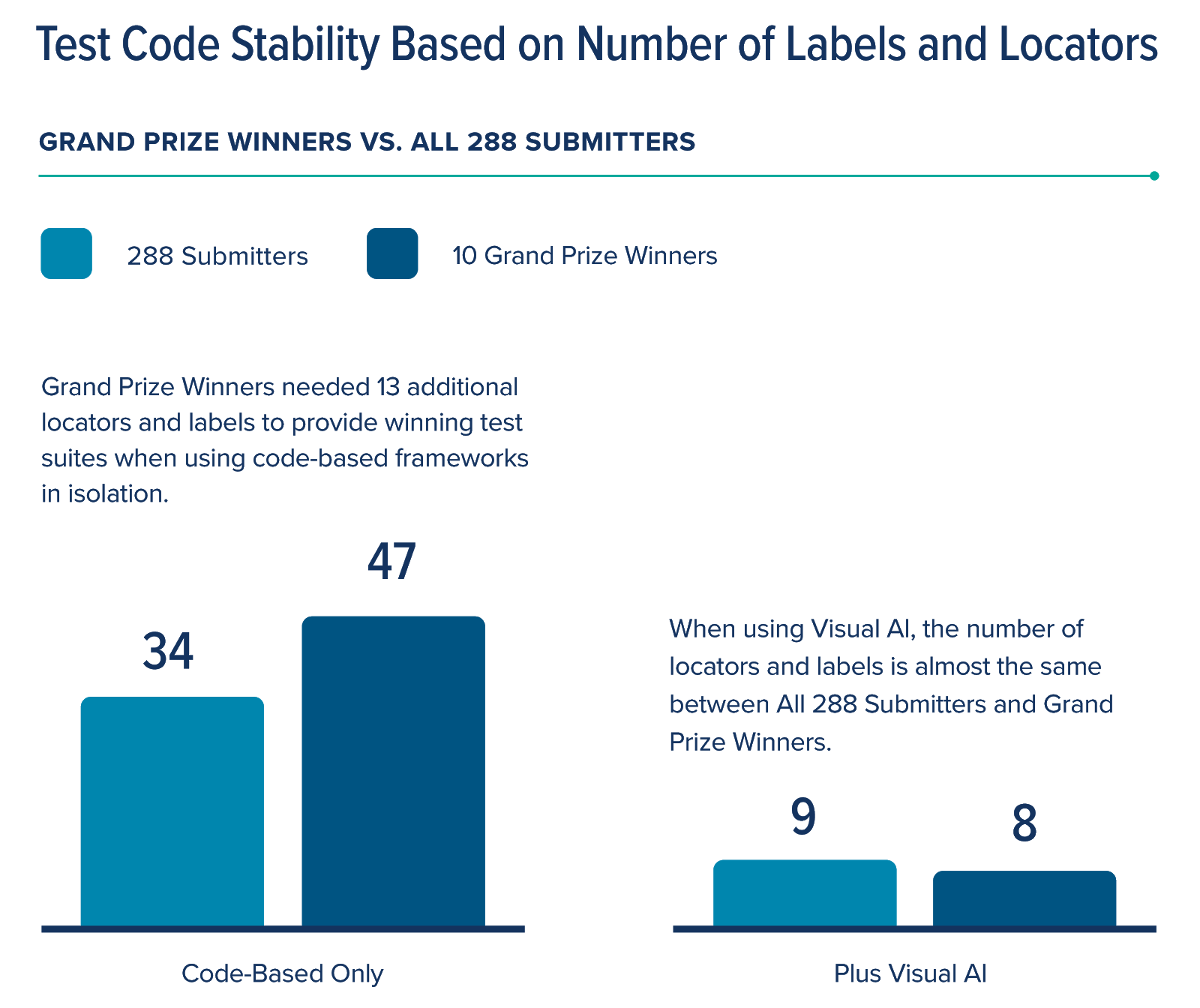
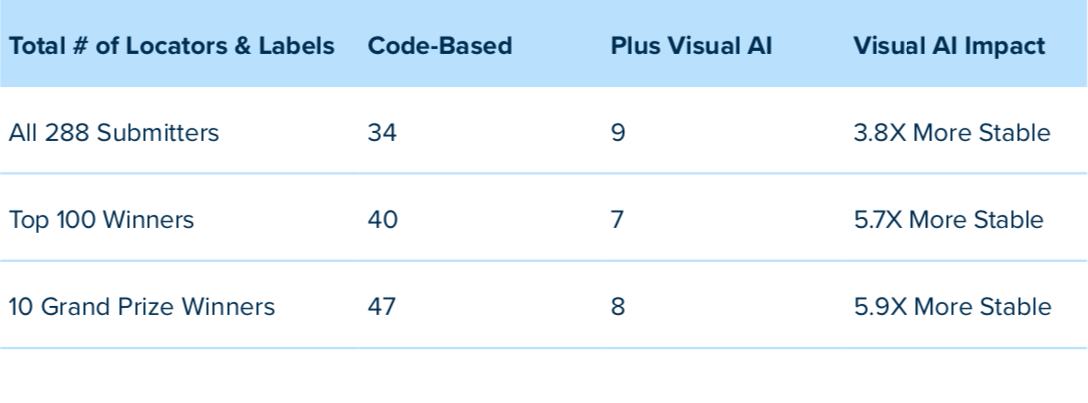
What really stands out here is the fact that Grand Prize Winners, when using a code-based approach exclusively, needed an additional 13 locators and labels to complete their winning entries. That’s a 38% expansion to their code-based framework to cover 90% or more of potential failure modes. This introduces even more instability — a fact that will reduce release velocity as quality engineers have to maintain these suites indefinitely to support their tests going forward. That’s putting them right back on the test maintenance road to nowhere.
Contrast code-based coverage with Visual AI results. Using Visual AI, all testers achieved 95% or more coverage in, on average, with just 9 locators. Even better — our Grand Prize winners actually needed only 8 locators and labels to achieve 100% coverage using Visual AI. This trend continues when you compare the data across all 3 groups like we did here:
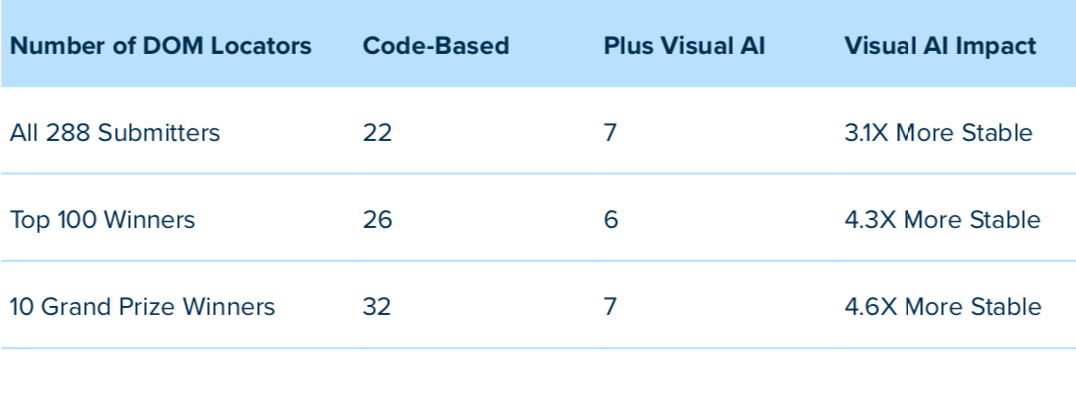
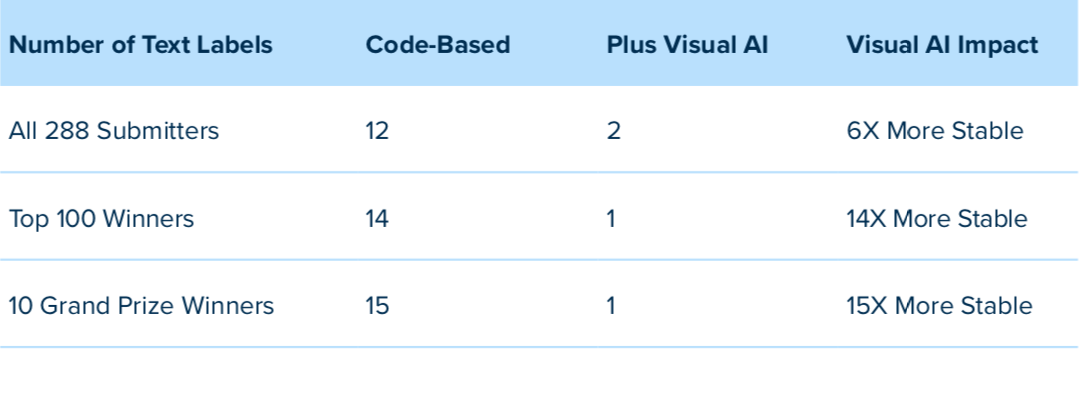
Bottom line with Visual AI — you will spend more time managing quality during a release and far less time maintaining your tests.
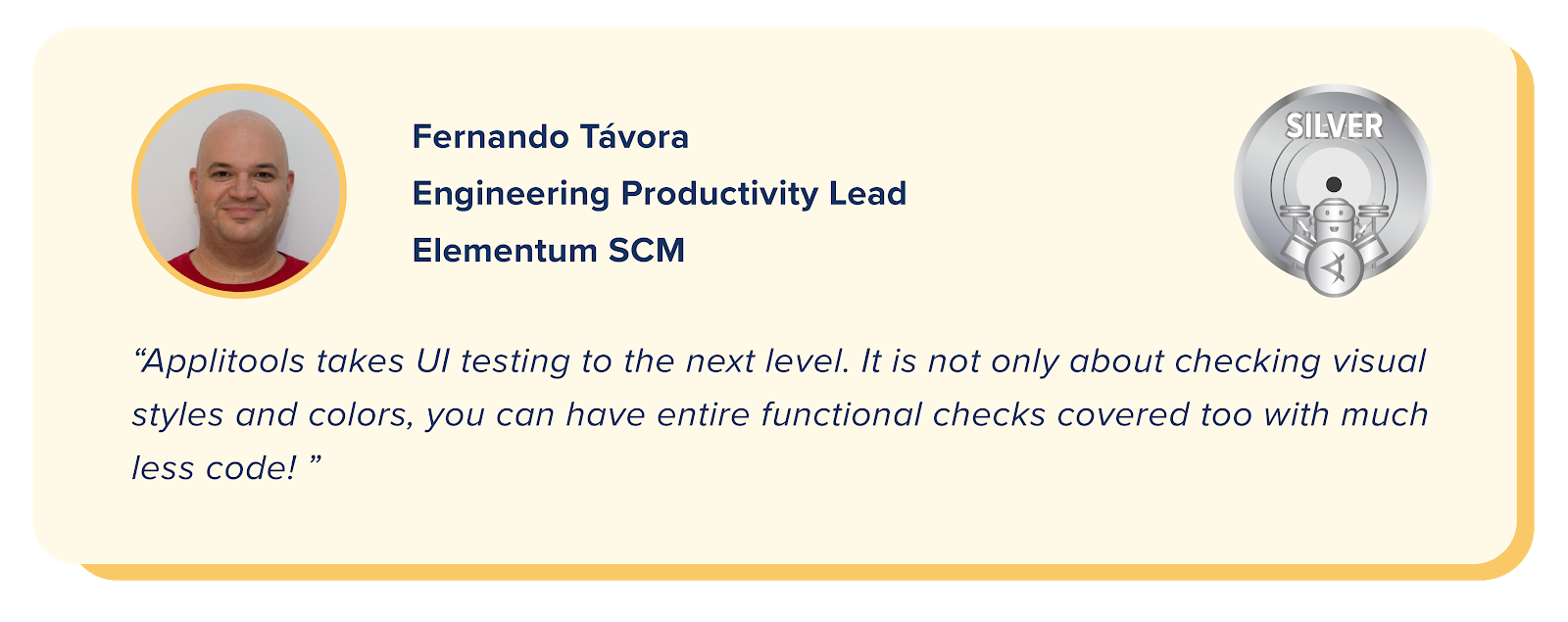
With just a few key tips on the optimal use of Visual AI, test teams can enjoy a 4x to 6x improvement in test stability. This will both solve your test maintenance problems and modernize your approach to test automation by covering both visual and functional UI testing using Visual AI. Best of all — you will release higher quality apps faster.
By vastly reducing the coding and code maintenance needed to inspect the outcome from each applied test condition, and, at the same time, increasing page coverage, testers reduce effort and increase their productivity. This gives testers the time to both increase test coverage significantly, yet still complete testing orders of magnitude faster after adding Visual AI. This ability is vital to alleviating the testing bottleneck that remains a barrier to faster releases for most engineering teams.
So, what’s stopping you from trying out Visual AI for your application delivery process? Download the white paper and read about how Visual AI improved the efficiency of your peers. Take an hour long free course on Applitools Visual AI automation from the amazing Angie Jones or Raja Rao at Test Automation University. Then, try it yourself with a free Applitools account.
James Lamberti is CMO at Applitools.