Give Your Optimizely Devs (and Agents) Visual Guardrails to Prevent Bugs. Save your spot for the Oct. 29th webinar

Give Your Optimizely Devs (and Agents) Visual Guardrails to Prevent Bugs. Save your spot for the Oct. 29th webinar
Efficient, reliable visual testing is essential for teams working with Playwright. Applitools’ updated Playwright SDK simplifies integration, reduces setup time, and offers more powerful reporting. Let’s check out the new features and how they streamline your testing.
The updated SDK introduces improvements that let you set up and run visual tests more efficiently:
Join the Playwright Visual Testing Best Practices webinar led by software architect and international speaker Cory House. Discover best practices for visual testing in Playwright to enhance UI consistency, swiftly resolve issues, and ensure seamless user experiences across platforms.
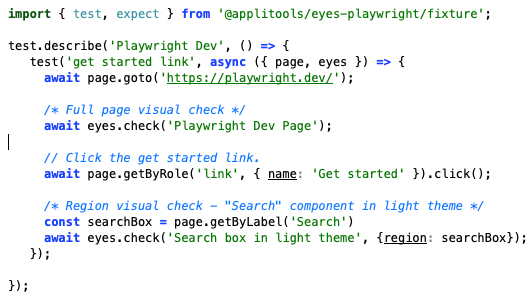
Test fixtures streamline visual testing by automating many of the functions necessary for setup. The SDK now automatically handles Eyes.open() and Eyes.close() functions as well as the collection of all test results. With these automatic integrations, you can focus directly on creating test cases without the need for redundant code.
The HTML reporter is designed to make analyzing test results more intuitive. It integrates Eyes checkpoint images directly into Playwright’s report. You can approve or reject baselines all within the report without having to navigate to the Eyes dashboard. This enhanced reporting setup provides clear visual insights that make it easy to understand test outcomes without extra steps.
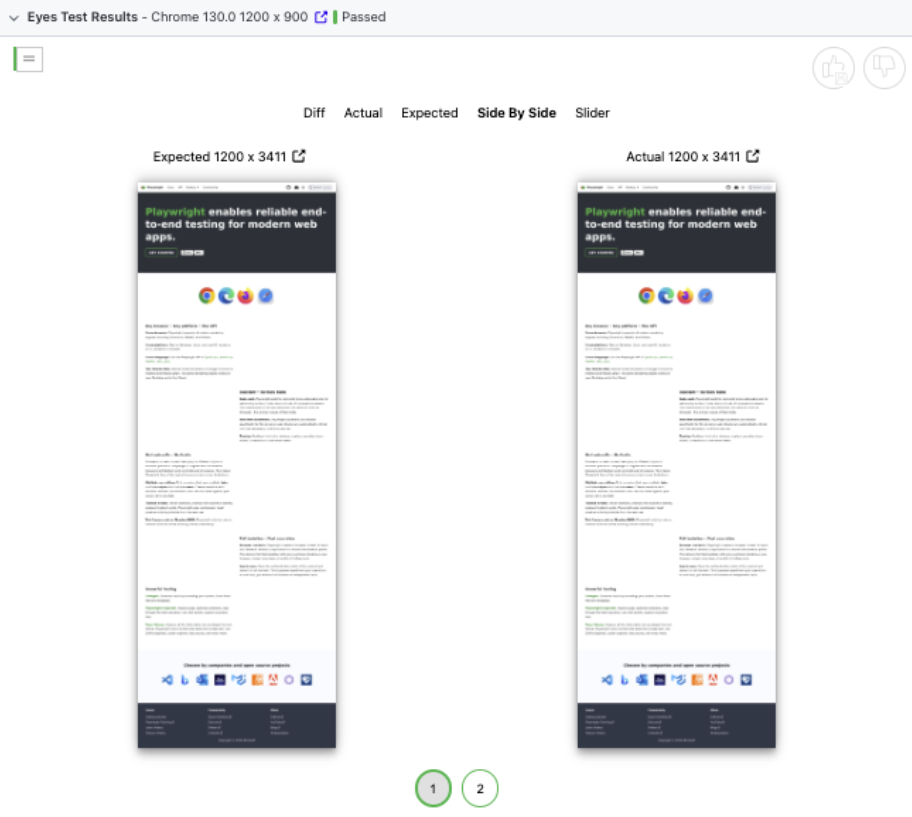
The SDK also supports advanced API usage for complex testing needs. This lets you create custom configurations and expand test cases for specific UI components. As your project grows, this flexibility enables you to scale visual tests seamlessly and ensure thorough visual validation across different scenarios.
The SDK also maintains backward compatibility, making it easy to transition from the previous SDK while retaining existing configurations. You are welcome to start running a few tests in both SDKs to verify functionality and gradually implement the new SDK on simpler tests before migrating critical ones.
Getting started with the SDK is straightforward. First, install the SDK with npm install @applitools/eyes-playwright. Next, use the CLI tool to enter your API key with npx eyes-playwright setup, automatically updating the environment. The SDK sets up configurations and imports for you, even adding a Visual AI demo test in Applitools Eyes that you can execute right away.
The latest Applitools Playwright SDK provides a faster, simpler, and more insightful visual testing experience. Download the SDK, try the demo test, and see firsthand how it can enhance your Playwright testing workflow.