Give Your Optimizely Devs (and Agents) Visual Guardrails to Prevent Bugs. Save your spot for the Oct. 29th webinar

Give Your Optimizely Devs (and Agents) Visual Guardrails to Prevent Bugs. Save your spot for the Oct. 29th webinar
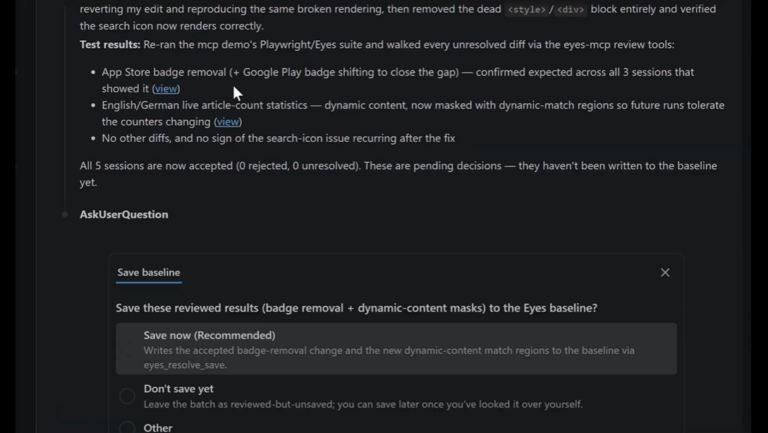
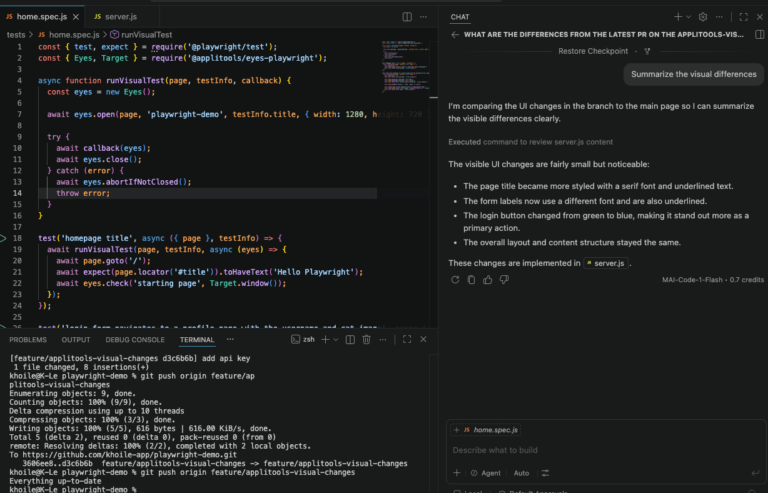
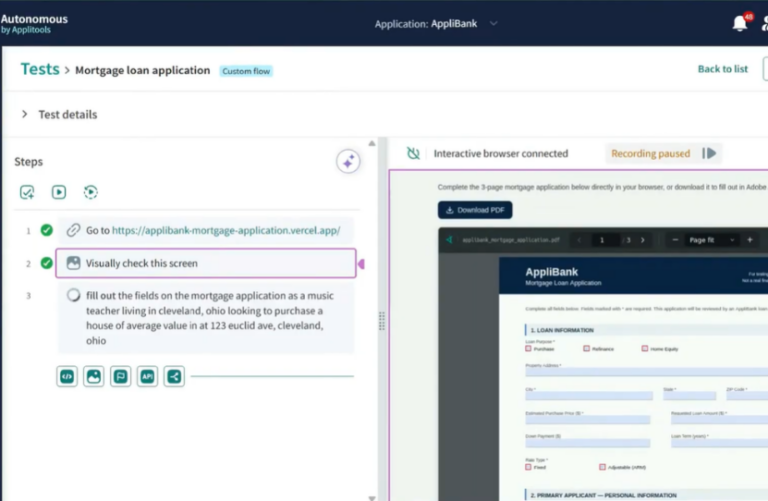
eyes-review and eyes-resolve) work together inside your IDE, so engineers can inspect, review, and resolve an entire set of changes in a given build, at scale without leaving their editor.Most visual testing stops at taking the picture. Applitools Eyes captures screenshots, and if something looks different, the build turns red. While automated baseline management handles routine updates, engineers still need to review remaining visual differences in the dashboard.
If Eyes already runs in your CI pipeline, you already have:
| Already integrated This builds on the CI/CD integration Applitools already provides. If Eyes tests already run in your pipeline (GitHub Actions, GitLab CI, Jenkins, CircleCI, or anything else Applitools supports), that connection is already in place. Nothing new to install. |
Applitools API keys aren’t all the same. That distinction is what makes it safe to add review to CI.
| Step | What it does | Key permission needed |
|---|---|---|
| Execute Test | Run the tests, upload screenshots | Execute |
| Inspect & Review | Read differences, screenshots, and page details; write a summary | Read |
| Resolve | Approve a difference, flag a real bug, or mark an area as expected to change | Write |
Configured Applitools API Keys in CI Secrets
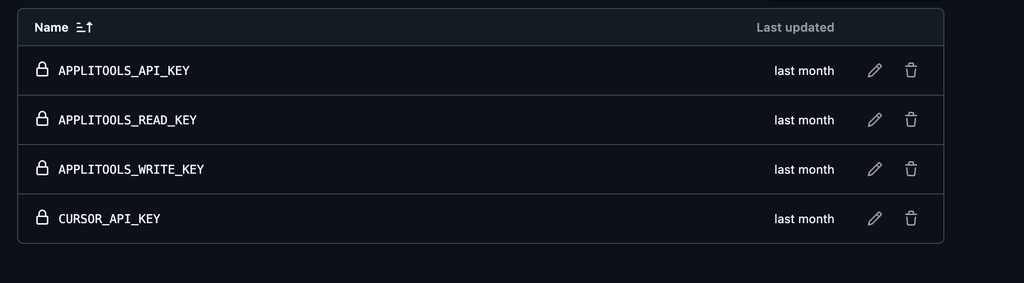
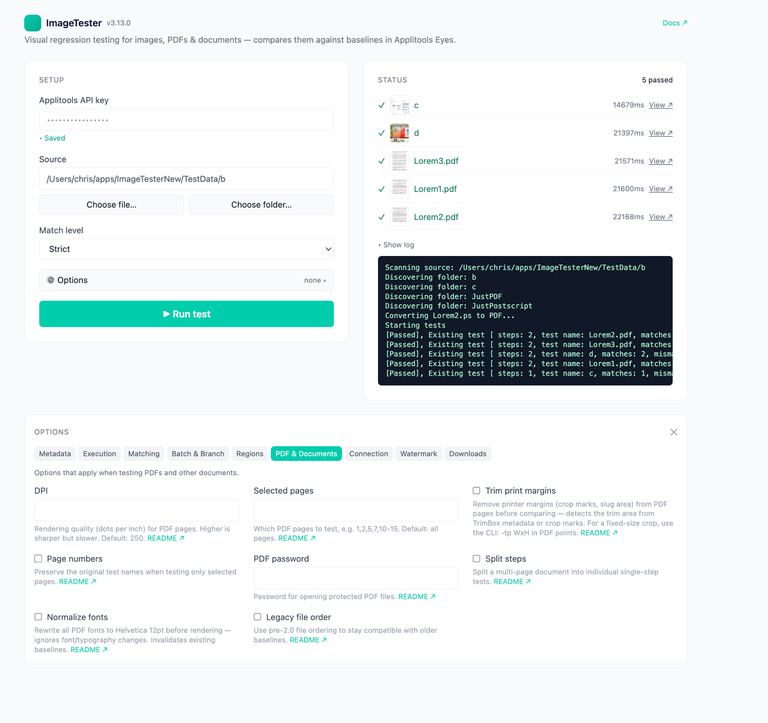
We didn’t build a second workflow. GitHub Actions is the example here, but the same steps drop into any CI/CD platform Applitools supports. The extra work is done by an AI agent; any agent that can call MCP tools works, including Claude Code, Cursor, Copilot, and Codex. It could be one you’re already running in the pipeline for other tasks, or one added just for this.
An agent does the callingeyes-inspect and eyes-resolve don’t run on their own. An AI agent, the same kind of agent you might already use elsewhere in your pipeline, calls them through Applitools MCP. Any agent that can call tools works; it doesn’t have to be a particular vendor or setup. |
CI usually labels a batch with the pull request’s commit hash, but that’s just a label, not the real ID used in Eyes dashboard links.
Look it up first: a quick call to the Eyes API using that commit hash returns the real link. That’s what gets handed to the agent.
eyes-inspect reads every difference without making any changes: never approve, reject, adjust, or save. It produces a concise textual summary of the findings. The differences themselves come from Applitools’ deterministic Visual AI, so the same screens produce the same findings on every run, providing accurate and consistent results without consuming expensive AI tokens. The agent’s job is to explain them, not decide whether they exist.
eyes-review turns inspection into a guided, deterministic investigation. It ensures the agent examines every changed area, calls the required eyes-inspect tools for each diff, and doesn’t skip findings, take shortcuts, or get confused by the workflow. For each change, it records a structured finding: what changed and whether it’s intentional, expected, or a real bug. It then produces a single consolidated summary for the entire build, with duplicate findings removed. Like inspecting, nothing in Eyes changes.
| Why the agent can’t take shortcuts Applitools MCP deterministically checks that the agent has reviewed every finding before it can produce a summary. It can’t skip a difference, stop early, or report on a few and guess the rest. Each finding starts from a small, focused image of one changed area, so the agent answers one question at a time: what is this diff? |
This is the step that produces the summary your pull request comment is built from.
eyes-resolve picks up where the review leaves off, but this time the agent can act. As it goes through each difference, it can:
| Why not save right away? All changes identified by the agents remain pending and do not impact future test runs until a human reviews them and approves saving the changes to the baseline. |
To do this well, the agent needs two kinds of context, or it will guess wrong:
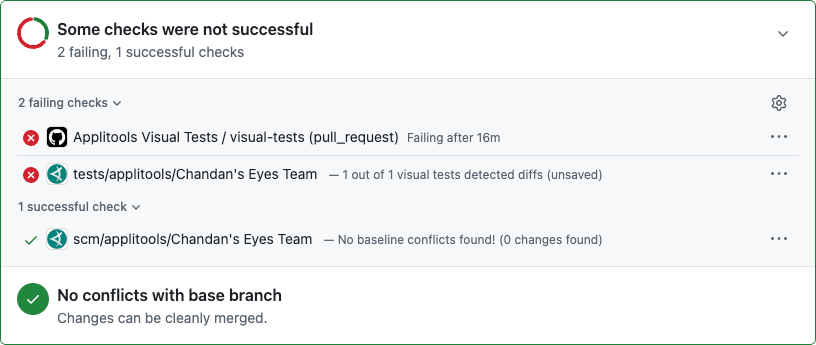
The job can still fail, and that’s fine. A red check means Eyes found a difference, not that something broke.
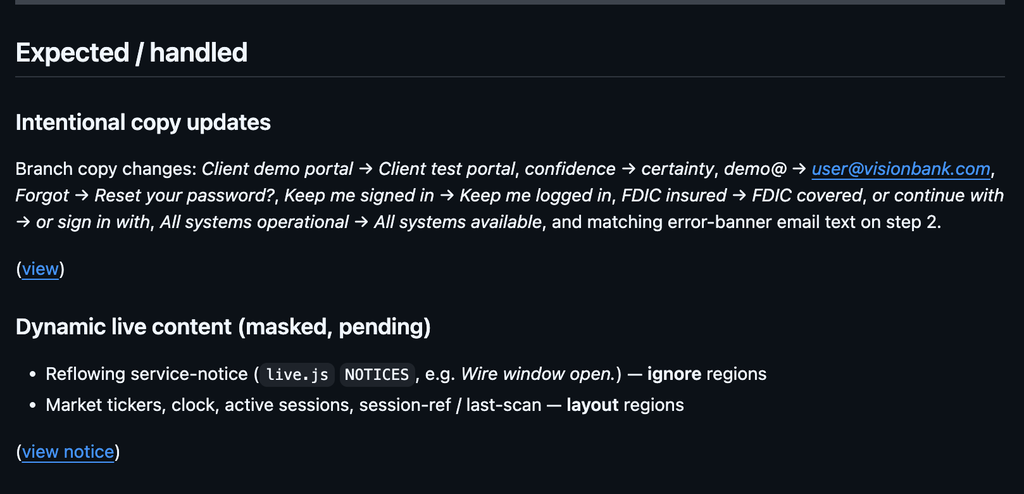
| Example output Two screenshots have unresolved differences. Three are expected changes: a stock ticker, a testimonial, and a session ID in the footer, not real bugs. |
Example Pull Request Comment: Visual Differences Needing Human Review
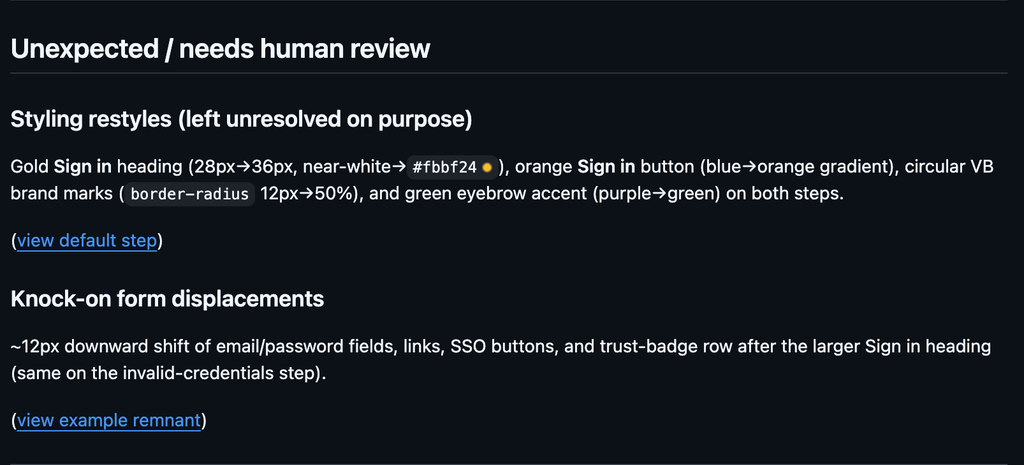
Example Pull Request Comment: Expected Changes and Masked Dynamic Content
name: Applitools Visual Tests

on:
  pull_request:
    branches: [tests, main, master]

concurrency:
  group: applitools-${{ github.event.pull_request.number || github.ref }}
  cancel-in-progress: true

permissions:
  contents: read
  pull-requests: write

env:
  APPLITOOLS_BATCH_ID: ${{ github.event.pull_request.head.sha || github.sha }}
  CI: true
  HAS_APPLITOOLS_READ_KEY: ${{ secrets.APPLITOOLS_READ_KEY != '' }}
  HAS_APPLITOOLS_WRITE_KEY: ${{ secrets.APPLITOOLS_WRITE_KEY != '' }}
  HAS_CURSOR_KEY: ${{ secrets.CURSOR_API_KEY != '' }}

jobs:
  visual-tests:
    runs-on: ubuntu-latest
    timeout-minutes: 60

    steps:
      - name: Checkout
        uses: actions/checkout@v4

      - name: Setup Node.js
        uses: actions/setup-node@v4
        with:
          node-version: '20'
          cache: npm

      - name: Install dependencies
        run: npm ci

      - name: Install Playwright browsers
        run: npx playwright install --with-deps chromium

      - name: Run Applitools visual tests
        id: visual
        continue-on-error: true
        env:
          APPLITOOLS_API_KEY: ${{ secrets.APPLITOOLS_API_KEY }}
        run: npx playwright test tests/login.visual.spec.ts --project=chromium

      - name: Resolve Eyes batch URL
        if: always() && steps.visual.outcome == 'failure' && (env.HAS_APPLITOOLS_WRITE_KEY == 'true' || env.HAS_APPLITOOLS_READ_KEY == 'true')
        env:
          APPLITOOLS_LOOKUP_KEY: ${{ secrets.APPLITOOLS_WRITE_KEY || secrets.APPLITOOLS_READ_KEY }}
        run: |
          fallback="https://eyes.applitools.com/app/test-results/${APPLITOOLS_BATCH_ID}"
          url=$(curl -sS -H "X-Eyes-Api-Key: ${APPLITOOLS_LOOKUP_KEY}" \
            "https://eyesapi.applitools.com/api/v1/batches/${APPLITOOLS_BATCH_ID}?statsOnly=true" \
            | python3 -c "import json,sys; print((json.load(sys.stdin).get('batchUrl') or '').strip())" \
            || true)
          if [ -z "$url" ]; then
            url="$fallback"
          fi
          echo "EYES_BATCH_URL=${url}" >> "$GITHUB_ENV"
          echo "Using Eyes batch URL ${url}"

      - name: Install Cursor CLI
        if: always() && steps.visual.outcome == 'failure' && env.HAS_CURSOR_KEY == 'true' && (env.HAS_APPLITOOLS_WRITE_KEY == 'true' || env.HAS_APPLITOOLS_READ_KEY == 'true')
        run: |
          curl https://cursor.com/install -fsS | bash
          echo "$HOME/.local/bin" >> "$GITHUB_PATH"

      # Write key: add regions, accept expected diffs, reject bugs.
      # Do not save — pending decisions stay undoable until someone saves
      # in Eyes or a gated workflow calls eyes_resolve_save.
      - name: Resolve visual differences
        if: always() && steps.visual.outcome == 'failure' && env.HAS_CURSOR_KEY == 'true' && env.HAS_APPLITOOLS_WRITE_KEY == 'true'
        env:
          CURSOR_API_KEY: ${{ secrets.CURSOR_API_KEY }}
          APPLITOOLS_READ_KEY: ${{ secrets.APPLITOOLS_READ_KEY || secrets.APPLITOOLS_WRITE_KEY }}
          APPLITOOLS_WRITE_KEY: ${{ secrets.APPLITOOLS_WRITE_KEY }}
          APPLITOOLS_API_KEY: ${{ secrets.APPLITOOLS_WRITE_KEY }}
        run: |
          cursor-agent --print --force --trust --sandbox disabled --approve-mcps \
            --output-format text \
            "Resolve the Applitools Eyes batch at ${EYES_BATCH_URL} Never call eyes_resolve_save. Leave decisions pending. Write a markdown report to triage.md. Do not modify any other file." \
            2>&1 | tee triage.log

      # Read-only fallback when write key is missing.
      - name: Inspect visual differences (read-only)
        if: always() && steps.visual.outcome == 'failure' && env.HAS_CURSOR_KEY == 'true' && env.HAS_APPLITOOLS_WRITE_KEY != 'true' && env.HAS_APPLITOOLS_READ_KEY == 'true'
        env:
          CURSOR_API_KEY: ${{ secrets.CURSOR_API_KEY }}
          APPLITOOLS_READ_KEY: ${{ secrets.APPLITOOLS_READ_KEY }}
          APPLITOOLS_API_KEY: ${{ secrets.APPLITOOLS_READ_KEY }}
        run: |
          cursor-agent --print --force --trust --sandbox disabled --approve-mcps \
            --output-format text \
            "Inspect the Applitools Eyes batch at ${EYES_BATCH_URL} Use the Applitools MCP tools with the read-scoped key already in APPLITOOLS_API_KEY / APPLITOOLS_READ_KEY. Call eyes_review_progress with mode inspect — never resolve, never accept, never reject, never add or change match regions, never save. Follow each response's next field until eyes_review_end reports the batch complete. Write a markdown report of the visual differences and their likely root cause to triage.md in the repository root. Do not modify any other file." \
            2>&1 | tee triage.log

      - name: Comment that Eyes review was skipped
        if: always() && github.event_name == 'pull_request' && steps.visual.outcome == 'failure' && (env.HAS_CURSOR_KEY != 'true' || (env.HAS_APPLITOOLS_WRITE_KEY != 'true' && env.HAS_APPLITOOLS_READ_KEY != 'true'))
        env:
          GH_TOKEN: ${{ github.token }}
        run: |
          gh pr comment "${{ github.event.pull_request.number }}" --body "$(cat <<'EOF'
          ## Eyes review skipped
          Visual tests failed, but MCP review did not run. Add these GitHub Actions secrets, then re-run:
          - `CURSOR_API_KEY` — Cursor API key for `cursor-agent`
          - `APPLITOOLS_WRITE_KEY` — Applitools key with **write** permission (regions, accept/reject). CI still does not save.
          - `APPLITOOLS_READ_KEY` — fallback for inspect-only if write is not set.
          The capture secret `APPLITOOLS_API_KEY` is execute-only and cannot review results.
          EOF
          )"

      - name: Upload Eyes review report
        if: always() && hashFiles('triage.md') != ''
        uses: actions/upload-artifact@v4
        with:
          name: eyes-review-report
          path: |
            triage.md
            triage.log

      - name: Comment Eyes review on the PR
        if: always() && github.event_name == 'pull_request' && hashFiles('triage.md') != ''
        env:
          GH_TOKEN: ${{ github.token }}
        run: |
          {
            echo "## Eyes review report"
            echo
            if [ "${HAS_APPLITOOLS_WRITE_KEY}" = "true" ]; then
              echo "Resolve mode on batch [${EYES_BATCH_URL}](${EYES_BATCH_URL}). Regions / accept / reject are **pending** and were **not** saved to the baseline."
            else
              echo "Read-only inspect of batch [${EYES_BATCH_URL}](${EYES_BATCH_URL}). Nothing was accepted, rejected, or saved."
            fi
            echo
            cat triage.md
          } > comment.md
          gh pr comment "${{ github.event.pull_request.number }}" --body-file comment.md

      - name: Fail the job if visual tests failed
        if: always() && steps.visual.outcome == 'failure'
run: exit 1For details on connecting Applitools Eyes directly to your repositories and CI workflows, see the official Applitools GitHub Integration documentation.
Below is an example of how GitHub Actions displays status checks when visual test differences are detected in a pull request:
Supercharge your pipeline by putting visual reviews on autopilot! Keep the test suite you already trust, but let AI agents instantly inspect, categorize, and resolve diffs the moment a build fails—keeping your engineering velocity at maximum speed while leaving full baseline approval firmly in human hands.
Stop letting visual review bottlenecks slow down your releases—close the loop today and empower your CI to review its own results with precision and speed.
Want to try it? Start with the Applitools MCP documentation, or watch Adam Carmi’s webinar replay to see an agent find, fix, and resolve a regression end to end.