How to Build Your Own AI Code Verification System >>> Join a hands-on webinar on Dec. 15th!

How to Build Your Own AI Code Verification System >>> Join a hands-on webinar on Dec. 15th!
I have been testing Analytics for the past 10+ years. In the initial days, it was very painful and error-prone, as I was doing this manually. Over the years, as I understood this niche area better, and spent time understanding the reason and impact of data Analytics on any product and business, I started getting smarter about how to test analytics events well.
This post will focus on how to test Analytics for Mobile apps (Android / iOS), and also answer some questions I have gotten from the community regarding the same.
Analytics is the “air your product breathes”. Analytics allows teams to:
Analytics allows the business team and product team to understand how well (or not) the features are being used by the users of the system. Without this data, the team would (almost) be shooting in the dark for the ways the product needs to evolve.
The analytics information is critical data to understand where in the feature journeys the user “drops off” and then the inference will provide insights if the drop is because of the way the features have been designed, or if the user experience is not adequate, or of course, there is a defect in the way the implementation has been done.
For any team to know how their product is used by the users, you need to instrument your product so that it can share with you meaningful (non-private) information about the usage of your product. From this data, the team would try to infer context and usage patterns which would serve as inputs to make the product better.
The instrumentation I refer to above is of different types.
This can be logs sent to your servers – typically these are technical information about the product.
Another form of instrumentation would be analytics events. These capture the nature of interaction and associated metadata, and send that information to (typically) a separate server / tool. This information is sent asynchronously and does not have any impact on the functioning, nor performance of the product.
This is typically a 4 step process:
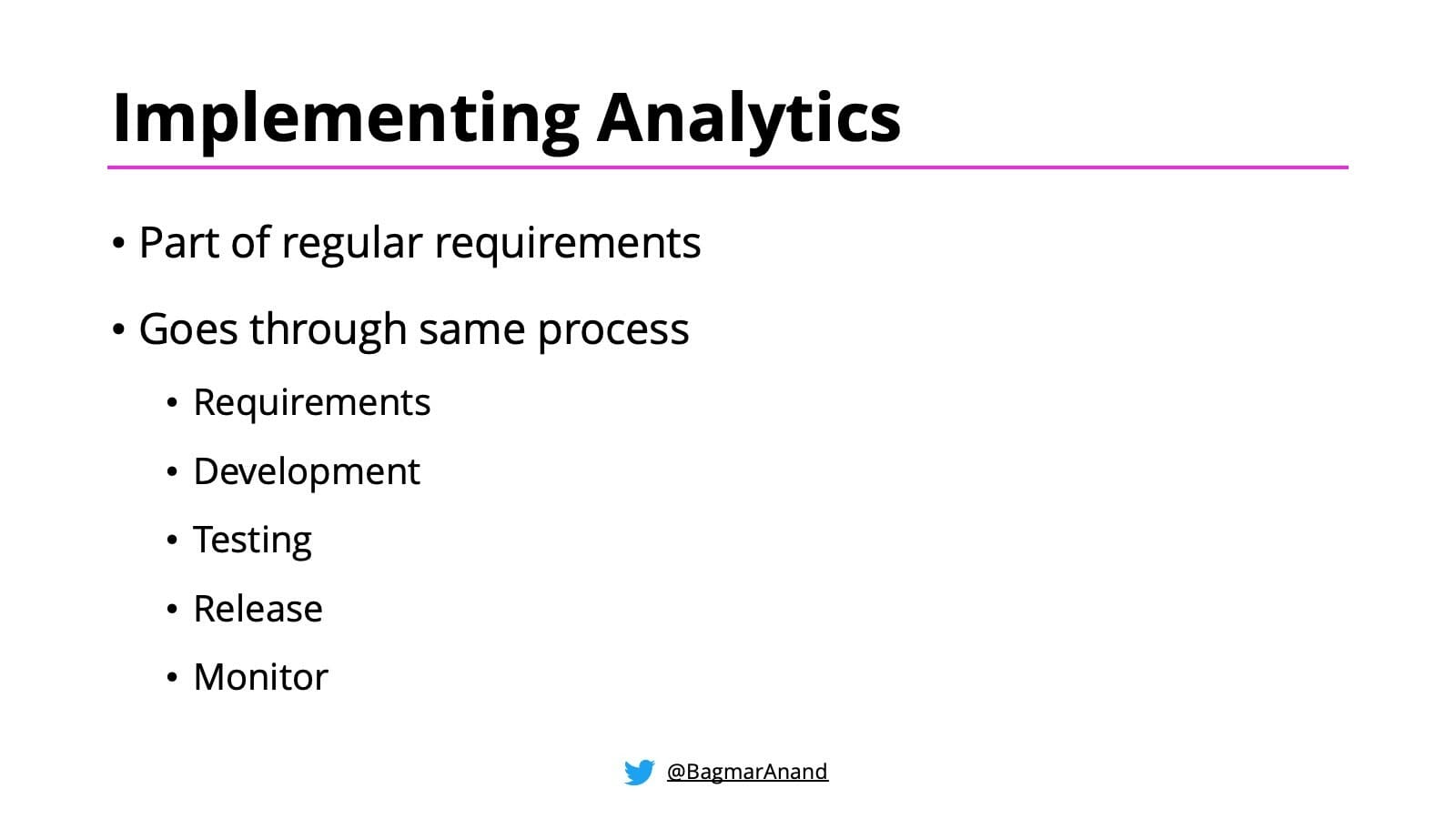
Once you know what information you want to capture and when, implementing Analytics into your product goes through the same process as for your regular product features & functionalities.
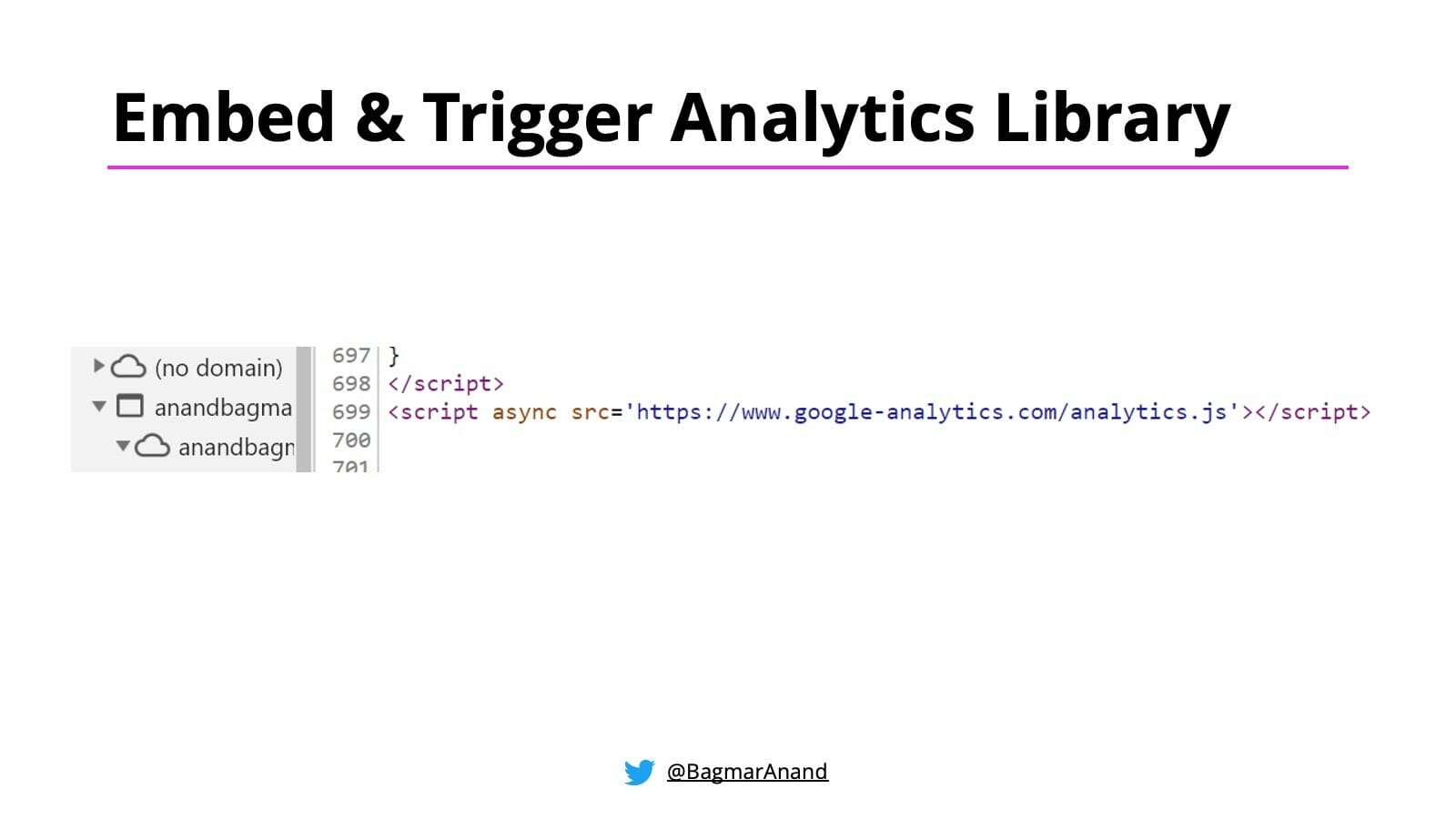
The analytics library is typically a very light-weight library, and is added as a part of your web pages or your native apps (android or iOS).
Once the library is embedded in the product, whenever the user does any specific, predetermined actions, the front-end client code would capture all the relevant information regarding the event, and then trigger a call to the analytic tool being used with that information.
Ex: Trigger an analytics event when user “clicks on the search button”
The data in the triggered event can be sent in 2 ways:
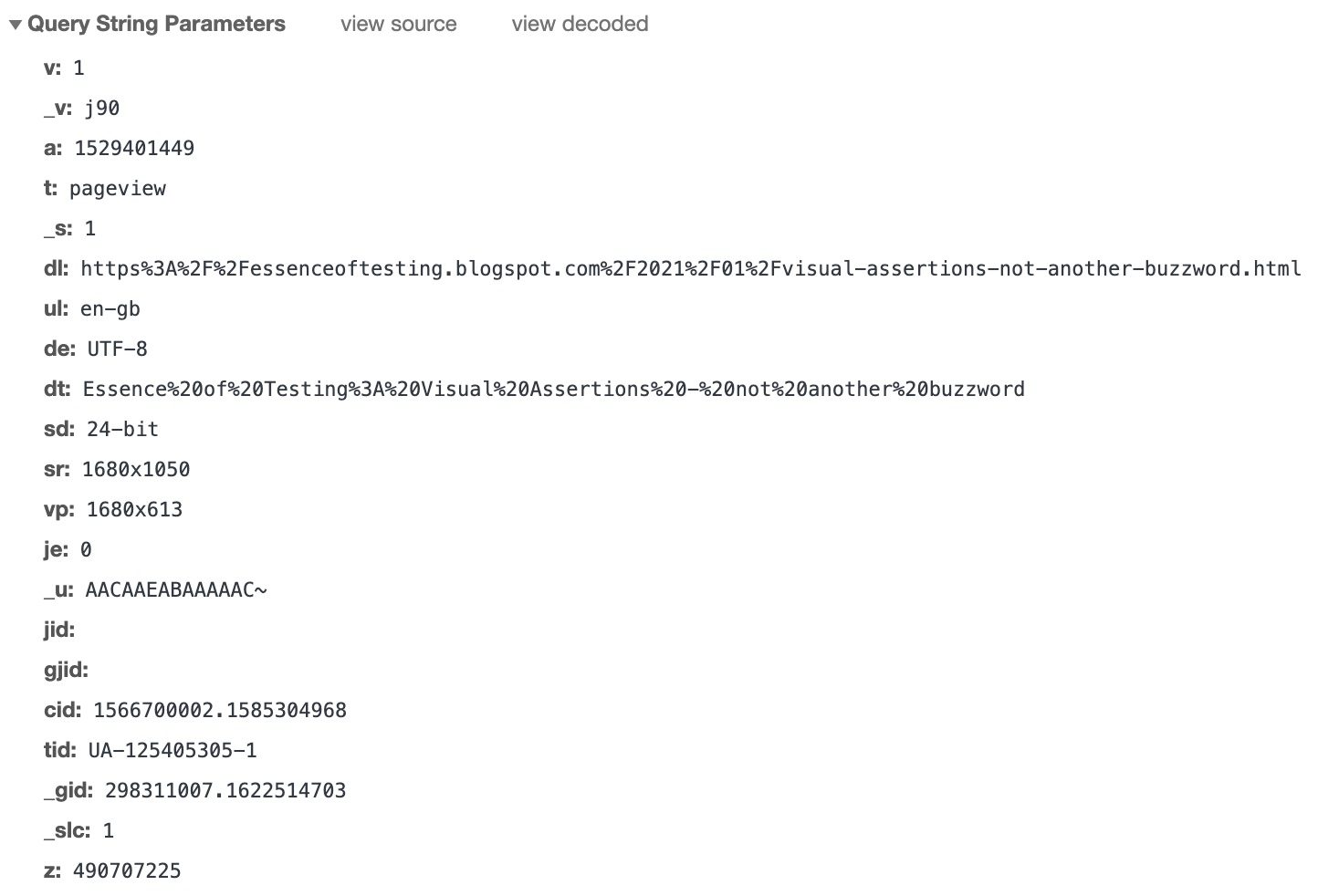
An analytics event is a simple https request sent to the Analytics tool(s) your product uses. Yes, your product may be using multiple tools to capture and visualise different types of information.
Below is an example of an analytics event.

Let’s dissect this call to understand what it is doing:
There are different ways to test Analytics events. Let’s understand the same.
Well, if testing the end report is too late, then we need to shift-left and test at the source.
Based on requirements, the (front-end) developers would be adding the analytics library to the web pages or native apps. Then they set the trigger points when the event should be captured and sent to the analytics tool.
A good practice is for the analytics event generation and trigger to be implemented as a common function / module, which will be called by any functionality that needs to send an analytics event.
This will allow the developers to write unit tests to ensure:
This approach will ensure that your event triggering and generation logic is well tested. Also, these tests will be able to be run on developer machines as well as your build pipelines / jobs in your CI (Continuous Integration) server. So you get quick feedback in case anything goes wrong.
While the unit testing is critical to ensure all aspects of the code works as expected, the context of dynamic data based on real users is not possible to understand from the unit tests. Hence, we also need the System Tests / End-2-End tests to understand if analytics is working well.

Reference: https://devrant.com/rants/754857/when-you-write-2-unit-tests-and-no-integration-tests
Let’s look at the details of how you can test Analytics Events during Testing in any of your internal testing environments:
The details include – name of the event, and the details in the query parameter
This step is very important, and different from what your unit tests are able to validate. With this approach, you would be able to verify:
All the above is possible to be tested and verified even if you do not have the Analytic tool setup or configured as per business requirements.
The advantage of this approach is that it complements the unit testing, and ensures that your product is behaving as expected in all scenarios.
The only challenge / disadvantage of this aspect is that this is manual testing. Hence, it is very possible to miss out certain scenarios or details to be validated on every manual test cycle. Also, it is impossible to scale and repeat this approach.
Hence, we need a better approach. The way unit tests are automated, the above activity of testing should also be automated. The next section talks about a solution for how you can automate testing of Analytics events as part of your System / end-2-end test automation.
This is unfortunately the most common approach teams take to test if the analytics events are being captured correctly, and that too may end up happening in production / or when the app is released for its users. But you need to test early. Hence the above technique of Testing at the source is critical for the team to know if the events are been triggered and validated as soon as the implementation is completed.
I would recommend this strategy after you have completed Testing at the Source!
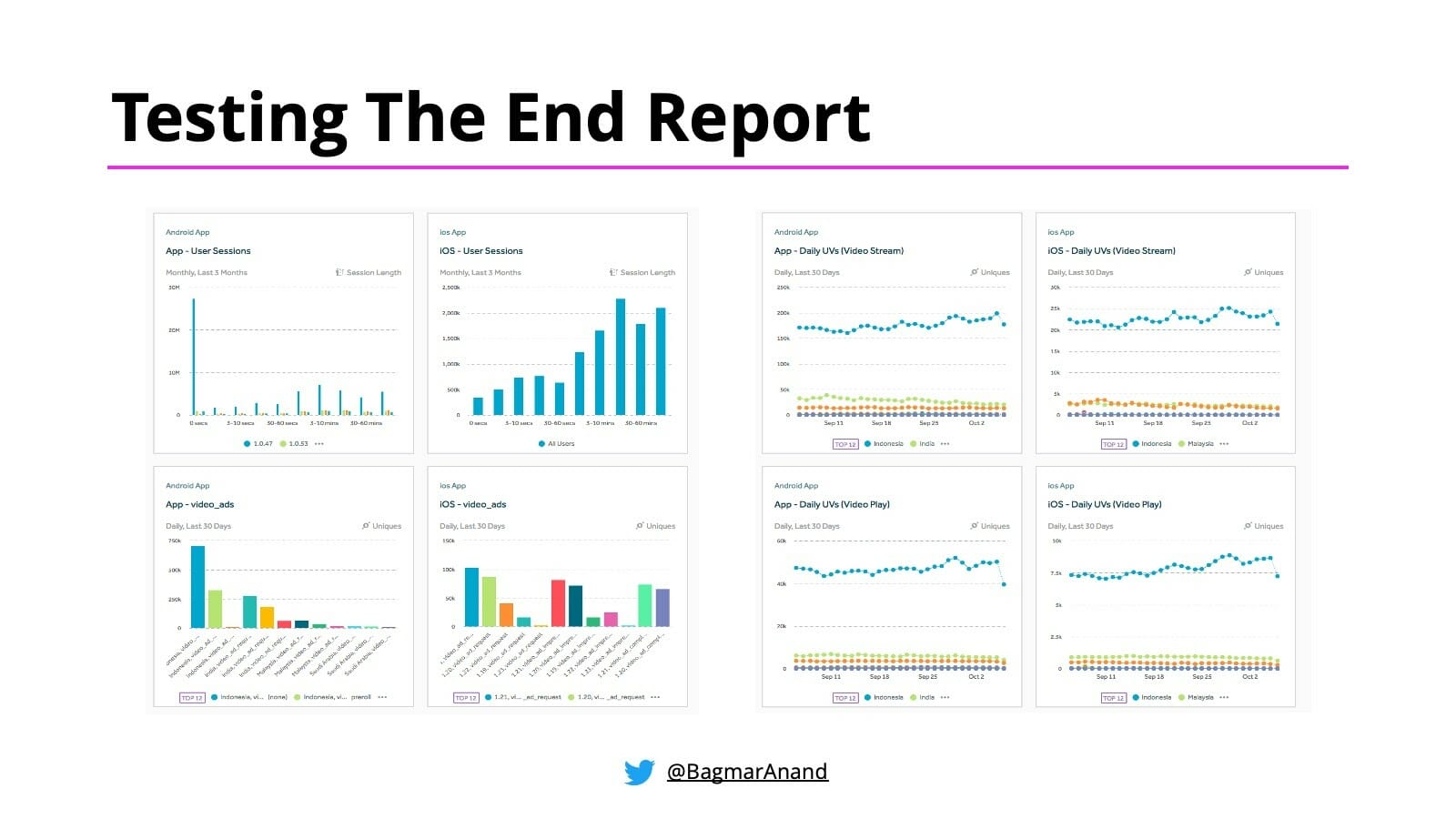
There are pros and cons of this approach.
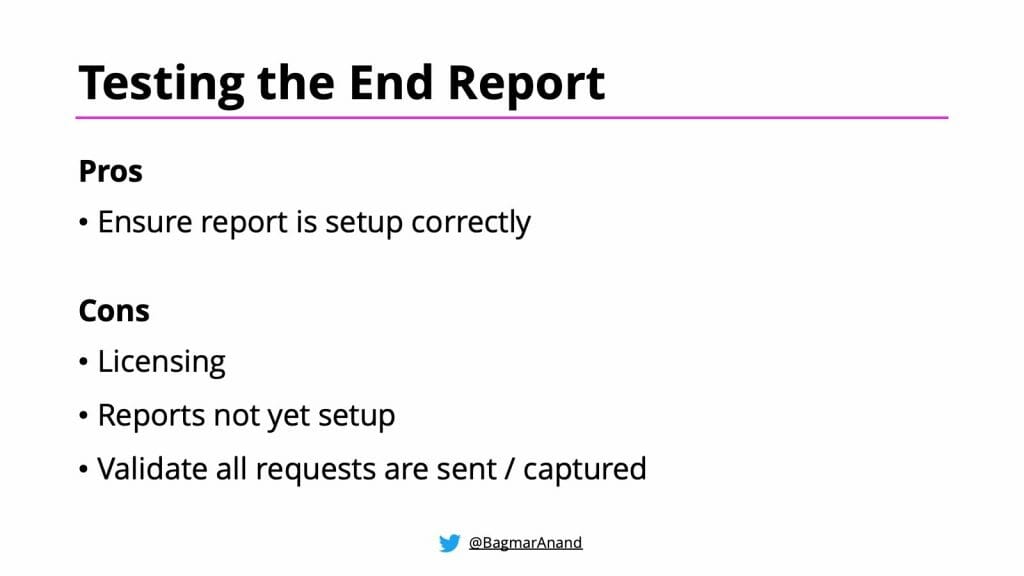
The biggest disadvantage though of the above approach is that it is too late!

That said, there is still a lot of value in doing this. This indicates that your Analytics tool is also configured correctly to accept the data and you are actually able to set up meaningful charts and reports that can indicate patterns and allows you to identify and prioritise the next steps to make the product better.
Let’s look at the approach to automate testing of Analytics events as part of your System / end-2-end Test Automation.
We will talk separately about Web & Mobile – as both of them need a slightly different approach.
There are 2 options to accomplish the Analytics event test automation for Web. They are as follows:
I built WAAT – Web Analytics Automation Testing in Java & Ruby back in 2010. Integrate this in your automation framework using the instructions in the corresponding github pages.
Here is an example of how this test would look using WAAT.
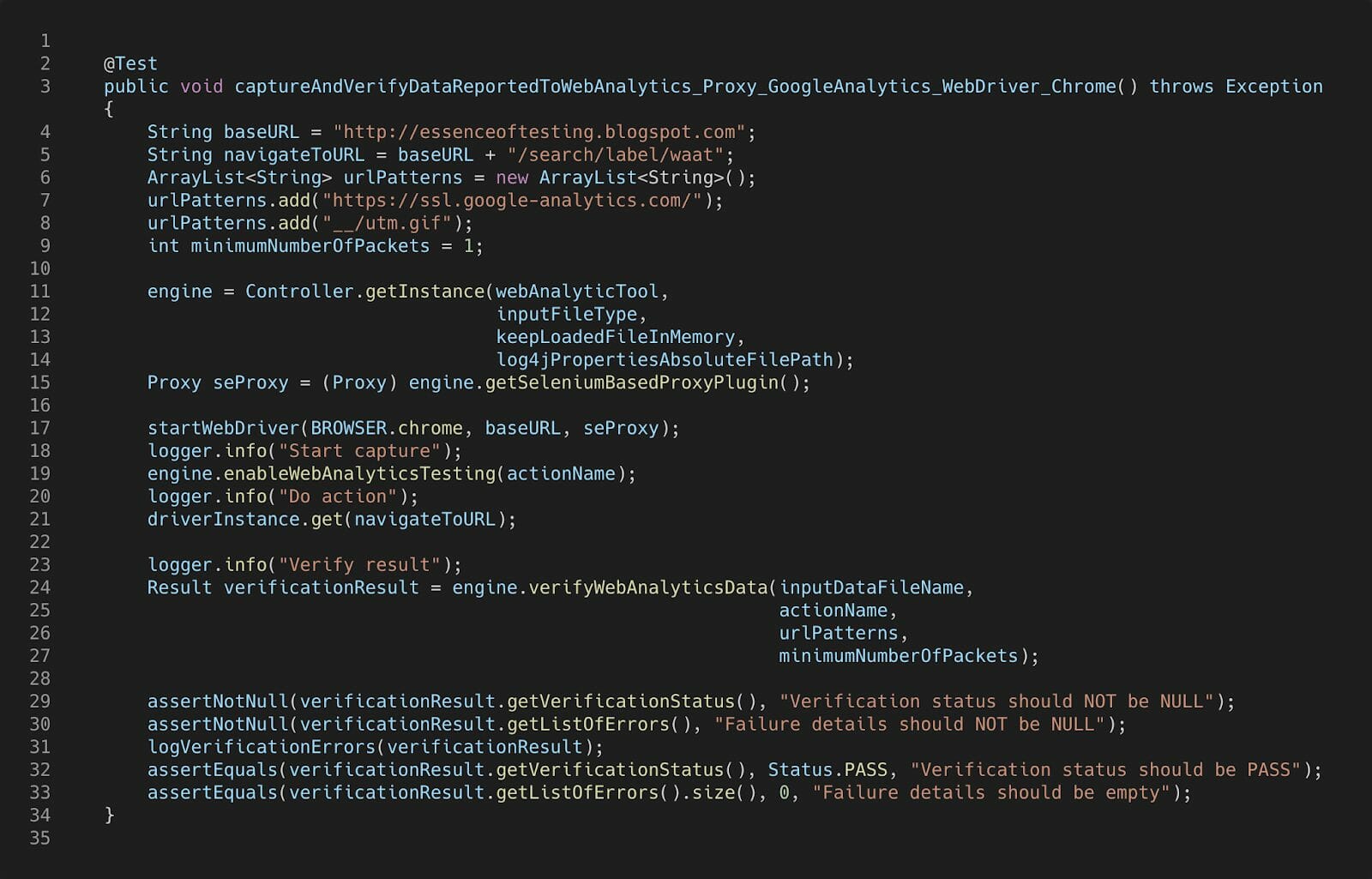
This approach will let you find the correct request and do the appropriate matching of parameters automatically.
With Selenium 4 almost available, you could potentially use the new APIs to query the network requests from Chrome Developer Protocol.
With this approach, you will need to write code to query the appropriate Analytics request from the list of requests captured, and compare the actual query parameters with what is expected.
That said, I will be working on enhancing WAAT to support Chrome Developer Protocol based plugin in the near future. Keep an eye out for updates to the WAAT project in the near future.
There are 2 options to accomplish the Analytics event test automation for Mobile apps (Android / iOS). They are as follows:
As described for the web, you can integrate WAAT – Web Analytics Automation Testing in your automation framework using the instructions in the corresponding github pages.
On the device where the test is running, you would need to do the following additional setup as described in the Proxy setup for Android device
This approach will let you find the correct request and do the appropriate matching of parameters automatically.
This is a customized implementation, but can work great in some contexts. This is what you can do:
This approach will allow us to validate events as they are being sent as a result of running the System / end-2-end tests.
As you may have noticed in the above sections for Web and Mobile, the actual testing of Analytics events is really the same in either case. The differences arise a little about how to capture the events, and maybe some proxy setup required.
There is another aspect that is different for Analytics testing for Mobile.
The Analytics tool sdk / library that is added to the Mobile app has an optimising feature – batching! This configurable feature (in most tools) allows customizing the number of requests that should be collected together. Once the batch is full, or on trigger of some specific events (like closing the app), all the events in the batch will be sent to the Analytics tool and then cleared / reset.
This feature is important for mobile devices, as the users may be on the move, (or using the apps in Airplane mode) and may not have internet connectivity when using the app. In such cases, if the device does not cache the analytics requests, then that data may be lost. Hence it is important for the app to store the analytics events and then send it at a later point when there is connectivity available.
Also, another reason batching of analytics events helps is to minimize the network traffic generated by the app.
So when we are doing the Mobile Analytics events automation, when the test completes, ensure the events are triggered from the app (i.e. from the batch), only then it will be seen in the logs or proxy server, and then validation can be done.
While batching can be a problem for Test Automation (since the events will not be generated / seen immediately), you could take one of these 2 approaches to make your tests deterministic:
I like to have my System Tests / end-2-end Test Automation solution to have the following capabilities built in:
See this post on Automating Functional / End-2-End Tests Across Multiple Platforms for implementation details for building a robust, scalable and maintainable cross-platform Test Automation Framework