Give Your Optimizely Devs (and Agents) Visual Guardrails to Prevent Bugs. Save your spot for the Oct. 29th webinar

Give Your Optimizely Devs (and Agents) Visual Guardrails to Prevent Bugs. Save your spot for the Oct. 29th webinar

I led a very engaging webinar session where I explored some of the upcoming features of Selenium 4 including relative locators, window management, and Chrome DevTool Protocol (CDP) APIs.
In fact, there were so many questions that I didn’t have time to answer them all live. Therefore, I’ve gone through and chosen the most frequently asked questions and have provided the answers below.
Selenium 4 offers a new locator type called Relative Locators, which allows you to identify elements in relation to other elements: such as find the element to the left of another element. Likewise, you can also find elements to the right, above, below, and near.
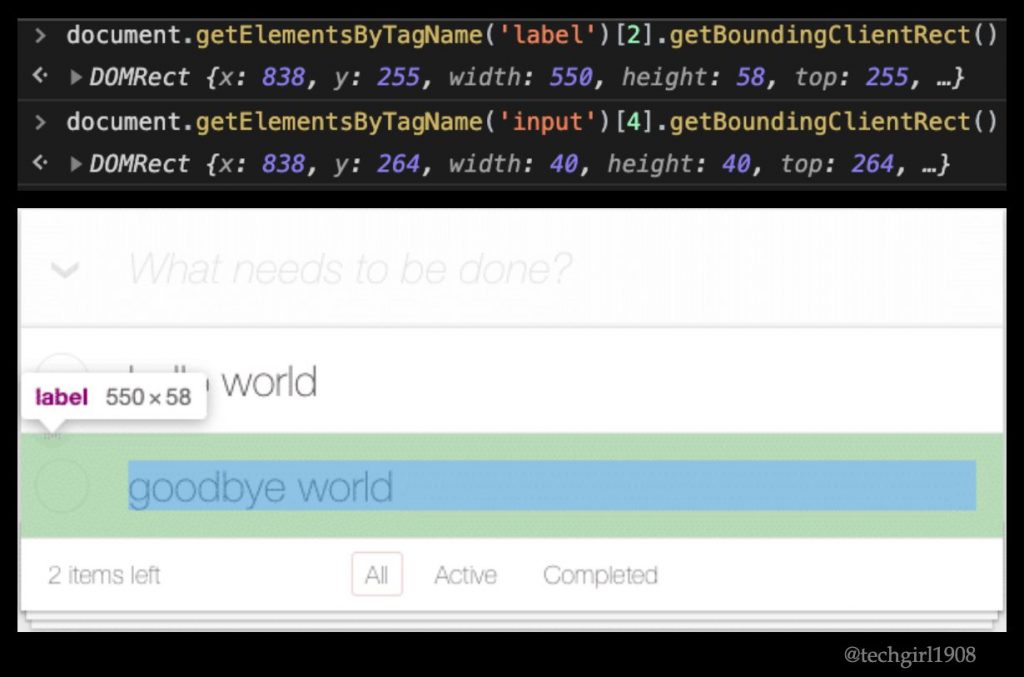
The elements must be greater than 0 pixels apart to be considered relatives. As shown here, sometimes elements appear to have different x and y coordinates, however, they can be overlapped in the DOM. In cases like these – where the x and/or y coordinates of two elements are the same – the elements are not detected as relative to each other.
You’re correct. If you are going to test your application in various viewport sizes, then Relative Locators is not a great idea. As you can see here, our test immediately breaks when the application is placed in the dimensions of an iPhone because the positioning of the elements change.
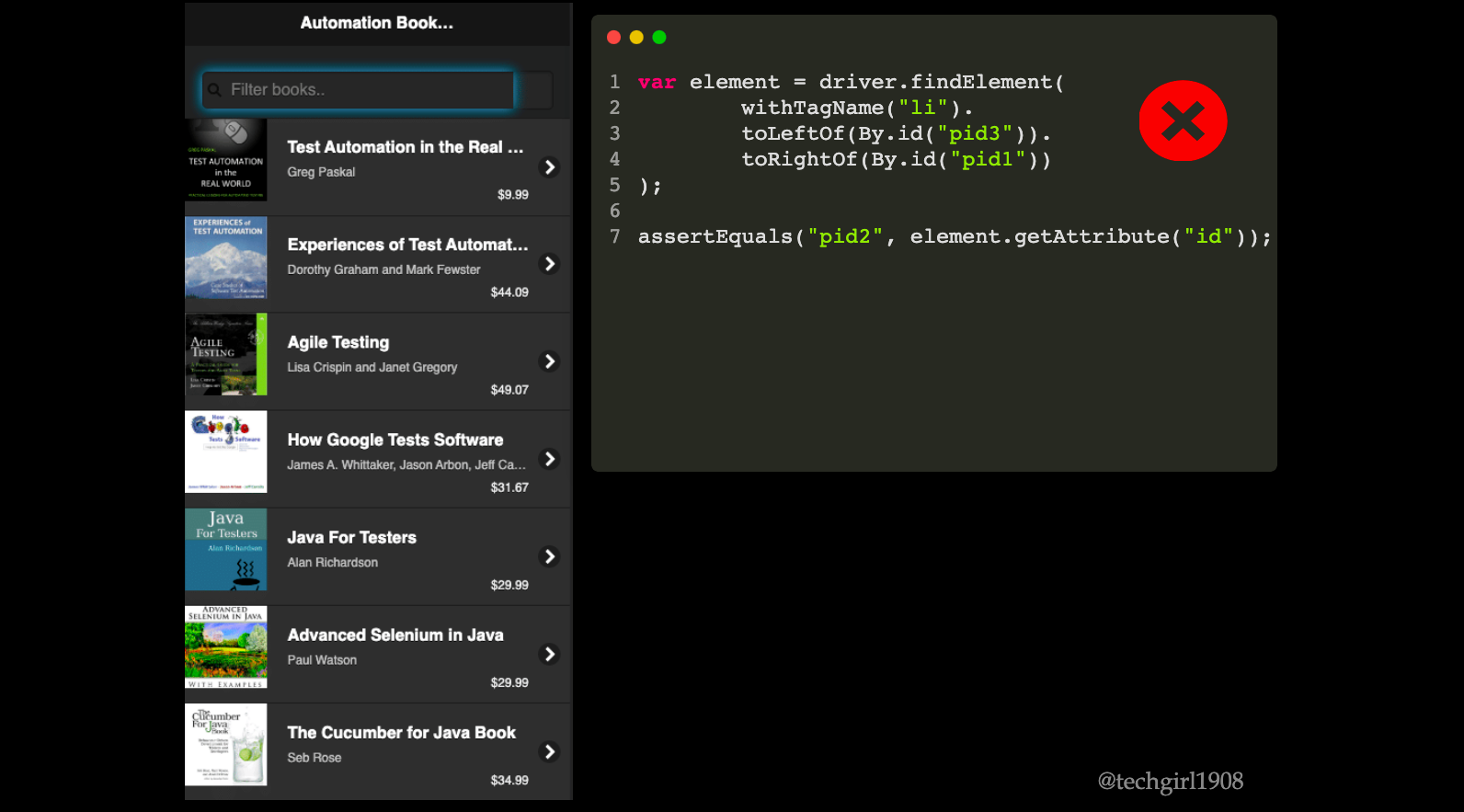
I also strongly recommend you limit its use to interaction and not verification. If you need to verify the visual aspects of your application, visual testing is a proven, reliable approach to do so.
The element does not have to be in view, but it does have to be present in the DOM. Under the covers, Selenium is calling the JavaScript function getBoundingClientRect() which will look within the DOM, not on the screen, for the element.
Xpath axes use the DOM hierarchy to locate elements. Relative locators use x and y coordinates. So with relative locators, the elements do not need to be siblings.
Yes, to find a list of elements that match a relative locator, use findElements.
Opening a brand new window or tab in Selenium 3 wasn’t very intuitive as there was no built-in method to do this. Selenium 4 provides built-in support to create a new tab or window within the same driver session.
Yes, you still call getWindowHandles() and it works for multiple windows as well as multiple tabs.
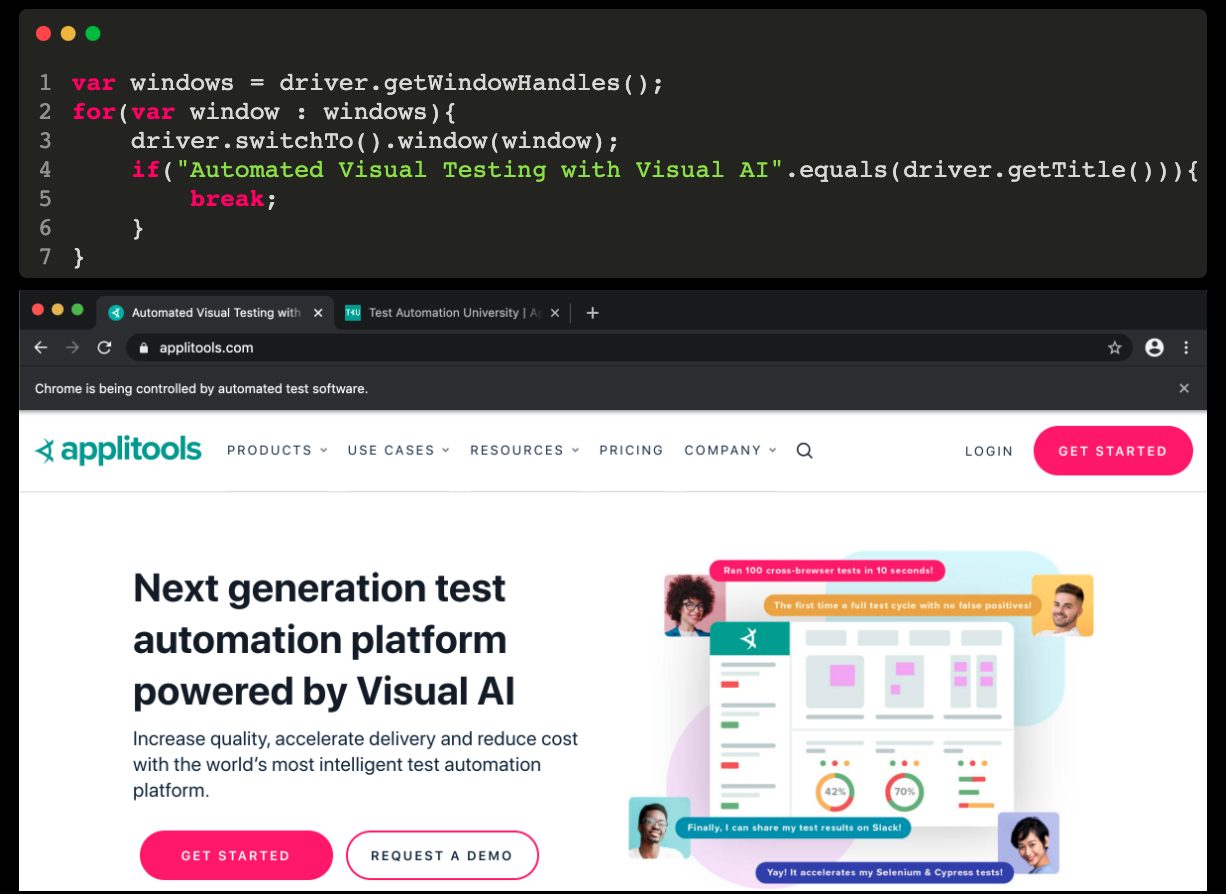
The new window/tab uses a new cookie store. I tested this by opening an initial window with Selenium, adding a cookie, then opening a new tab. I checked the cookies in both tabs, and the new cookie was only in the first tab.
Chrome DevTools Protocol (CDP) is a set of tools that enables you to access and control Chromium-based browsers via Chrome DevTools. Selenium 4 provides an API that is essentially a wrapper around the raw CDP commands, which makes it much easier to control the browser from within our test code.
Selenium Chrome DevTools APIs work in any Chromium-based browser. In fact, Selenium 4 introduces a new driver called ChromiumDriver. ChromeDriver and EdgeDriver are subclasses of ChromiumDriver. All of the CDP implementation is done in the ChromiumDriver and is inherited in ChromeDriver and EdgeDriver.
Since Firefox is not a Chromium-based browser, the Selenium 4 CDP APIs are not available in the FirefoxDriver.
Yep, you sure can! In fact, anything that you can do in Chrome DevTools, you can now do in Selenium 4!
However, I do not advise attempting to use Selenium for API testing, as there are better tools designed for this purpose. But you can use it for interesting scenarios such as intercepting network requests, as demonstrated by Adi Ohana. This can be done using the new getDevTools() method available in ChromiumDriver (and its subclasses such as ChromeDriver and EdgeDriver).
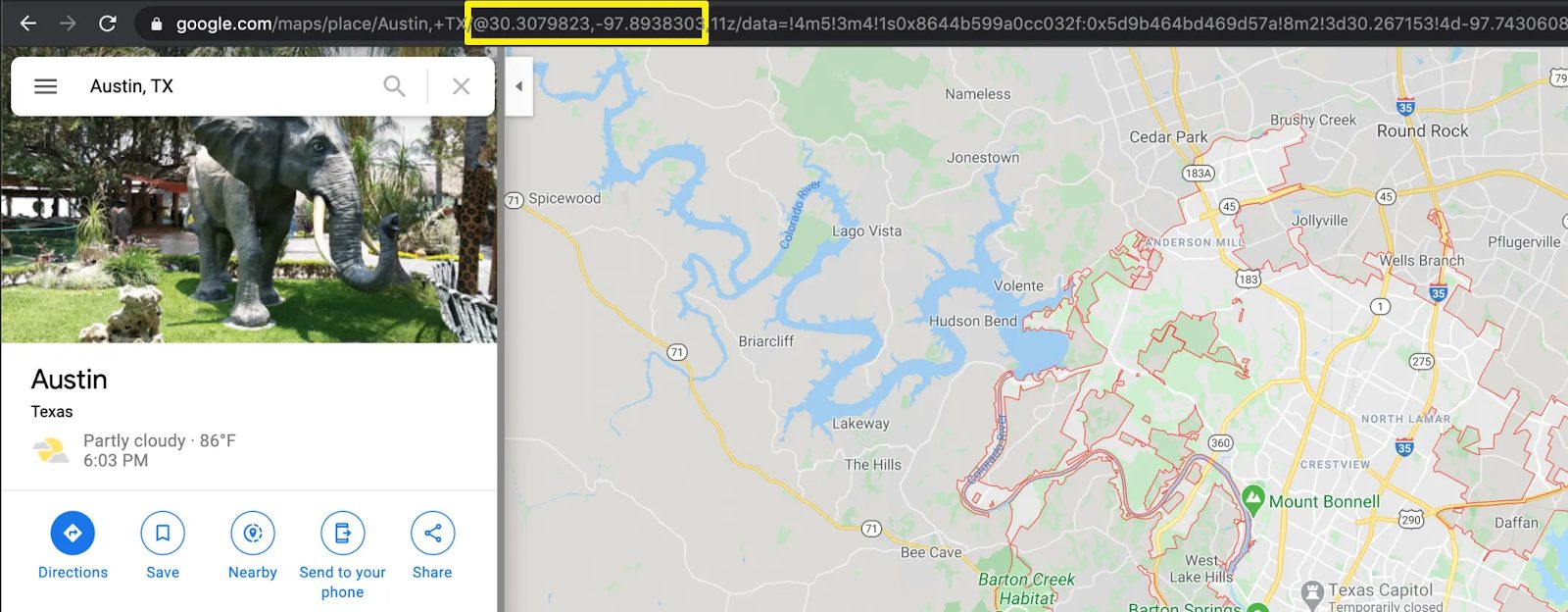
Great question! I use Google Maps to look up the location, and then get the longitude and latitude that way. You can see a full example from start to finish of mocking geolocations with Selenium 4. Specifically, step 3 shows how to capture the coordinates.
Yes, you can now spoof the timezone in Chrome DevTools, which means you can also do it in Selenium 4 by using the provided Selenium 4 API, setTimezoneOverride.
Ah yes, that’s the most frequently asked question ? With such rich features, we’re all waiting to be able to officially use Selenium 4. While you can install Selenium 4’s alpha version now to play around with it, no release date has been set.
I do encourage you to try Selenium 4 now to see how you will be able to utilize features such as relative locators, window/tab management, and the Chrome DevTools APIs to improve your testing.