
Most Selenium-to-Playwright migrations fail before the first test runs in CI. Not because Playwright is hard to learn, but because teams treat the migration as a translation exercise. They port page objects line by line, recreate custom wait logic, and rebuild the same brittle architecture in a newer framework. Then they wonder why maintenance overhead didn’t drop.
The framework isn’t the problem. The patterns you carried over are.
Resist the pull toward the tool your most vocal engineer already knows. Before you write a single line of POC code, define your evaluation criteria and then score each candidate framework against them.
A few things worth flagging before you start:
The line count difference alone tells part of the story. A login test that runs 116 lines in Selenium covers the same scenarios in roughly 40 lines in Playwright. That’s not aesthetics — that’s maintenance surface cut by two-thirds.
The more significant changes are architectural.
Playwright’s auto-waiting means you stop writing explicit waits for elements, animations, and network responses. You write the action; Playwright handles the timing. One sentence on this is enough: it eliminates an entire category of flakiness that Selenium teams spend hours chasing.
Fixtures are where the real execution gains live. Instead of instantiating page objects inside every test file, you define them once in a base fixture and inject them where needed. Test files stay focused on behavior, not setup boilerplate. Teams that implement fixtures well report up to 70% reductions in test runtime — largely because authentication and page object initialization happen once rather than per test.
Storage-state authentication compounds those gains. Playwright lets you perform login once via an API call during global setup, serialize the session to a JSON file, and reload it before each test. No UI login flow per test. No seven-second sign-in overhead multiplied across hundreds of tests.
Built-in parallelism runs at both the file and test level. You don’t need separate files to run two tests concurrently. That’s a meaningful structural difference if you’re coming from a tool where parallel execution required significant configuration work.
Architecture from scratch, not from memory
Teams that get the most out of Playwright treat migration as a greenfield architecture decision. The ones that struggle port their old structure forward and spend the next year paying for it.
Set hard constraints before you write your first test:
ESLint, Prettier, and Husky enforce these at commit time so they don’t depend on code review discipline. Set them up on day one. A test suite that looks clean at 50 tests will become unreadable at 500 if you skip this step.
Keep your page manager lean. If a single fixture loads every page object at initialization, you’re adding overhead to tests that don’t need most of what gets loaded. As your suite grows, split into multiple focused fixtures rather than one that loads everything.
Here’s what “Playwright screenshot comparison breaks down at scale” actually looks like in practice: your UI ships a round of content updates, localization changes, and layout adjustments. Now you’re manually updating baselines one by one across hundreds of tests. It’s the kind of work that makes engineers question their career choices — and it’s a real scenario for any team maintaining a UI that moves fast.
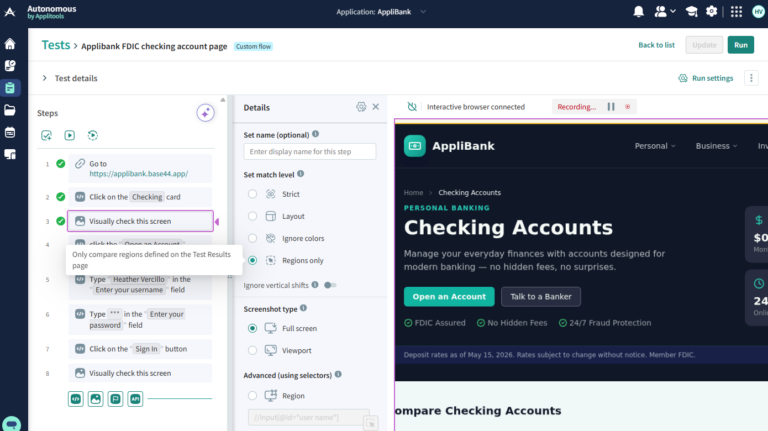
Applitools Eyes integrates directly with your Playwright suite via the Playwright SDK. Instead of maintaining pixel-perfect baselines, you get visual AI checks that distinguish real visual regressions from rendering noise. A button that shifted two pixels in a non-interactive area doesn’t fail your suite. A form field that disappeared does.
Baseline management moves to a single dashboard. You review, approve, or reject visual differences across your entire suite in one place rather than hunting through individual test artifacts. For teams managing internationalized UIs or frequent design updates, that’s the difference between visual testing being a practice and visual testing being a burden.
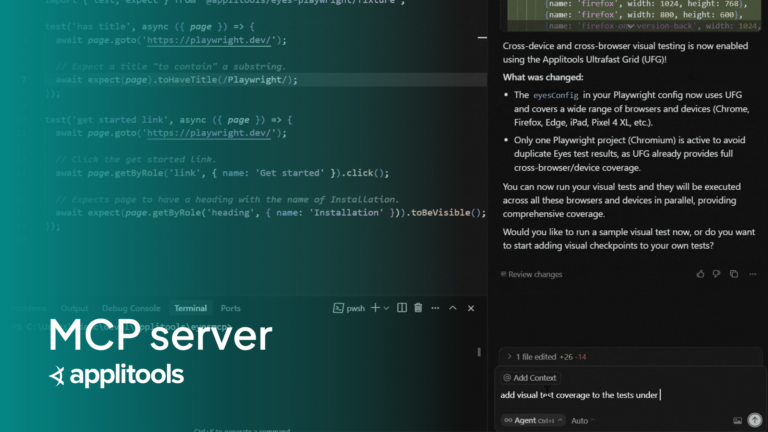
The Applitools MCP server takes it a step further. Point it at your existing Playwright suite and it identifies where you’re relying on brittle text assertions or locator-dependent validations — the checks most likely to break when the DOM shifts — and suggests where to replace them with visual AI checks instead.
Reading about fixtures and page managers is one thing. Watching someone walk through the actual implementation — side-by-side with the Selenium equivalent — is another.Renata Andrade, software quality engineer at Adobe, covers all of it in detail: the POC framework, the architecture decisions, the code comparisons, and how Applitools fits into a Playwright suite in production.
🎥 Watch the full tech talk from Renata here
It depends on suite size, language choice, and whether you treat it as a rewrite or a refactor. The most effective approach is to halt new Selenium test development, prioritize your most critical tests, and implement Playwright coverage incrementally — deactivating Selenium tests as equivalent Playwright coverage comes online. Expect the migration to run in parallel with active development rather than as a dedicated sprint.
Yes, but the implementation looks different than it does in Selenium. In Playwright, page objects work best when combined with fixtures. A base fixture loads a page manager, which connects to individual page objects, which expose methods to your test files. This keeps test files focused on behavior rather than setup. Keep individual page objects under 200 lines and resist the urge to port thousand-line Selenium page objects directly.
TypeScript or JavaScript if you have any flexibility. Playwright’s feature set is most complete in the Node.js implementation — native parallelism, fixture support, community tooling, and active maintenance are all more mature there than in the Python, Java, or .NET versions. Java Playwright, in particular, has gaps, including limited native parallel execution support, that can block you from getting the full benefit of the framework.
Playwright ships with a built-in screenshot comparison feature that diffs pixels between a baseline and a test run. It works for stable, low-change UIs. For teams with frequently updated interfaces, internationalized content, or large test suites, manual baseline management becomes a significant maintenance burden. Applitools Eyes uses visual AI to distinguish real regressions from rendering noise, manages baselines centrally across your entire suite, and integrates with Playwright via a dedicated SDK. The Applitools MCP server also analyzes your existing Playwright suite and identifies where brittle text assertions or locator-dependent checks should be replaced with visual AI checks.