Give Your Optimizely Devs (and Agents) Visual Guardrails to Prevent Bugs. Save your spot for the Oct. 29th webinar

Give Your Optimizely Devs (and Agents) Visual Guardrails to Prevent Bugs. Save your spot for the Oct. 29th webinar
According to recent data from Anthropic, the “Agentic SDLC” is compressing traditional development cycles from months into hours or days. As AI agents like Claude and Cursor generate code at higher volumes, the primary bottleneck has shifted from code production to verification.
Verification at this scale presents a specific challenge. Relying on probabilistic LLMs to test code generated by other LLMs creates a “flakiness loop” where test reliability is inconsistent.
Here is a technical breakdown of Applitools features designed to make agentic testing more reliable and maintainable.
Traditional testing setups often require extensive configuration. To maintain velocity in an agent-driven environment, setup must be nearly instantaneous.
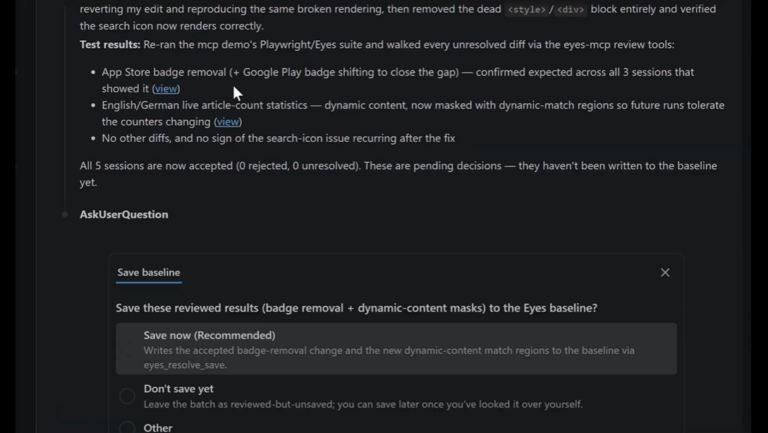
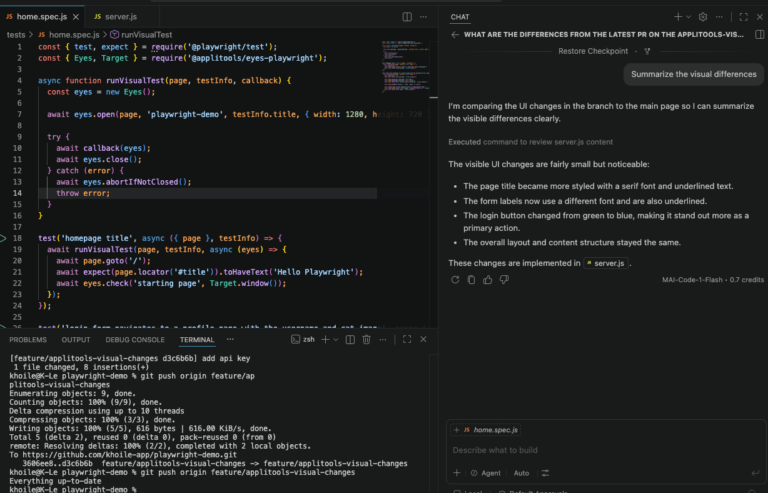
The Applitools Eyes MCP (Model Context Protocol) Server acts as a bridge that allows AI agents to consume Visual AI as a native capability. By connecting Applitools Eyes directly to the MCP, agents such as Claude or Cursor can interact with your UI using visual assertions rather than relying solely on DOM-based locators. This reduces the need for fragile Playwright locators that break when internal structures change.
Dynamic content is a frequent source of test noise. For instance, validating a specific compliance element (like an “FDIC Insured” logo) across hundreds of pages usually triggers false positives if full-page visual checks are used on pages with varying account data.
The new “Regions Only” Match Level in Applitools Autonomous allows engineers to isolate specific elements for validation across the entire application. This provides the precision of a functional assertion with the coverage of a visual check. You can achieve 100% certainty on critical components without the overhead of managing dynamic data exclusions manually.
The highest cost in automation is not script authoring but the time spent triaging failures. Engineers need to quickly determine if a failure is an application bug, an environment regression, or a script error.
Applitools Autonomous now includes an enhanced troubleshooting tool to automate this analysis. During the webinar, we demonstrated how the system performs side-by-side DOM comparisons to identify the exact point of failure. This is particularly useful for “self-healing” workflows. If a test step fails due to a minor string change or a typo (e.g., “Add to Cart” vs. “Add to Carts”), the AI flags the specific discrepancy for immediate resolution.
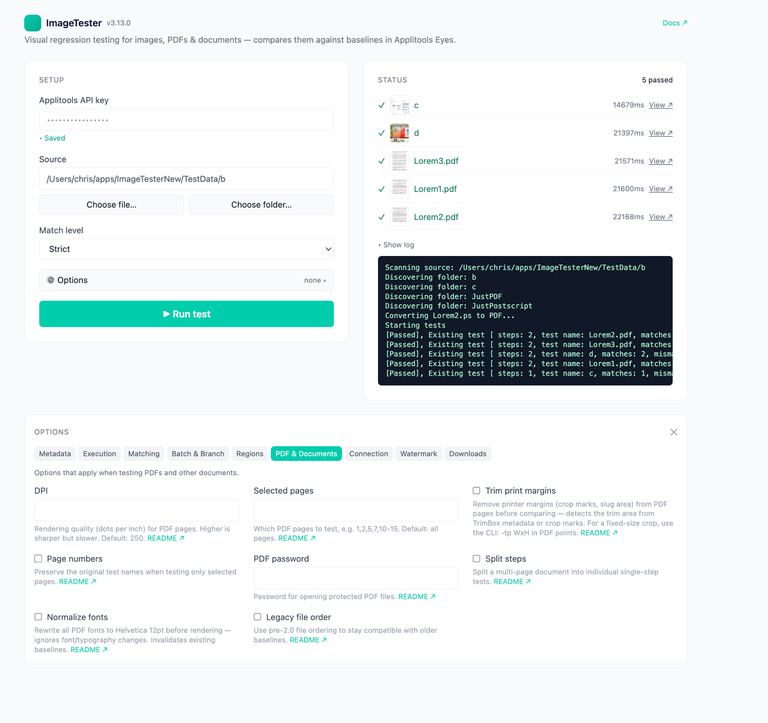
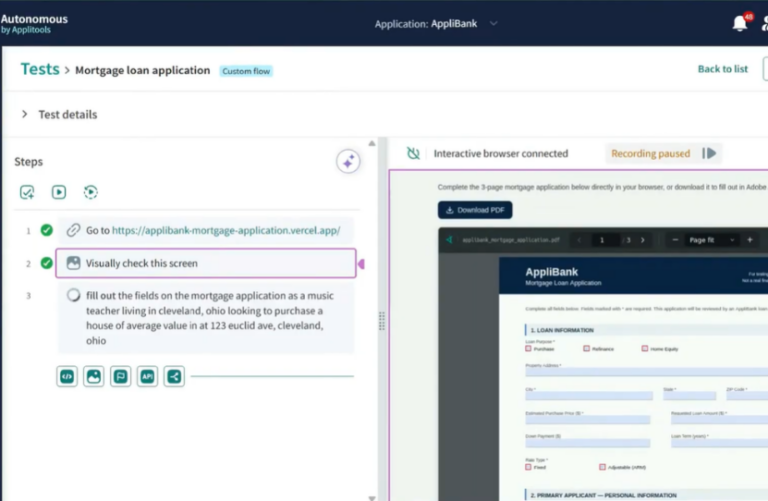
File interactions are notoriously difficult to automate reliably. Autonomous now supports streamlined file upload testing. Whether your workflow requires a PDF for a mortgage application or an image for a check deposit, you can manage these assets via cloud storage directly within Applitools Autonomous. This converts a historically manual interaction into a stable, automated step.
🎥 See the whole workflow in our Platform Pulse webinar recording
These updates reflect a clear direction in how AI is being applied to testing: not as a replacement for deterministic checks, but as a layer that makes those checks faster to set up and faster to act on. The goal isn’t to generate tests automatically and hope they’re right — it’s to make the tests you write more reliable and less expensive to maintain.
If your team is scaling automation and running into the reliability-vs-maintenance tradeoff, both of these capabilities are worth evaluating in your current environment.
See it for yourself: Start a free trial of Applitools and connect Eyes MCP Server to your existing test suite in minutes. If you want a guided walkthrough first, book a personalized demo.
As AI agents generate code at higher volumes, the primary bottleneck has shifted from code production to verification. Relying on probabilistic LLMs to test code generated by other LLMs creates a “flakiness loop” where test reliability is inconsistent.
The MCP Server connects to AI assistants and clients such as VS Code, Cursor, Claude Code, and Cline. It is currently available for Playwright (JavaScript/TypeScript) projects, with support for more frameworks expected soon.
It enables the AI assistant to automatically set up Eyes in Playwright JavaScript projects and guides the overall Eyes configuration. The server provides context-aware assistance to add visual checkpoints and suggest best practices to instantly increase coverage and reduce test complexity.
Applitools Autonomous includes enhanced troubleshooting tools to automate failure analysis. The system performs side-by-side DOM comparisons to identify the exact point of failure, helping engineers quickly determine if the failure is an application bug, an environment regression, or a script error. This is particularly useful for “self-healing” workflows.
The “Regions Only” Match Level allows engineers to isolate specific elements for validation across the entire application. This provides the precision of a functional assertion with the coverage of a visual check, allowing you to achieve 100% certainty on critical components without the overhead of manually managing dynamic data exclusions.