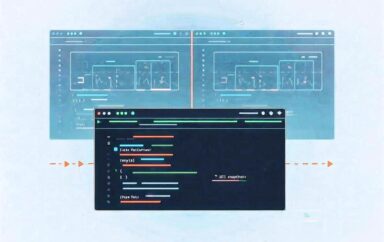
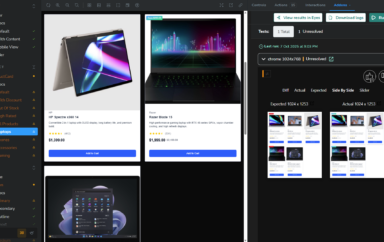
The new Applitools Eyes 10.22 release brings Visual AI testing directly to the tools teams already use to design and develop digital experiences. This update strengthens how teams build, validate, and release with three major enhancements:
- Scale quality without slowing down delivery using the new Storybook Addon.
- Align development and design with the new Figma Plugin, bridging intent and implementation.
- Improve traceability and accountability with smarter Dashboard Optimizations for QA and leadership.
Together, these updates make visual testing faster, sharper, and more connected across the product pipeline, helping teams fully embrace shift-left testing and collaborate around a shared baseline for visual quality.
Scale Quality Without Slowing Down Delivery: Storybook Addon
Test Where You Build with the Storybook Addon
The new Storybook Addon for Applitools Eyes brings storybook visual testing directly into the development workflow. Developers can now validate UI components where they build them—no CI/CD wait times, no switching between tools.
Core Capabilities
- Run and review visual tests directly inside your component workspace.
- Approve or reject diffs inline and validate changes locally before merging.
- Leverage higher concurrency for faster feedback.
- Catch visual issues early and prevent CI failures that slow releases.
Use Case Example:
A frontend developer refactoring a shared button component runs Eyes tests directly in Storybook to verify that the update didn’t alter its appearance across the design system. By catching issues immediately, they avoid regressions on the main branch and prevent unnecessary rework later in the release cycle.
The Applitools Eyes Storybook Addon allows teams to scale quality by expanding coverage while maintaining release velocity. By embedding visual validation where developers work, organizations can expand test coverage and reduce release timelines without compromising accuracy.
See the newest features in action during the Platform Pulse webinar, coming October 22.
Align Development and Design: Figma Plugin
Bridge Design & Code with the Figma Plugin
The new Applitools Figma Plugin connects design intent with implementation through seamless Figma design testing and design-to-code comparison. Designers and developers can now validate visual consistency earlier—and with far less manual effort.
What You Can Do
- Export Figma frames directly into Eyes for automated design-to-code validation.
- Compare design-to-design versions to manage iteration cycles.
- Maintain shared baselines so designers and developers work from the same source of truth.
- Designers can validate implementations without writing code, while developers see exactly what “done” looks like.
Use Case Example:
A designer exports a component from Figma and compares it with the implemented version in Eyes to confirm that spacing, colors, and typography match the original design. Any differences appear immediately, allowing the designer and developer to resolve them early instead of during QA or after release.
This plugin bridges design and development, reducing handoff friction and review cycles. Teams gain a single source of truth for UI quality and deliver products that match design intent from concept to code.
Improve Traceability and Accountability: Dashboard Optimizations
Context-Rich Results with Dashboard Optimizations
Eyes 10.22 introduces dashboard enhancements that bring clarity and accountability to every test result. These updates help QA engineers, SDETs, and technical leaders focus on what matters most.
Key Highlights
- Commit SHA and branch info appear directly in batch details for instant traceability.
- “Required Attention First” sorting automatically surfaces unresolved and failed tests.
- Auto-grouping mirrors your Storybook structure, making results easier to navigate.
- Streamlined triage reduces noise from passed tests and accelerates review.
Use Case Example:
A QA engineer reviewing test results spots a visual regression and uses the Eyes dashboard to trace it back to the specific commit that introduced the change. With commit and branch details in context, the engineer can alert the right developer and close the feedback loop quickly.
These context-rich results strengthen accountability and compliance across teams. Organizations gain the visibility they need for auditability—particularly valuable for industries with governance or regulatory requirements.
Explore all the updates and improvements in the Eyes 10.22 Release Notes.
Broader Strategic Impact
Eyes 10.22 delivers improvements that go beyond new capabilities. Together, these updates create a foundation for stronger collaboration and faster releases across the organization:
- Align Development & Design Around a Single Source of Truth – With the Storybook addon and Figma plugin, teams collaborate around shared visual baselines.
- Scale Quality Without Slowing Delivery – Native testing inside development tools ensures visual coverage grows with velocity.
- Improve Traceability & Accountability – Git-linked context and prioritized review queues make it easier to understand, resolve, and communicate changes.
- Drive Shift-Left Adoption Across the Organization – With validation embedded where work happens, teams can catch issues earlier and release with confidence.
Quality That Scales: Visual AI for Every Team
With Applitools Eyes 10.22, teams can test where they build—bringing Visual AI testing directly into their design and development workflows. By embedding validation inside Storybook, Figma, and the Eyes dashboard, organizations can scale software quality without adding maintenance or slowing delivery. Developers, designers, and QA now share one intelligent workflow powered by Visual AI—delivering expanded test coverage, faster feedback, and less maintenance across every stage of the testing lifecycle. Learn more about Applitools Eyes.