Give Your Optimizely Devs (and Agents) Visual Guardrails to Prevent Bugs. Save your spot for the Oct. 29th webinar

Give Your Optimizely Devs (and Agents) Visual Guardrails to Prevent Bugs. Save your spot for the Oct. 29th webinar
There is a lot of buzz around Visual Testing these days. You might have read or heard stories about the benefits of visual testing. You might have heard claims like, “more stable code,” “greater coverage,” “faster to code,” and “easier to maintain.” And, you might be wondering, is this a hype of a reality?
So I conducted an experiment to see how true this really is.
I used the instructions from this recently concluded hackathon to conduct my experiment.
I was blown away by the results of this experiment. Feel free to try out my code, which I published on Github, for yourself.
Before I share the details of this experiment, here are the key takeaways I had from this exercise:
Let us now look at details of the experiment.
We need implement the following tests to check the functionality of https://demo.applitools.com/tlcHackathonMasterV1.html
For this automation, I chose to use Selenium-Java for automation with Gradle as a build tool.
The code used for this exercise is available here: https://github.com/anandbagmar/visualAssertions
Once I spent time in understanding the functionality of the application, I was quickly able to automate the above mentioned tests.
Here is some data from the same.
Refer to HolidayShoppingWithSeTest.java
| Activity | Data (Time / LOC / etc.) |
|---|---|
Time taken to understand the application and expected tests | 30 min |
Time taken to implement the tests | 90 min |
Number of tests automated | 3 |
Lines of code (actual Test method code) | 65 lines |
Number of locators used | 23 |
|
Test execution time: Part 1: Chrome browser | 32 sec |
|
Test execution time: Part 2: Chrome browser | 57 sec |
|
Test execution time: Part 3: Chrome: 29 sec | 29 sec |
|
Test execution time: Part 3: Firefox: 65 sec | 65 sec |
|
Test execution time: Part 3: Safari: 35 sec | 35 sec |
A few interesting observations from this test execution:
When I added Applitools Visual AI to the already created Functional Automation (in Step 1), the data was very interesting.
Refer to HolidayShoppingWithEyesTest.java
| Activity | Data (Time / LOC / etc.) |
|---|---|
Time taken to add Visual Assertions to existing Selenium tests | 10 min |
Number of tests automated | 3 |
Lines of code (actual Test method code) | 7 lines |
Number of locators used | 3 |
|
Test execution time: Part 1: Chrome browser |
81 sec (test execution time) 38 sec (Applitools processing time) |
|
Test execution time: Part 2: Chrome browser |
92 sec (test execution time) 42 sec (Applitools processing time) |
|
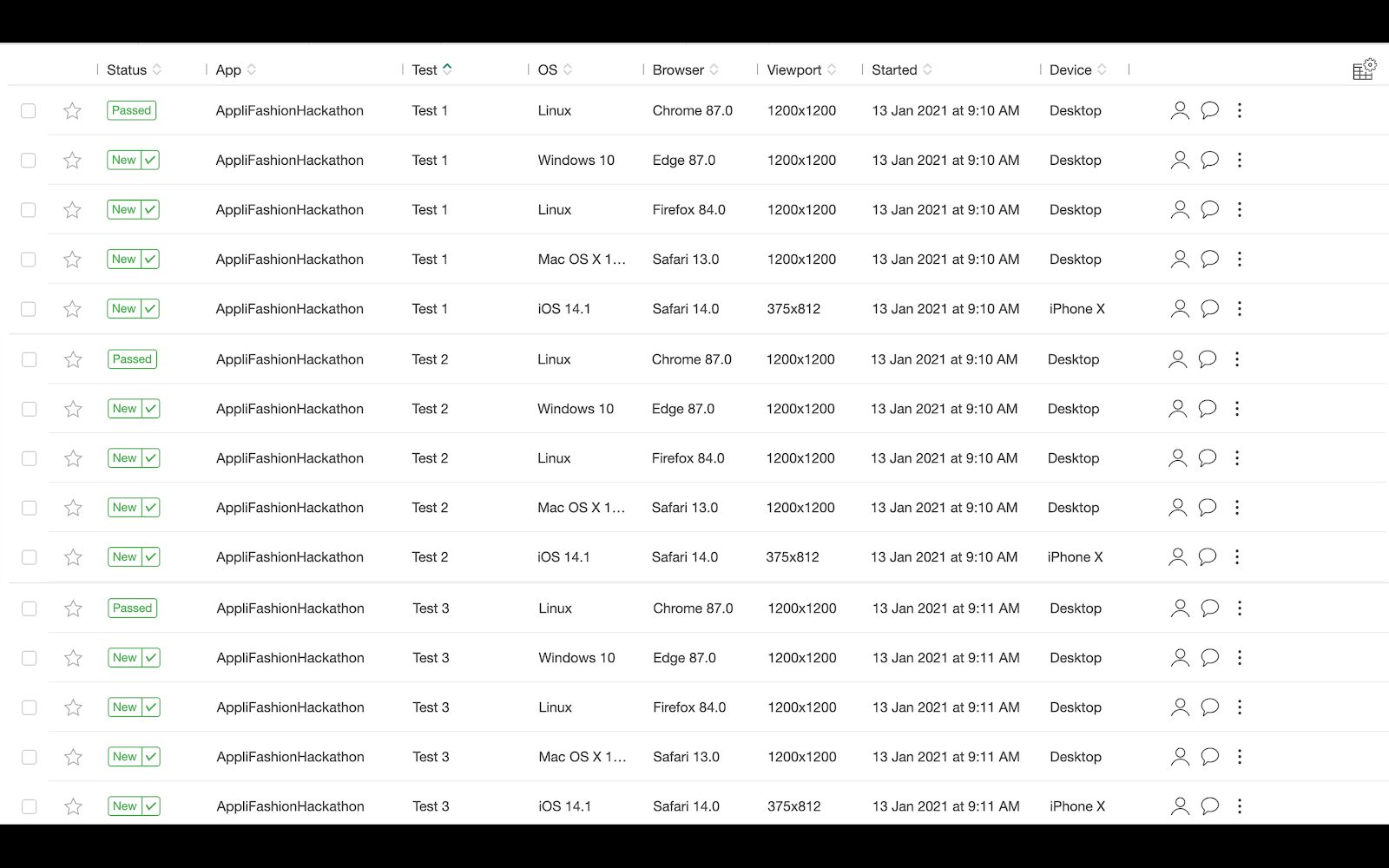
Test execution time: (using Applitools Ultrafast Test Cloud) Part 3: Chrome + Firefox + Safari + Edge + iPhone X |
125 sec (test execution time) 65 sec (Applitools processing time) |
Here are the observations from this test execution:
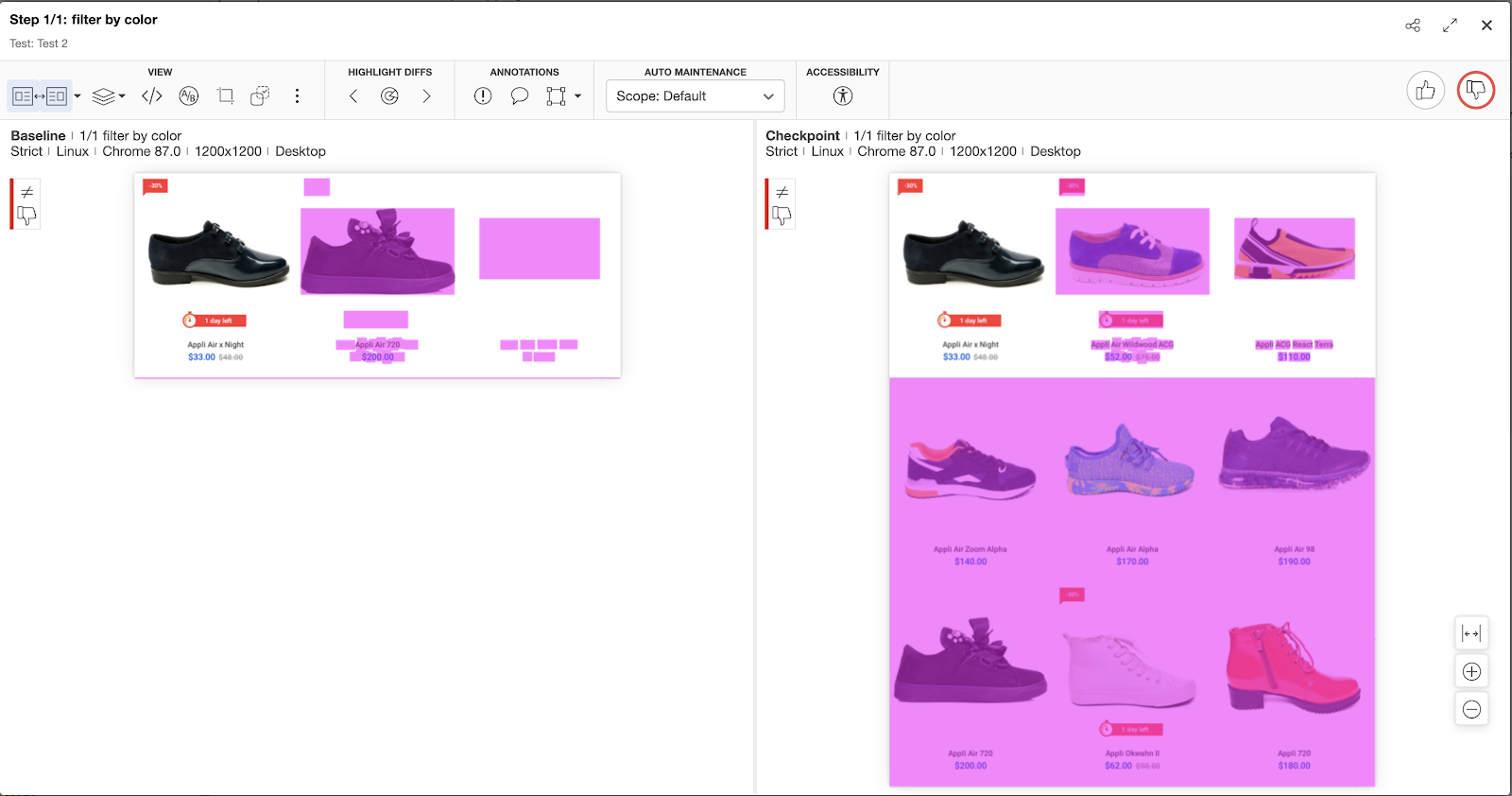
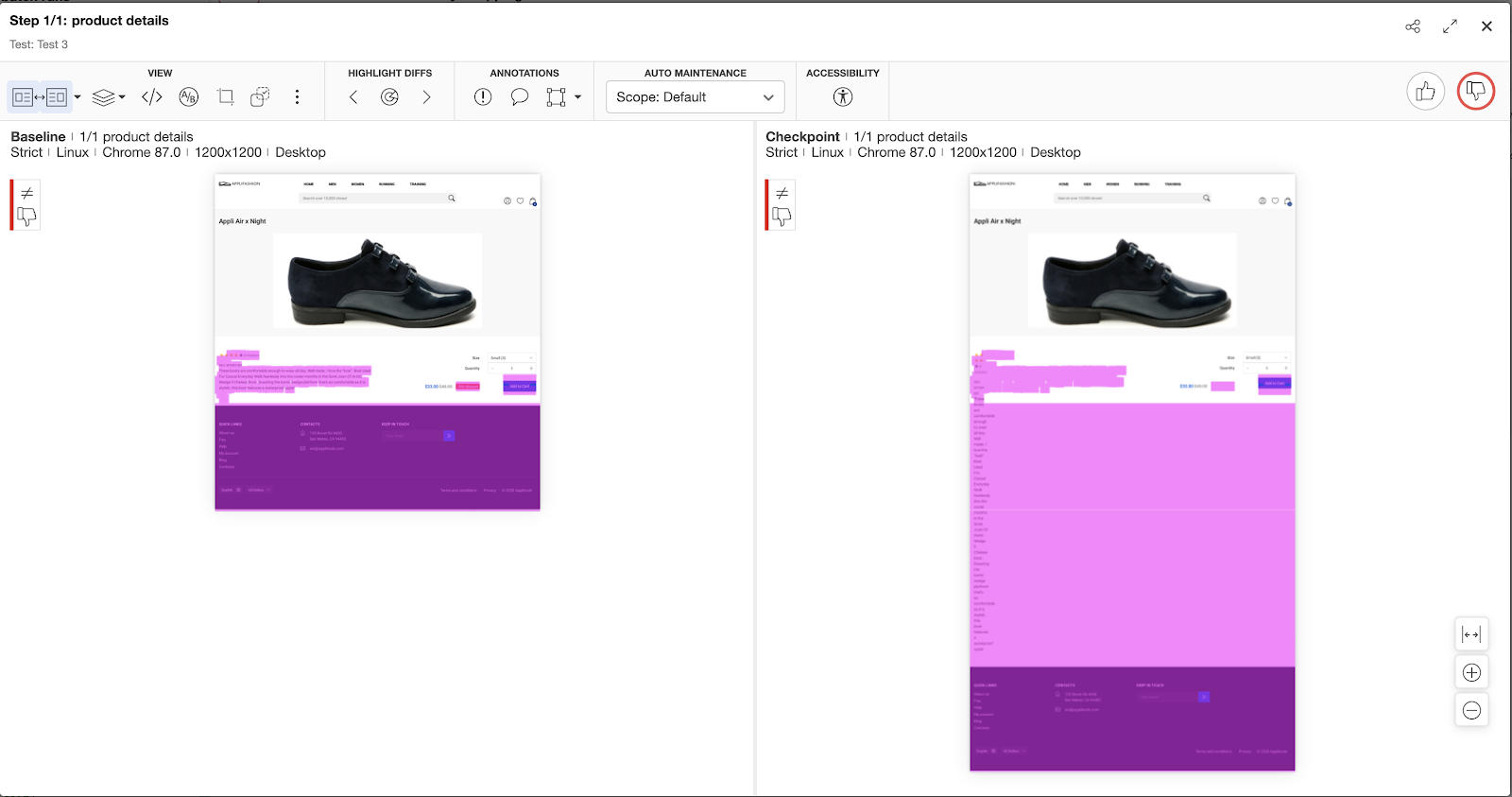
See these below examples of the nature of validations that were reported by Applitools:
Version Check – Test 1:
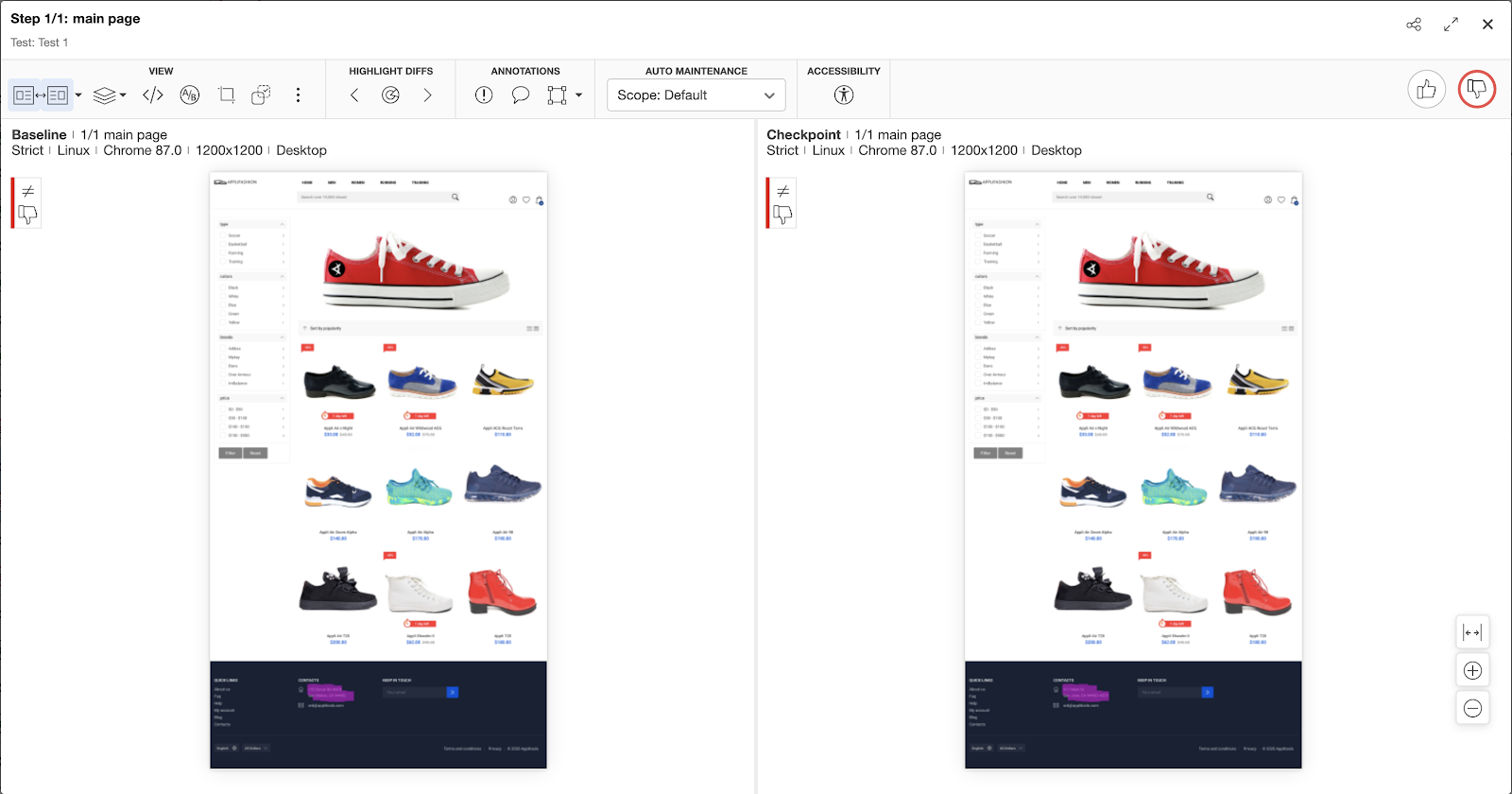
Filter Check – Test 2:
Product Details – Test 3:
Lastly, an activity I thoroughly enjoyed in Step 2 was the aspect of deleting code that now became irrelevant because of using Visual Assertions.
To conclude, the experiment made it clear – Visual Assertions are not a hype. The below table shows in summary the differences in the 2 approaches discussed earlier in the post.
| Activity | Pure Functional Testing | Using Applitools Visual Assertions |
|---|---|---|
Number of Tests automated | 3 | 3 |
Time taken to implement tests | 90 min (implement + add relevant assertions) | – |
Time taken to add Visual Assertions to existing Selenium tests | – |
10 min Includes time taken to delete the assertions and locators that now became irrelevant |
Lines of code (actual Test method code) | 65 lines | 7 lines |
Number of locators used | 23 | 3 |
Number of assertions in Test implementation |
16 This approach validates only specific behavior based on the assertions. The first failing assertion stops the test. Remaining assertions do not even get executed |
3 (1 in for each test) Validates the full screen, captures all regressions and new changes as well in 1 validation |
|
Test execution time: Chrome + Firefox + Safari browser |
129 sec (for 3 browsers) | – |
|
Test execution time: (using Applitools Ultrafast Test Cloud) Part 3: Chrome + Firefox + Safari + Edge + iPhone X | – |
125 sec (test execution time) 65 sec (Applitools processing time) (for 4 browsers + 1 device) |
Visual Assertions help in the following ways:
You can get started with Visual Testing by registering for a free account here. Also, you can take this course from the Test Automation University on “Automated Visual Testing: A Fast Path To Test Automation Success”