
Let’s be honest: if you’re using legacy test approaches, you spend a ton of time maintaining your data-driven tests. And that time slows you down when you’re trying to keep up with a dev team that thinks, “we’re coding to standards – it should all run everywhere.”
Think about the most difficult parts of coding and maintaining your test infrastructure. The simplest part involves writing the initial tests. You use what you see and your understanding of expected behavior to drive the tests. Test maintenance costs can drive you crazy.
All software testing involves two activities: applying input and measuring the output behavior. When you can do both using an automated tool, you can automate your tests.
As I have discussed elsewhere, Applitools exists because we know the limits of building test automation around checking the DOM. Testing for the existence of web elements in the response DOM can be misleading, as individual measured elements of the DOM remain unchanged to the test code but the user experiences a visual difference.
In Chapter 3 of Raja Rao’s course on Modern Functional Testing through Visual AI, Raja compares test methods around code maintenance. Specifically, he looks at data-driven tests, used as the building blocks of test automation.
Almost all automation today uses code to check the DOM for specific text elements. Like most of us, you probably assume that, as long as the elements continue to exist, the user experience does not change. In practice, that assumption fails on some number of pages in your app.
The more times you make global or local CSS changes, and the more times you fail to visually validate, your tests miss errors that your customers experience. Ads overlap or get hidden. Text formatting fails. Color changes don’t get validated – resulting in camouflaged behavior. Even when you write specific tests for expected behavior, it’s easy to write tests that fail to catch obvious problems in subsequent releases. As a result, your users to wonder who ran those tests. (Hint: get a mirror.)
Raja demonstrates data-driven testing with Visual AI by first looking at a login page of a test application.
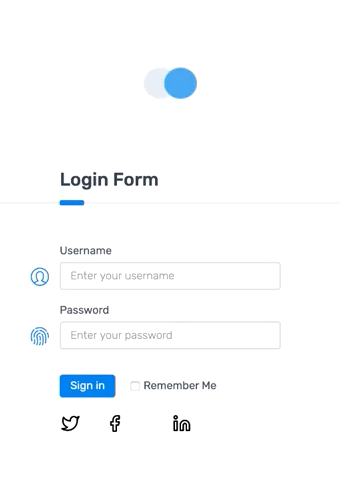
In a legacy functional test, the login screen, which asks for a username and password, has five possible behaviors:
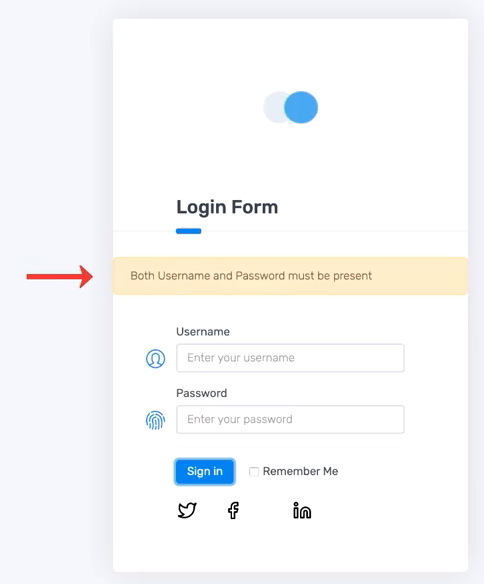
This kind of screen sets up perfectly for a data-driven test. You can apply each combination with a test table or hard-coded set of tests and measure the responses from the app. Hence – data-driven: your test data varies and you measure different results.
Here is the legacy functional code Raja uses as test code
https://gist.github.com/batmi02/e9d52f8eb47ee6acefc9c2a4d2ca7c98
The legacy code uses a data table of input states and expected output conditions. When Raja runs the code, it behaves as expected – the failure messages get detected for failures, and the passing test passes correctly. Each of the tests uses the identifier for the failure message to pull up the failure response, while the passing test simply moves to the appropriate screen.
As a complete aside, Raja inadvertently shows one of the perils awaiting the life of a tester. In his chapter, Raja shows only four of the five test combinations. He skips over the invalid username/password combination. Bummer.
Testing often serves the last line of defense for uncovering faulty code. How does your organization react when a bug escapes because of a missed test case? How much time do you spend maintaining test code versus considering test coverage?
Raja’s next focus is what happens when page behavior changes. Page behavior can change any time developers update the app.
Focusing on the four combinations of username and password (none entered, one but not the other, and both), Raja uses the existing test behavior to highlight where the test code needs to be updated.
As it turns out, app changes can result in an app that no longer behaves correctly for users. However, even though users cannot use the app, existing tests still pass. Whoops.
Here were the changes Raja deployed and how the existing tests fared:
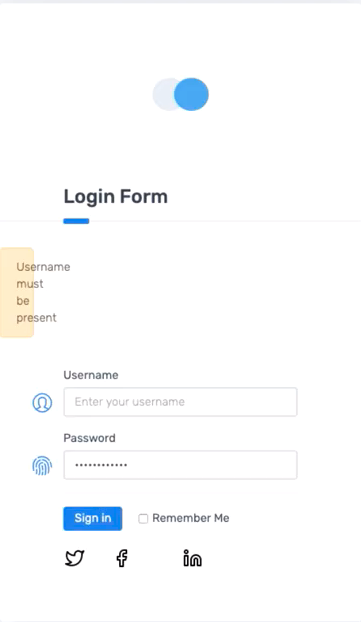
So, the one test fails because of an intentional change, and one test fails because of a change that is likely, but unclearly, intentional. The two other tests pass because the tests only measured the existence of the response code. There was no way to consider the utility of the app from release to release.
It’s pretty easy to see why this happens – the test code runs so quickly that the tester cannot see the differences.
What do you think about these kinds of changes? Do you get taken by surprise when developers forget to document new behavior or forget to let you know about layout or CSS changes?
All tests need maintenance when the app changes. Some organizations conclude that they must limit their changes to ensure testability. They need to maintain that code – which takes time and effort.
Others search for a different way. So, Raja walks through data-driven testing using Visual AI to measure application behavior.
Raja walked us through the same tests using Visual AI. Instead of having element locator and text capture assertions as part of the data-driven tests, each configuration test had a unique name and got captured separately by Applitools Eyes. So, just to be clear – the browser automation uses locators to enter data and drive actions. However, the testing uses an app page snapshot.
https://gist.github.com/batmi02/1a317a62c1f3d38acb9790186a9fa4de
When the app changes were implemented, Applitools showed all three differences.
Here were the results from testing the old version of the app – and then running the same tests on the new version of the app.
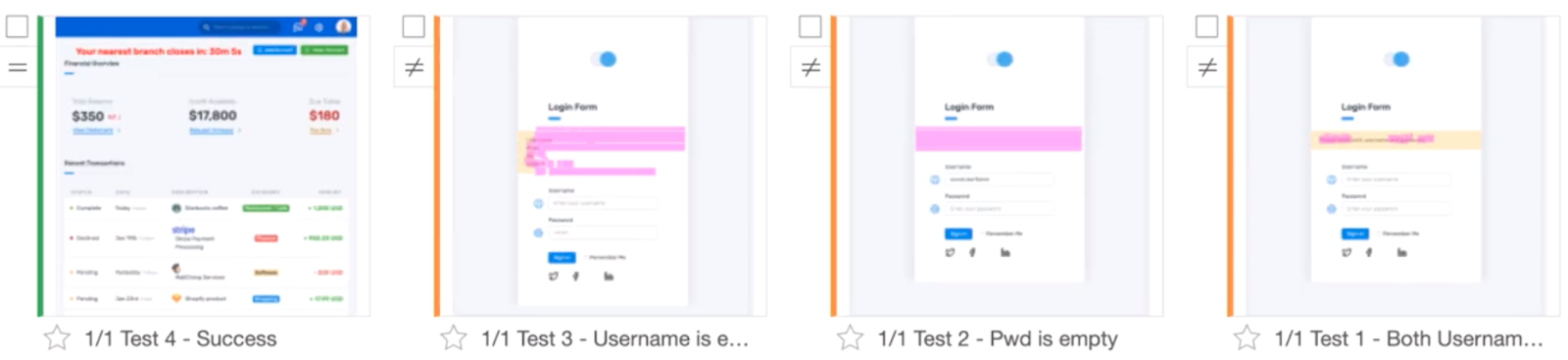
On the far left, the test in green shows that the login continued to run. So, even though the legacy test failed (because of a change in the username locator), Applitools passed this test.
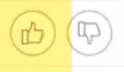
The other three tests are the ones we discussed earlier. Each of them shows up as orange – Unresolved. This means Applitools indicates a difference and requires the operator to indicate an intended difference with a thumbs-up and a failure with a thumbs-down.
Here is a screenshot of that last example:
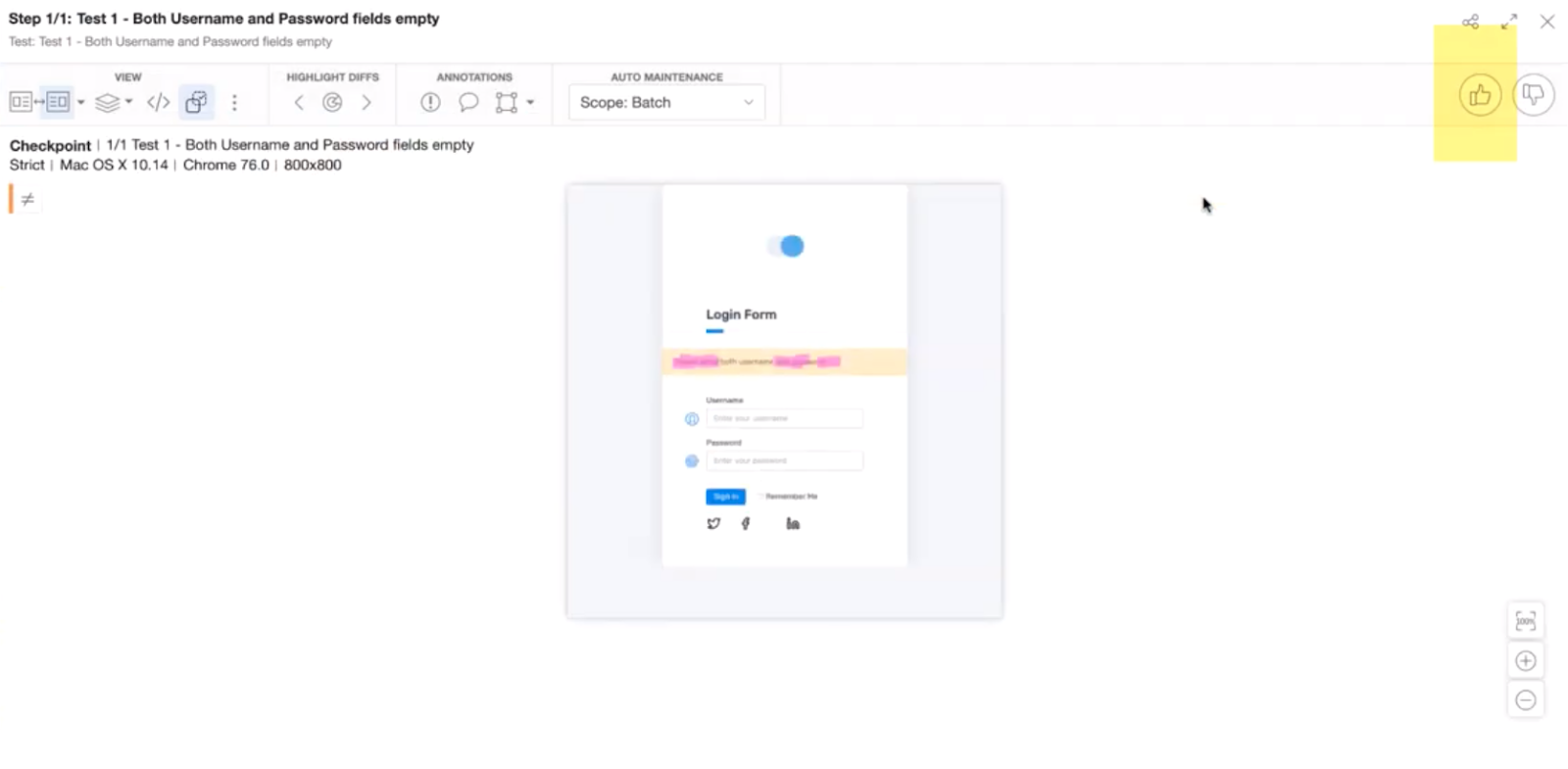
All right, that’s kind of an eye chart. Here is what Applitools shows for the screen capture:
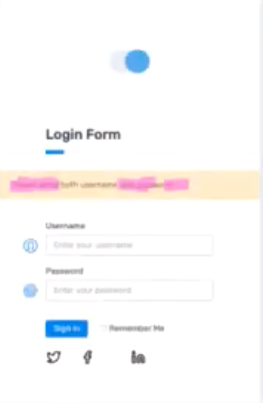
The text in pink highlights the difference between the baseline image and the checkpoint. In this case, we’re seeing only the checkpoint and the highlighted differences. You can configure the display to show the baseline and checkpoint images side-by-side with the differences highlighted. It’s up to you.
Once you make your evaluation, as an operator, you simply click the thumbs-up or thumbs-down icon at the top right:
Similarly, here’s what happens on a failure:
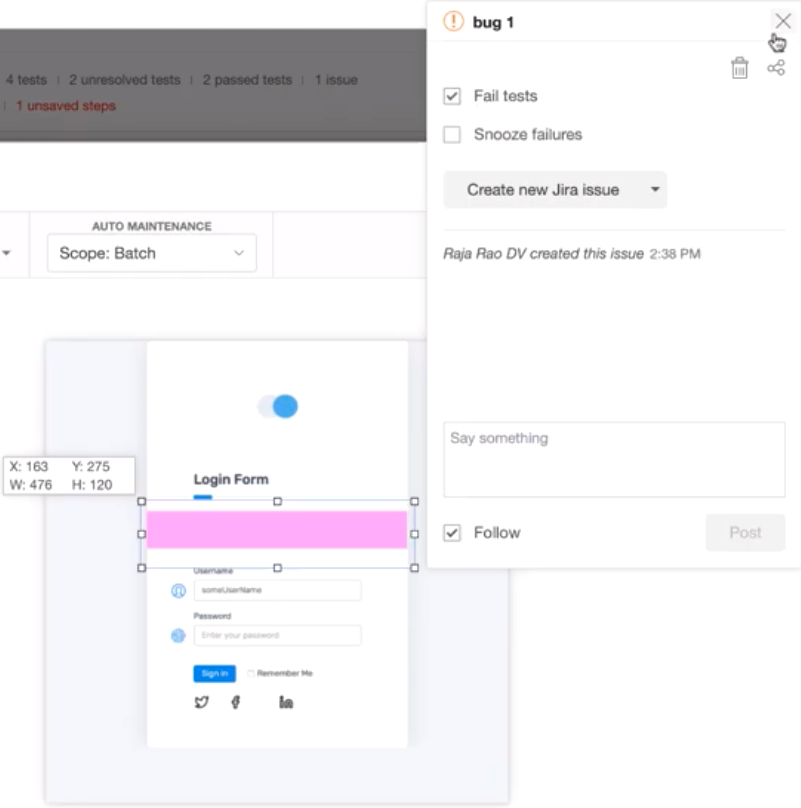
This failure captures the error on the missing password – where the alert text and text box rendered invisibly. Applitools shows the difference as a pink region. By marking this area as the error, Applitools lets you inform the development team via Jira where the error could be found. And, with the optional root cause analysis, you can even capture the DOM code resulting in the behavior. These capabilities make you much more effective – you can increase your coverage and improve your team communications when you encounter unexpected behavior.
Raja’s course makes it clear that all of us generally take way more care in our test development when building an app, but our test maintenance teams get stuck running tests as a way to maintain all that code once an app goes through updates. Even when our development teams communicate changes and deliver updated tests, bugs go through.
Visual AI lets the browser rendering become the metric for app behavior. Instead of looking for artifacts in the unrendered HTML and hope that they’re right, Visual AI lets you say, “Okay, let’s rerun the tests and see what’s different.”
Just by running your existing tests, Visual AI catches all the behaviors the developers intended – as well as stuff they forgot to tell you to modify. Cool, isn’t it?
In addition to a better workflow, Visual AI gives you a broad vision. In a different blog post, I talk about functional test myopia – you only write tests for the behaviors you expect to see and fail tests when the behaviors you inspect differ from your expectations. What about the rest of the page? You just assume that’s still the same, right? Visual AI captures all that as well.
You spend lots of your time building data-driven tests. In fact, for any action that has a combination of inputs to test against outputs, its easiest to think of those as data-driven. However, as your app develops, you can become complacent that your testing covers the behavior of your app when, in fact, the app has changed. You can come up with changes that your app testing passes but, in fact, fails for users.
What can you do about that? Drive your data-driven tests as you have always, and use visual AI to assert the output. You catch visual changes and eliminate dependencies on upstream developers capturing changes for you. Simultaneously, you increase your efficiency by reducing the test code you have to manage.
Next up – Chapter 4!