
Traditionally, web applications built on Drupal are built using various entities like Content types, blocks, components using Layout Builder, and then the product is made available to the end-user on the front-end using HTML, CSS and JavaScript. The team usually starts with back-end stories related to building various content types, related roles, and permissions, and then the front-end team picks it up to make the site more usable and accessible as per the design requirements.
Of course, with component libraries like Storybook, Fractal, PatternLab, and with designs in place, the front-end team can start implementing them as component libraries in parallel, which are later integrated with Drupal.
Let’s talk about testing the application in the next section.
Behat, PHPUnit, Drupal Test Traits (DTT), and NightwatchJS are the most widely used tools for automating tests with Drupal. There are several reasons why these tools are popular within the Drupal community, such as all these tools are PHP-based frameworks (apart from NightwatchJS), offer ready to use Drupal extensions/plugins and have huge community support.
With these tools, one can automate unit, integration, and acceptance level tests. But what about automating the visual tests? That’s the missing tip of the pyramid which we will address through this blog post.
We have used Cypress to automate the browser and Applitools for AI-based visual validation. Our reasons for using Cypress over other tools are many, including the following:
The site to demonstrate the concept is Drupal Umami, the major advantage being that the site is already constructed and we can directly focus on writing automated visual tests without having to worry about creating these pages.
NOTE: If you are completely new to the concept of automated visual validation testing, then please refer to the course “Automated Visual Testing: A Fast Path To Test Automation Success” on Test Automation University from Angie Jones.
Applitools provides an SDK for Cypress which makes it very easy for us to integrate automated visual validation tests in the same functional test suite created using Cypress. The steps to configure Applitools with Cypress are straightforward and you can refer to their official documentation for more details. Let’s take a look at the test written for the Homepage. The gist as shown below:
The test in the above example launches the homepage and verifies the UI using the “checkWindow()” command. The checkWindow() command takes in the following parameters:
That’s it! And you are ready to execute the first automated visual test. So, let’s execute it using the command `npx cypress run`, assuming that the baseline image was captured correctly on the first run.
Here’s a small screencast for the same.
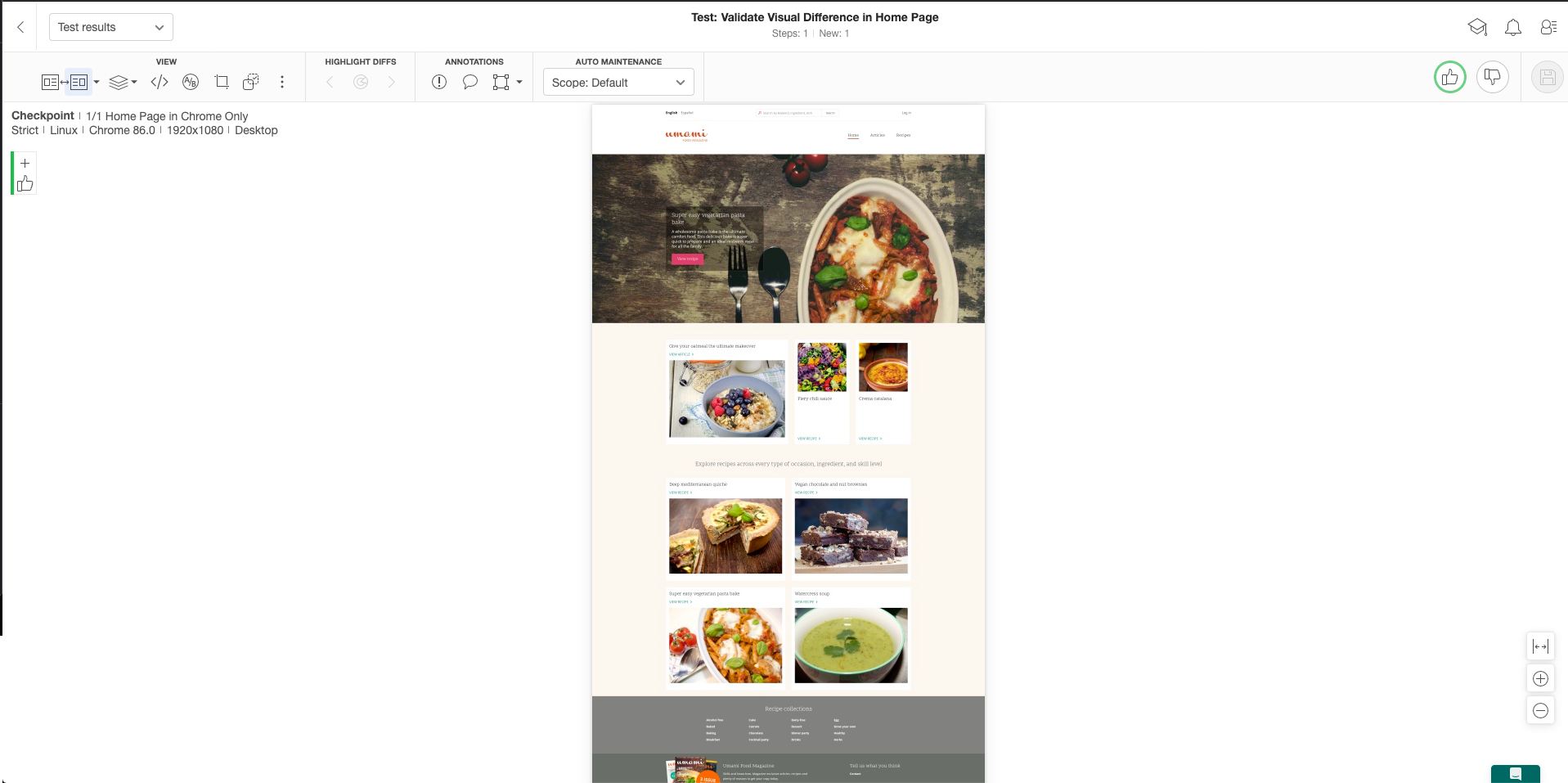
Now that the tests have been executed, let’s look at the execution results, which brings us to the Applitools dashboard. Here’s the passed test result.
The tests passing is a good thing. However, that’s not the primary reason for having automated tests. You want the tests to correctly detect the discrepancies as close as the point of introduction. For the purpose of this demo, we have intentionally introduced a couple of CSS bugs on the homepage through Cypress’s invoke command. Once the script launches the homepage, CSS changes are made at run-time in the browser and then the screenshots are captured as below:
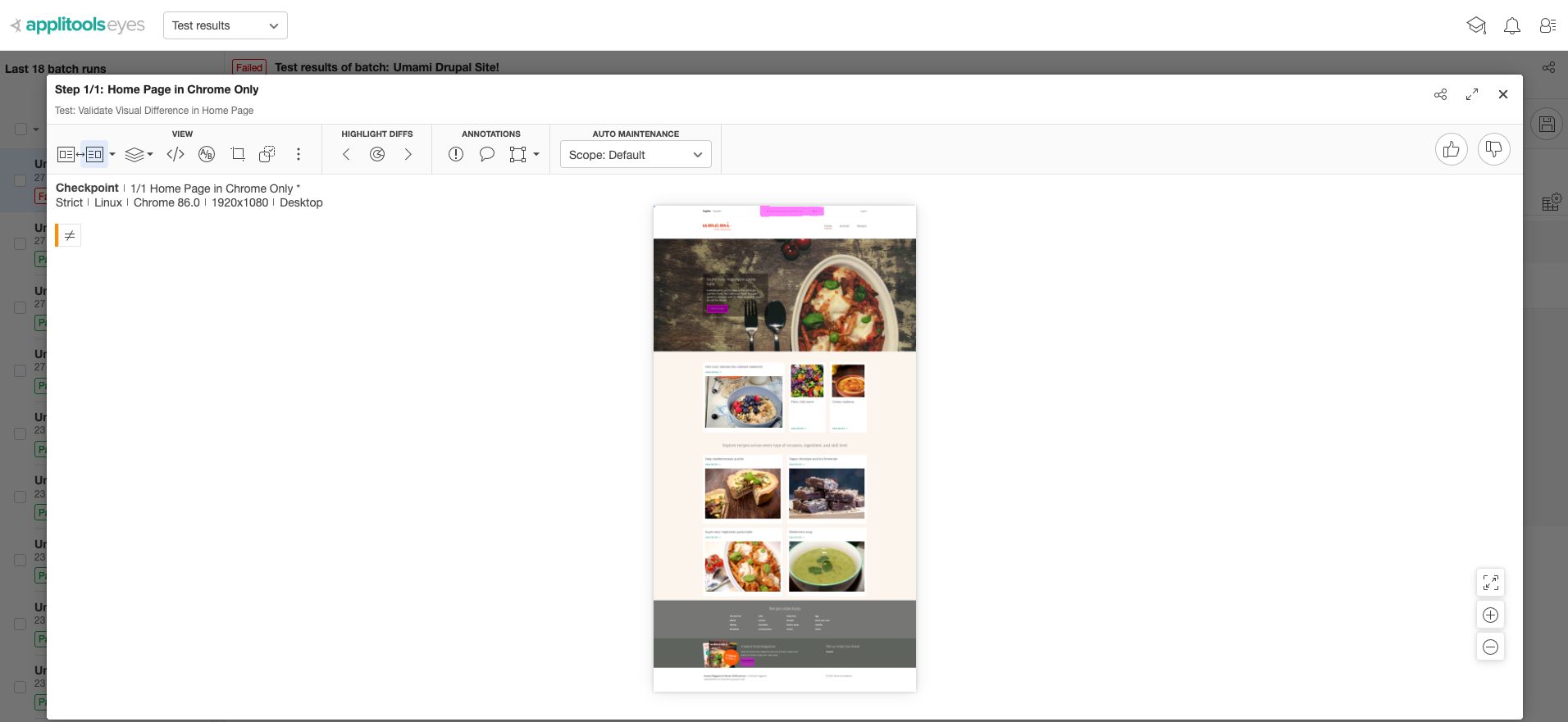
Let’s re-execute our test to see how the tool catches these bugs. The tool has correctly highlighted the three errors (in pink color) below that we introduced on purpose:
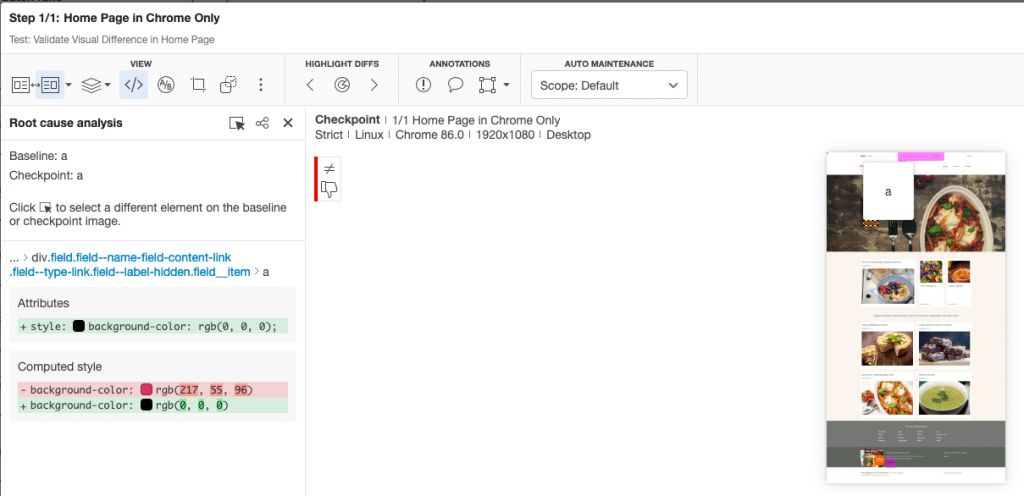
We confirm that these indeed are bugs, and reject the image marking the test as failed and then report bugs in Jira directly from Applitools. Additionally, the root cause analysis feature from Applitools helps us quickly identify the visual (UI) issues, in this case, caused by CSS changes as shown in the images below:
Until now, it was only about one browser. However, if we really want to leverage the automated tests written for validating the UI, then the true benefit lies in having the ability to execute these tests across several browsers, Operating systems, and devices. Verifying that the UI looks correct on one browser/device doesn’t guarantee that it would look exactly the same on all other browsers/devices because the rendering of the UI might be different on other browsers/devices.
Now that we have seen and understood how automated visual testing is done with one browser, let’s discuss some points that need to be accounted for to scale up your automated testing:
This brings us to discussing the Applitools Ultrafast Test Cloud which inherently takes care of the above points.
By using Applitools Ultrafast Test Cloud, you would be able to execute the automated visual validation tests across several browsers, operating systems, and devices of your choice and at lightning speed as although the test runs once on say Chrome (assuming Chromedriver is configured in the tests), the capturing of the pages occurs in parallel, in the background for all the configured browsers and viewports.
So, let’s write some more tests for Articles and Recipes landing and listing pages on the site. Let us also execute these tests in parallel on several browsers/devices as configured below using Applitools Ultrafast grid solution:
Here are the Ultrafast Grid Test Results across several browsers and devices.
To be precise, here are the details:
Execute once and see the results on so many browsers and devices. Now, that’s what I call truly automating your visual tests.
Also, notice that using the Applitools Batch feature, we have logically grouped the Test Results, to make it extremely readable.
There are many other Open Source tools like BackstopJS, Shoov, Gemini, Visual regression service for WebdriverIO to name only a few, but none of the tools has the Applitools advantage and we will look at a few of many reasons in the coming section.
Signup for a free account with Applitools and feel free to clone this repository to try it out on your own. Integrate automated visual validation tests in your project that will help you build and release visually perfect web applications or websites confidently at a faster rate.